AXISQ17Series
Setup
Howtohandlesceneswithstrongbacklight
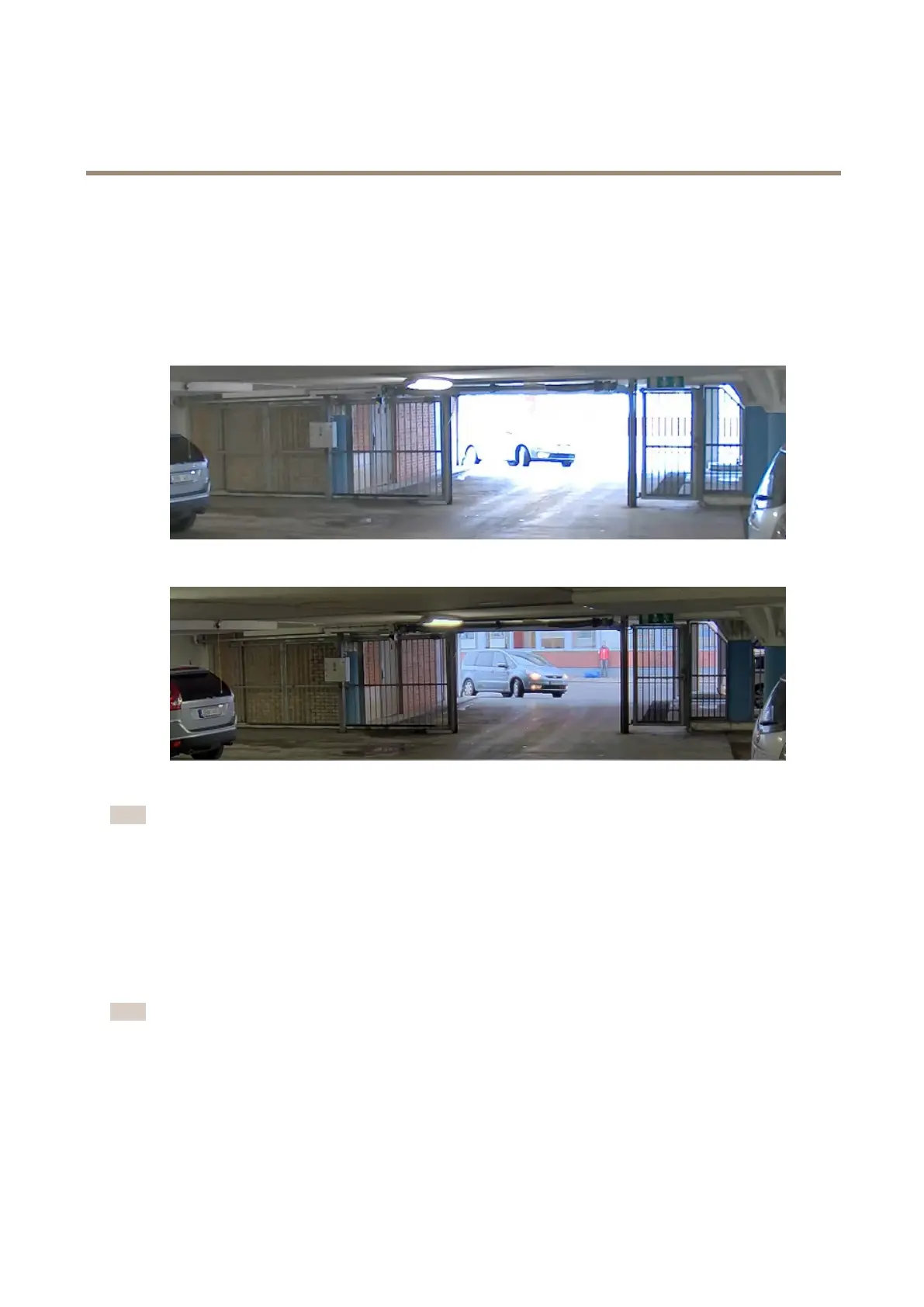
Dynamicrangeisthedifferenceinlightlevelsinanimage.Insomecasesthedifferencebetweenthedarkestandthebrightest
areascanbesignicant.Theresultisoftenanimagewhereeitherthedarkorthebrightareasarevisible.Widedynamicrange
(WDR)makesbothdarkandbrightareasoftheimagevisible.
1.GotoSettings>Image.
2.TurnonWDRunderWidedynamicrange.
ImagewithoutWDR.
ImagewithWDR.
Note
WDRmaycauseartifactsintheimage.
FindoutmoreaboutWDRandhowtouseitataxis.com/web-articles/wdr
HowtostabilizeashakyimagewithElectronicImageStabilization(EIS)
EIScanbeusedinenvironmentswheretheproductismountedinanexposedlocationandsubjecttovibrations,forexample,wind
orpassingtrafc.TurnonEIStogetasmootherandsteadierimagewithoutblur.
EISalsoreducesthelesizeofthecompressedimageandlowersthebitrateofthevideostream.
Note
WhenEISisturnedontheimageiscroppedslightly,loweringthemaximumresolution.
1.GotoSettings>Image.
2.TurnonEIS.
12



 To Next Page