AXISQ17Series
Setup
Howtocompensateforbarreldistortion
Barreldistortionisaphenomenonwherestraightlinesappearincreasinglybentclosertotheedgesoftheframe.Awideeldofview
willoftencreatebarreldistortioninanimage.Barreldistortioncorrectionwillcompensateforthisdistortion.
Note
Barreldistortioncorrectionaffectstheimageresolutionandeldofview.
1.GotoSettings>Image.
2.TurnonBarreldistortioncorrection(BDC).
3.Setthelevelofcorrectionthatgivesyouthebestimage.
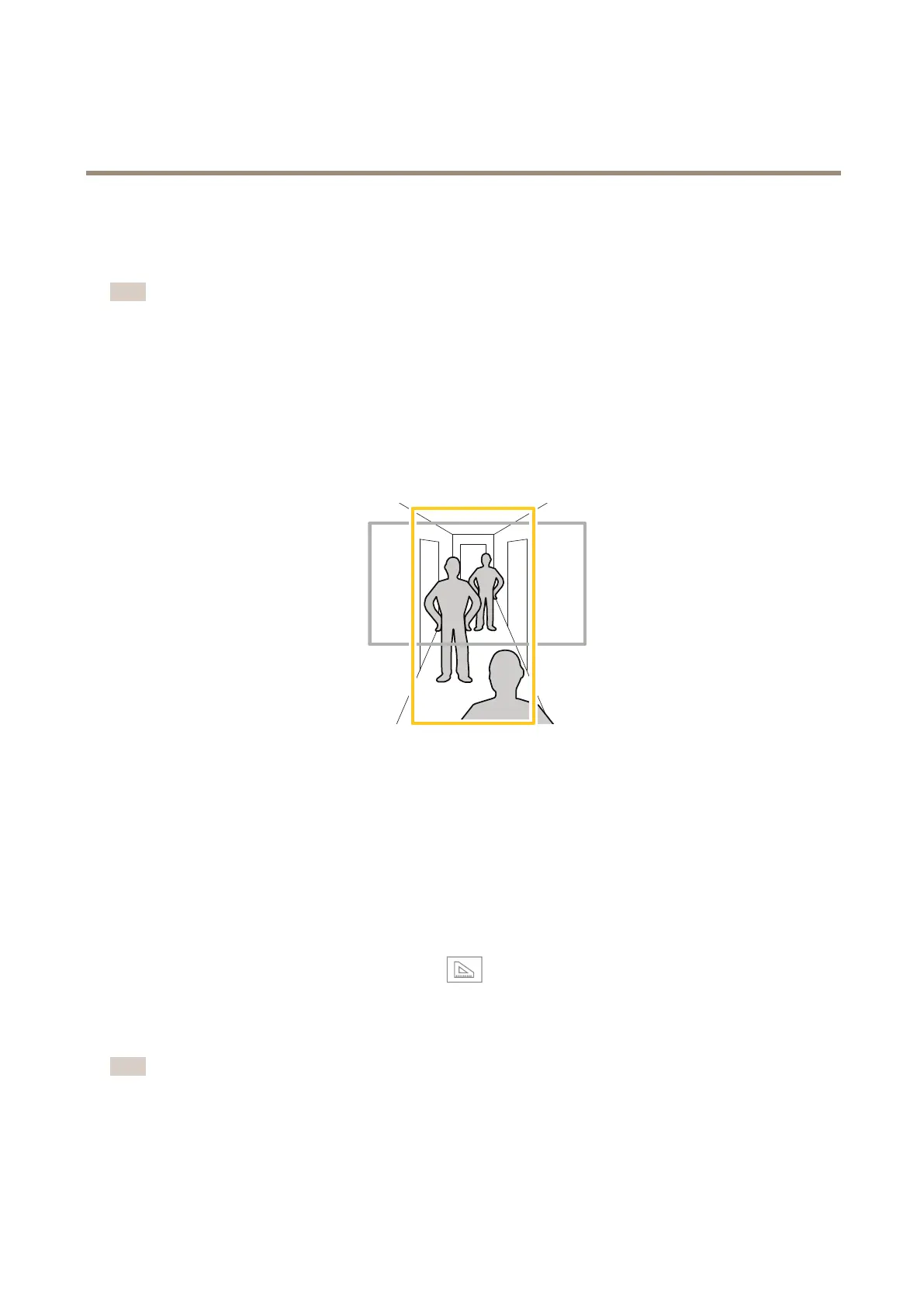
Howtomonitorlongandnarrowareas
Usecorridorformattobetterutilizethefulleldofviewinalongandnarrowarea,forexampleastaircase,hallway,road,ortunnel.
1.Dependingonyourproduct,turnthecameraorthe3-axislensinthecamera90°or270°.
2.Ifyourproductdoesn’trotatetheviewautomatically,logintotheproduct’swebpageandgotoSettings>Stream>
Orientation.Rotatetheview90°or270°.
Findoutmoreataxis.com/axis-corridor-format
Howtoenhancelicenseplaterecognition
Tobetterrecognizethelicenseplateofacarpassingbythecamera,youcanapplyandadjustanumberofthings.
Oneoptionistousethepixelcounterinyourcameratosettheoptimalpixelresolution:
1.GotoSettings>System>Orientationandclick
.
2.Adjustthesizeandplacementoftherectangleinthecamera’sliveviewaroundtheareaofinterest,forexample
wherethelicenseplatesofpassingcarsareexpectedtoappear.Youcanthenseethenumberofpixelsrepresentedby
thesidesoftherectangle.
Note
Youcanuseanobjectofaknownsizeintheviewasareferencetodecidehowmuchresolutionisneededforrecognition.
Inaddition,youcantrytoadjustthefollowingtooptimizelicenseplaterecognition:
•Shutterspeed
13



 To Next Page