Page 16 AXIS Q19 Series Installation Guide
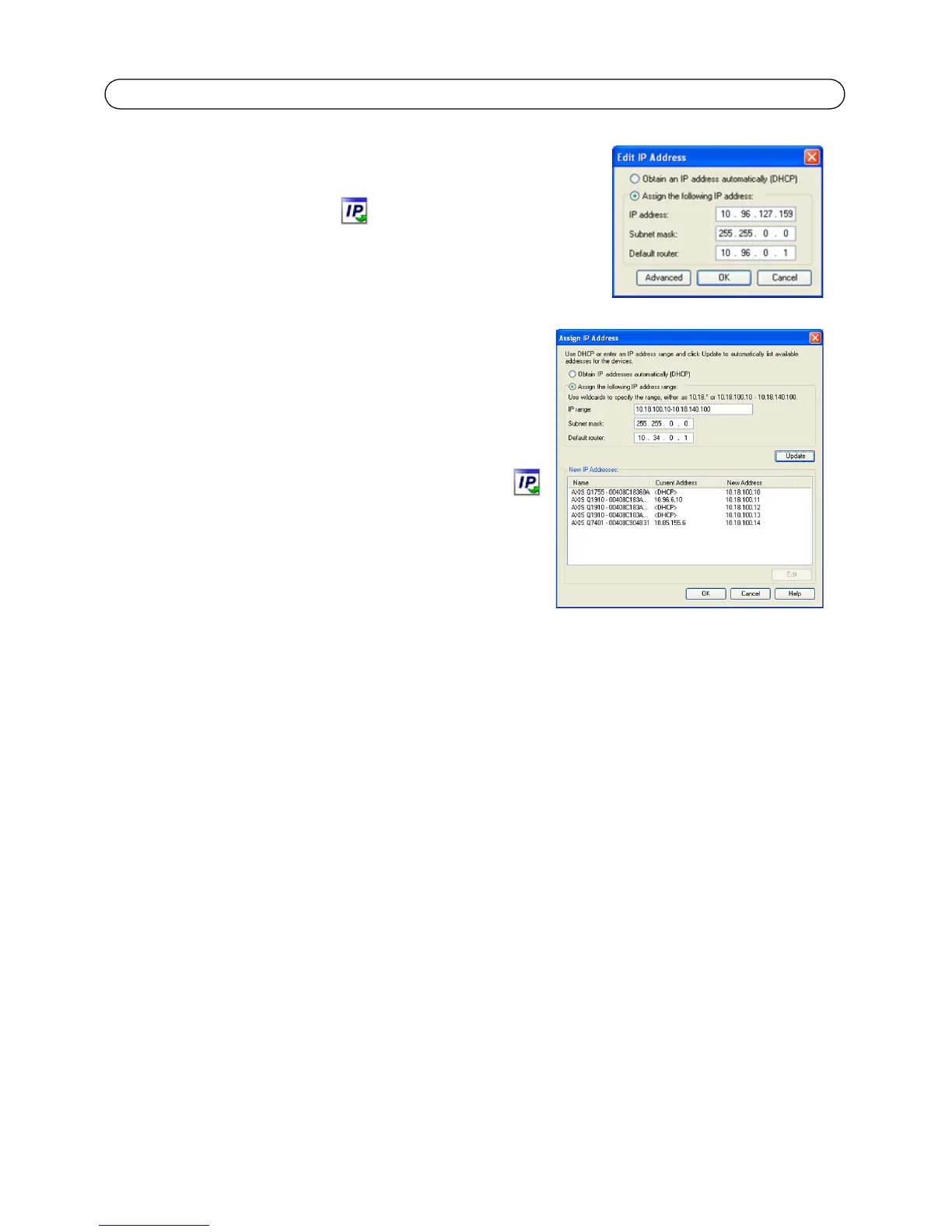
Assign an IP address in a single device
1. Select the network camera in AXIS Camera Management and
click the Assign IP button.
2. Select Assign the following IP address and enter the IP
address, subnet mask and default router the device will use.
3. Click OK.
Assign IP addresses in multiple devices
AXIS Camera Management speeds up the process of
assigning IP addresses to multiple devices, by suggesting IP
addresses from a specified range.
1. Select the devices you wish to configure (different mod-
els can be selected) and click the Assign IP button.
2. Select Assign the following IP address range and enter
the range of IP addresses, the subnet mask and default
router the devices will use.
3. Click Update. Suggested IP addresses are listed under
New IP Addresses and can be edited by selecting a
device and clicking Edit.
4. Click OK.



 To Next Page
 Loading...


