Q6010-ENetworkCamera
Repainttheproduct
Repainting
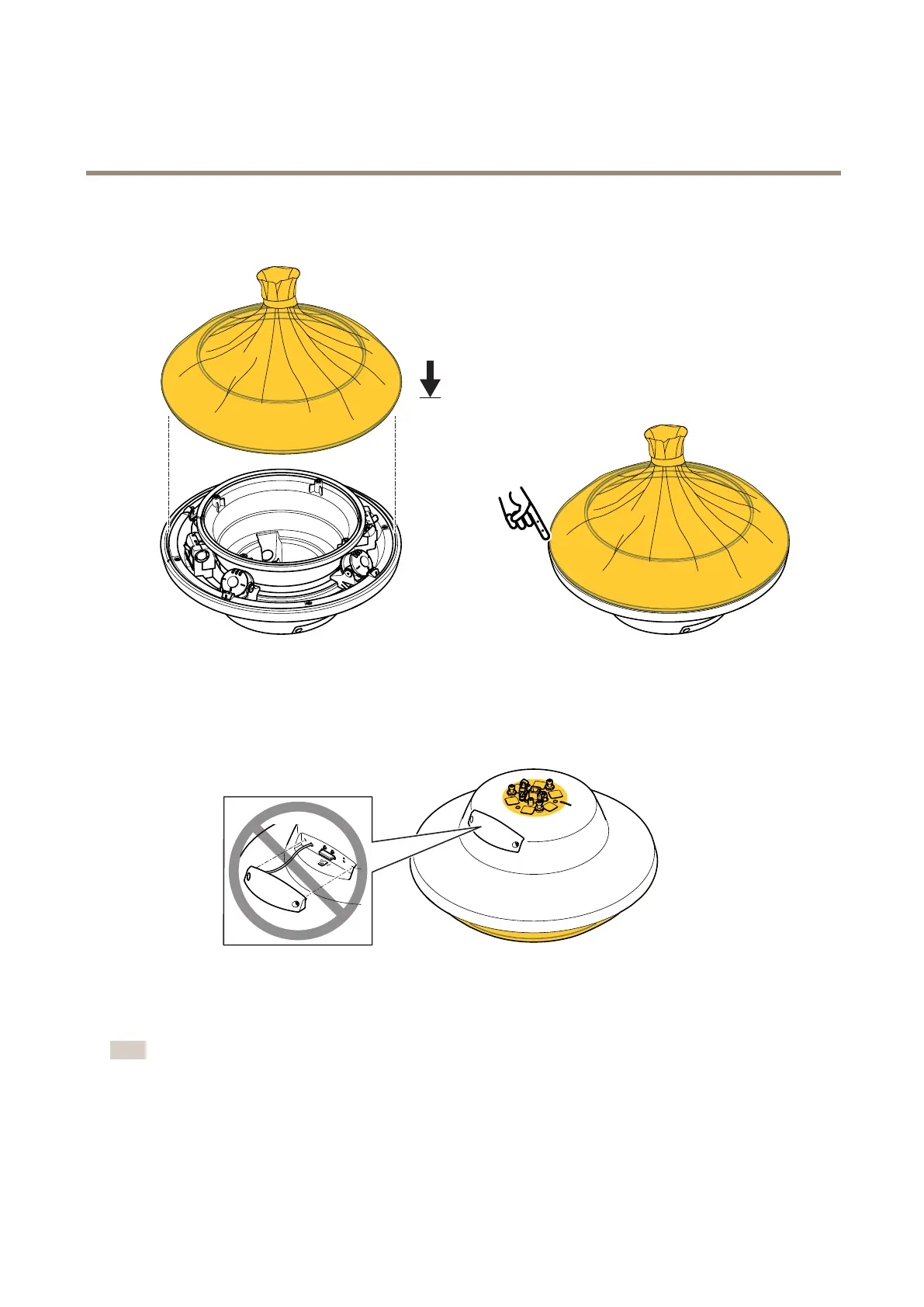
1.Maskthedomeringincludingtheedge.
2.Placethedomeringonthecameraunit.Makesuretheedgeofthetopcovercanbepainted.
3.Masktheholderhookandallholes.
4.Makesureallnecessarypreparationsofthecameraunitandthecoverringhavebeenmade.SeePreparationsonpage3.
Note
TheSDlidshouldnotberemovedduringrepainting,orelsetheSDlidgasketwillbedamaged.
5



 To Next Page