AXISQ86–ESeries
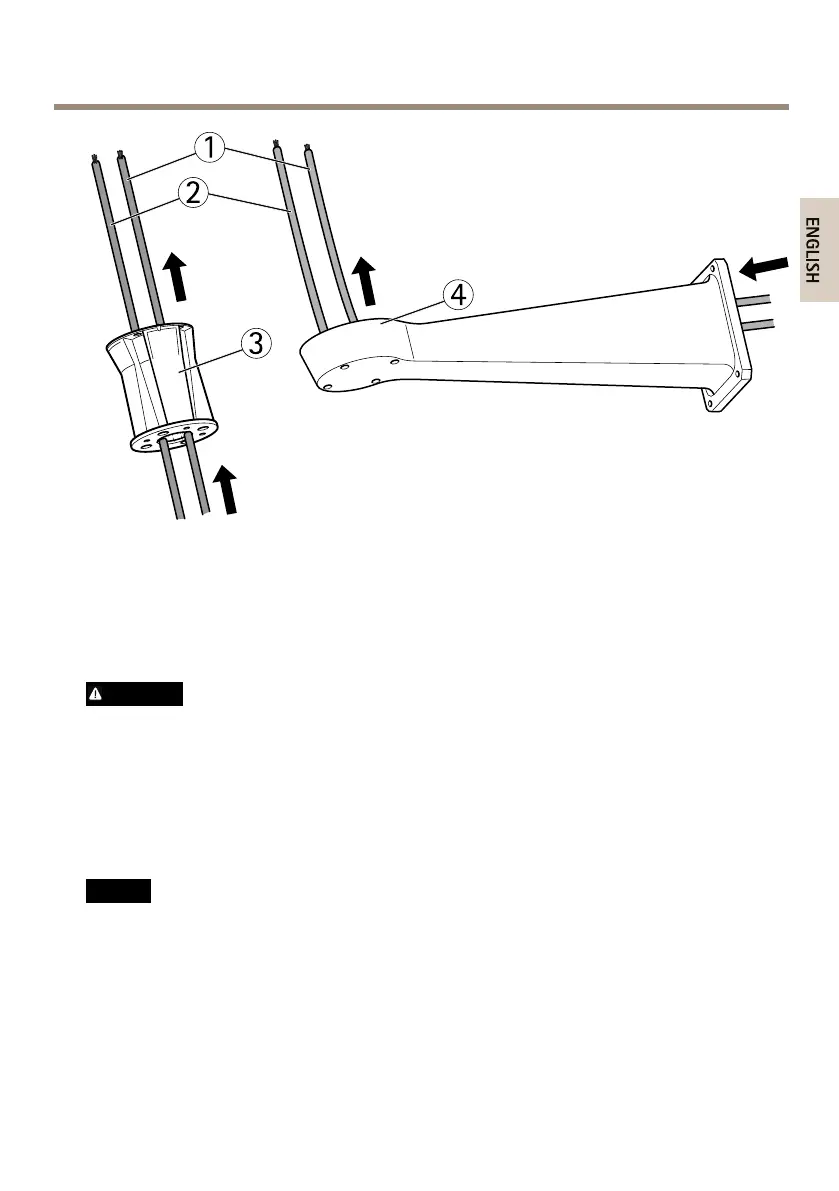
1
Networkcable
2
Powercable
3
Columnbracket
4
Wallbracket
AttachtheBaseUnittotheBracket
WARNING
Theelectricalconnectionsandconduitinstallationsshallbemadebyacertiedelectrician
andincompliancewithlocalregulations.
1.Removethedesiccantbag,whichisplacedinthebaseunit.
2.Makesurethesealisinposition.
3.Routethepowerandnetworkcablesthroughthebaseunit.
4.Connectthecablestothecableglands.
NO NO
NO
TICE TICE
TICE
Tomaintaintheproduct'sIPratingandreducecablestrain,makesuretotightenthe
cableglandcaps.
5.Topreventthecablesfromslippingout,tightentheglandsafteryouhavepulledthe
cablethroughthem.
15



 To Next Page