AXISQ86–ESeries
AccesstheProduct
UsethetoolsprovidedontheInstallationandManagementSoftwareCDtoassignanIPaddress,
setthepasswordandaccessthevideostream.Thisinformationisalsoavailablefromthesupport
pagesonwww.axis.com/techsup/
PanTilt
ThePTfunctionalityiscontrolledthroughthenetworkcamera.ThePTfunctionalityisenabledby
defaultandthecontrolswillbeavailablefromtheLiveViewpageinthenetworkcamera’sweb
pages.SeetheUserManual,availableattheproductpagesatwww.axis.com
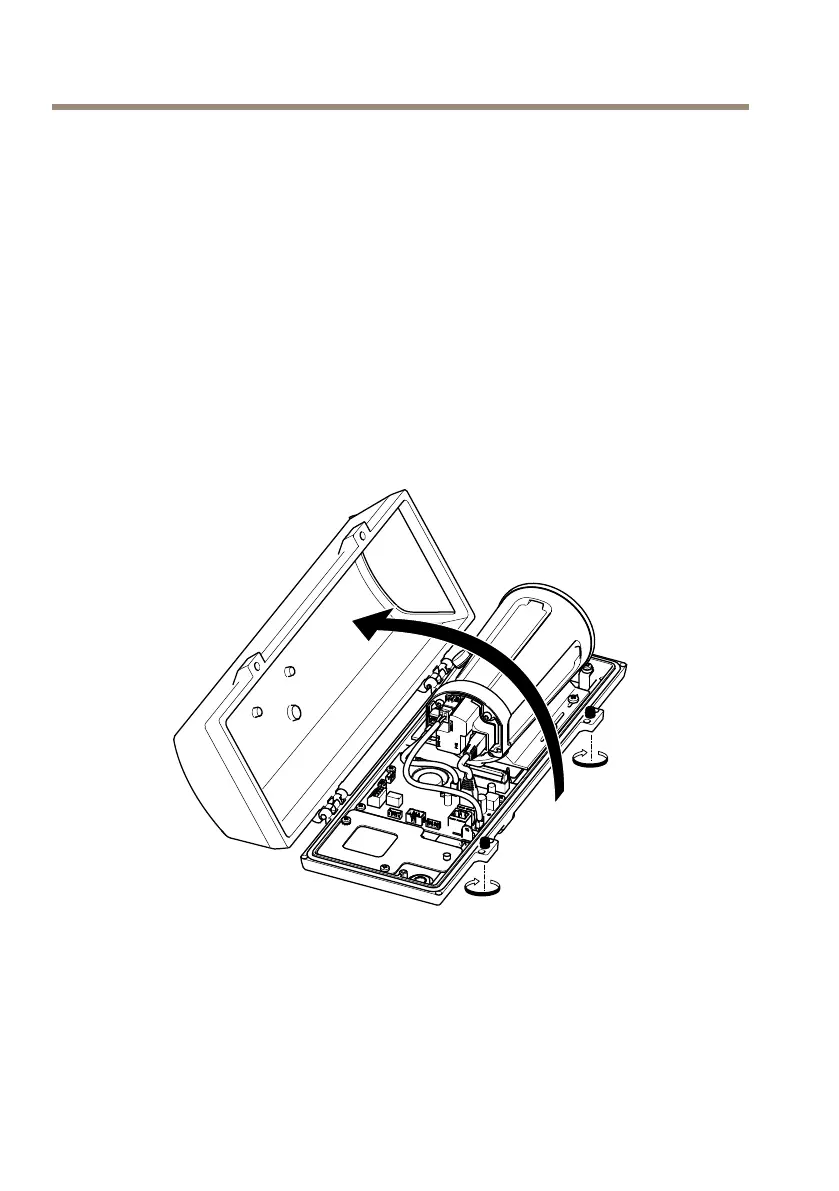
AccesstheCameraUnit
ToaccessthecameraunitformountingtheSDcardorresettingthecameratofactorydefault
settings,removethetwoscrewsandopenthetopcover.
MountSDCard
1.Removethepowercable,thenetworkcableandtheRX/TXcable.
2.Removethefourscrews.
20



 To Next Page