Need help?
Do you have a question about the Axis Q6000-E and is the answer not in the manual?
Details compliance with EMC directives and standards.
Lists compliance requirements for various regions like USA, Canada, Europe, etc.
Covers battery safety, warnings, and general handling precautions.
Instructions for environmentally responsible product disposal.
Identifies physical ports, connectors, and control buttons on the camera.
Explains the meaning of different status LED lights on the device.
Explains indicator lights for the midspan power injector.
Steps to access the product via browser and set root password.
Accessing the product locally and from the internet.
Guide to initial setup including camera head adjustment and PTZ connection.
Procedure for calibrating the PTZ camera for full functionality.
Details on view size, stream profiles, snapshot, and manual trigger controls.
Managing PTZ functions, including joystick operation.
Information on H.264, MJPEG, and multicast streaming methods.
Using AMC for video access and configuration.
Configuring image, H.264, and MJPEG video streams.
Adjusting image appearance, exposure, white balance, and using overlays.
Creating and managing privacy masks to protect sensitive areas in the video.
Setting default viewers for browsers and configuring viewer options.
Creating custom links for quick access to specific resources.
Configuring camera tampering, shock detection, and motion detection.
Defining conditions and actions for triggering events, including triggers and actions.
Adding recipients for notifications and defining recipient types.
Creating schedules and recurring triggers for action rules.
Accessing, searching, playing, and exporting recorded video files.
Configuring the product for continuous video recording.
Configuring user access, IP filtering, and HTTPS for product security.
Settings for IP addressing, DNS, NTP, and network services.
Managing SD cards, network shares, and product maintenance.
Customizing product behavior, scripting, and resetting to factory defaults.
Verifying firmware version and upgrading to the latest version.
Resolving issues with browser access, login, and network connectivity.
Addressing problems with video quality, streaming, motion detection, and storage.
Detailed specifications for camera sensor, lens, video compression, and resolution.
Information on protocols, security, casing, memory, power, and operating conditions.
Factors affecting system performance like bandwidth and frame rate.
 General
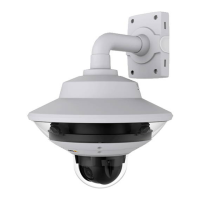
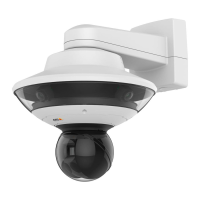
| Type | IP security camera |
|---|---|
| PTZ control | Yes |
| Placement supported | Outdoor |
| Connectivity technology | Wired |
| Form factor | Dome |
| Mounting type | Wall |
| Product color | White |
| Housing material | Aluminum |
| International Protection (IP) code | IP66 |
| Full HD | No |
| Total megapixels | 2 MP |
| Maximum resolution | 1280 x 720 pixels |
| Supported video modes | 720p |
| Video formats supported | AVC, H.264, M-JPEG, MPEG4 |
| Supported graphics resolutions | 960 x 720, 320 x 180, 1280 x 720 (HD 720) |
| White balance | Auto |
| Camera shutter speed | 1/45500 - 4 s |
| Minimum illumination | 0.3 lx |
| Sensor type | CMOS |
| Optical sensor size | 1/2.8 \ |
| Optical zoom | - x |
| Focus adjustment | 2.0 |
| Fixed focal length | 1.37 mm |
| Security algorithms | 802.1x RADIUS, HTTPS, SSH, SSL/TLS |
| Password protection type | User |
| Flash memory | 256 MB |
| Internal memory | 1024 MB |
| Compatible memory cards | SD, SDHC, SDXC |
| Maximum memory card size | 64 GB |
| Cabling technology | 10/100/1000Base-T(X) |
| Supported network protocols | IPv4/v6, HTTP, HTTPS , SSL/TLS, QoS Layer 3 DiffServ, FTP, CIFS/SMB, SMTP, Bonjour, UPnP, SNMP v1/v2c/v3(MIB - II), DNS, DynDNS, NTP, RTSP, RTP, SFTP, TCP, UDP, IGMP, RTCP, ICMP, DHCP, ARP, SOCKS, SSH |
| Compliance industry standards | PoE IEEE 802.3at |
| Interface | RJ-45 |
| Built-in microphone | - |
| Power source type | PoE |
| Operating temperature (T-T) | -30 - 50 °C |
| Operating relative humidity (H-H) | 10 - 100 % |
| Sensor | 4 |
 Weight and Dimensions
| Width | 389 mm |
|---|---|
| Height | 308 mm |
| Weight | 3550 g |


 To Next Page