AXISQ6000-EPTZNetworkCamera
AccesstheProduct
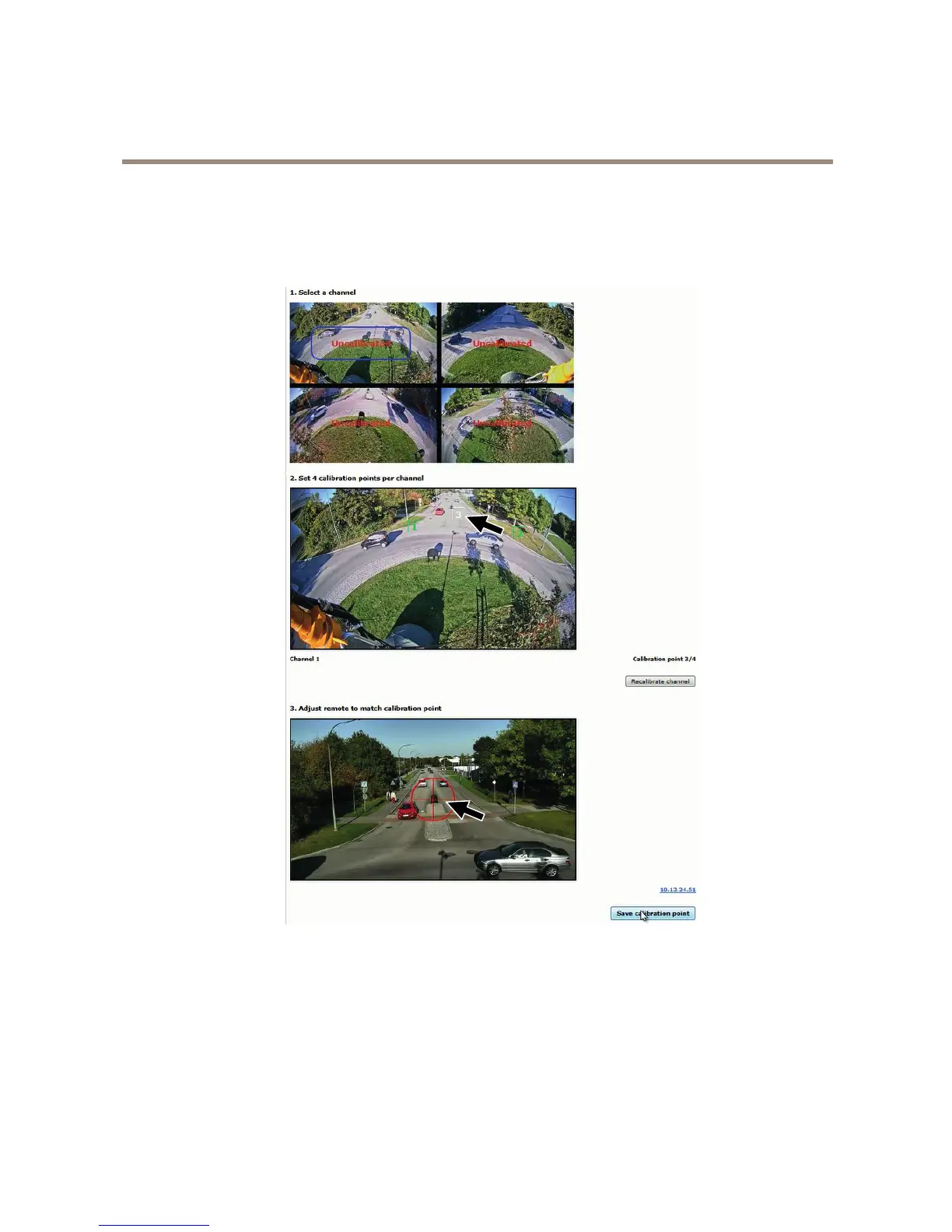
5.Repeatsteps2-4untiltherearefourcalibrationpointsinthechannel.
6.Repeatfromstep1untilallchannelsarecalibrated.
7.SelectNext.
Theimageshowsasnapshotofanongoingcalibration.Thearrowspointoutcalibrationpoint3intheupperleftchannelviewand
thecorrespondingpointinthePTZcameraview.
TheLiveViewPage
ThecontrolsandlayoutoftheLiveViewpagemayhavebeencustomizedtomeetspecicinstallationrequirementsanduser
preferences.Consequently,someoftheexamplesandfunctionsfeaturedheremaydifferfromthosedisplayedinyourownLiveView
page.Thefollowingprovidesanoverviewofeachavailablecontrol.
12



 To Next Page