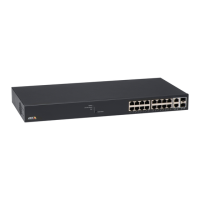
AXIST8504–EOutdoorPoESwitch
SSHserialinterface
2.Viewnetworkparameters
Gotothismenuitemtogetthefollowinginformation:
•In-useIPv4networkparameters—ShowsifDHCPv4isenabledordisabled.
Alsoshowsthein-useIPv4address,IPv4maskandIPv4defaultgateway.
•In-useIPv6networkparameters—ShowsifDHCPv6isenabledordisabled.
Alsoshowsthein-useIPv6address,IPv6prexandIPv6defaultgateway.
IPv6canreportseveralIPv6addresseswhichwereobtainedautomaticallyin
additiontoastatic/DHCPv6IPv6address.
•In-useDNSnetworkparameters—Informationaboutin-useIPv4/IPv6
domainnameserverIPs,whichareconguredstaticallyorobtainedby
DHCPv4/DHCPv6.
•Morenetworkparameters—InformationabouttheunitMACaddress
3.Viewunitinformation
Gotothismenuitemtogetasummaryofunitproductionparameters:
•Partnumber—Informationaboutunitmarketingpartnumber(T8504–E)
•S/N—Informationaboutunitsix-digitserialnumber
•Productnumber—Informationaboutunitproductionnumber(forinternal
useonly)
•Appver—Informationaboutnetworkmanagersoftwareversion
•Bootver—Informationaboutnetworkmanagerbootversion
•Firmware—PoErmwareversion
•Systemuptime—Informationaboutthetimepassedsincetheunitwas
resetorpoweredup
•SystemGMTtime—InformationaboutunitGMTtimeasitwasobtainedfrom
anNTPserver.WhenevertheunitisunabletoobtainNTPtimefromanNTP
server,themessage“incorrect”isshown.
•Systemlocaltime—Informationaboutunitlocaltime(GMTplustimezone
shift).WhenevertheunitisunabletoobtainNTPtimefromanNTPserver,
themessage“incorrect”isshown.
Congurationandmaintenancemenu
GotoCongurationandmaintenancemenutocongureorresettheunitortoupdatesoftware.
MenuitemDescription
1.Enable/DisablePoEport
EnableordisableaPoEport.Ethernetlinkremainsenabledevenwhennopoweris
provided.
2.DownloadWEBSSLcerticatefrom
TFTPserver(resetonlywebserver)
Downloadself-signedorCAsignedcerticatesfromaTFTPserver,toallowsecureweb
browsingtotheunitwithsecurityconrmationbythewebbrowser(greenlockinthe
webbrowserURLarea)
3.UpdateunitPoErmware(reset
unit)
UpdatePoErmware.UpdatelesaredownloadedfromaTFTPserver.PoEfunctionalityis
notavailableduringthermwareupdate(approximately5–10minutes).
4.Restoreunittosemifactorydefault
(excludingIPconguration)
Restoretheunitcongurationtofactorydefault,butleavestheIPv4/IPv6network
congurationunchanged.Thismaintainstheoptiontoaccesstheunitoverthenetwork
asbefore.
5.RestoreunittofullfactorydefaultRestoretheentireunittofullfactorydefault.
6.ResetonlynetworkmanagerResetonlytheinternalnetworkmanager,whichisresponsibleforunitnetwork
managementinterfacessuchastheweb,SSH,SNMP,etc.InternalEthernetswitchisalso
reset;thenetworkwillbedownforafewseconds.OnlyPoEpowerisunchanged.Powered
devicescontinuenormaloperationasifnoresetwasdone.
16



 To Next Page