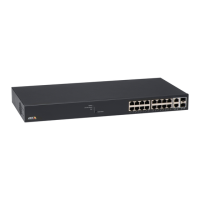
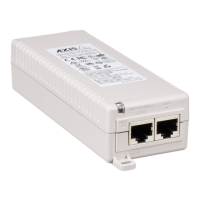
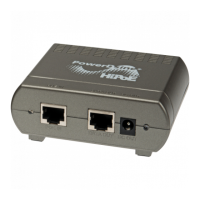
AXIST8504–EOutdoorPoESwitch
Troubleshooting
Troubleshooting
Thefollowingtroubleshootingtableguidesyouthroughthemostcommonproblems.Ifyoucannotndtheinformationyouare
lookingfor,contactyourlocaldealerforfurtherassistance.
Problem
Correctivesteps
PingingtheunitIPaddressfails.
1.VerifythatyourPCandunitsharethesameIPnetwork.
2.LaunchSysLogserver.
3.Turnofftheunitandthenturnitbackon.WaitfortheSysLogmessage#0to
appear,reportingtheunitIPaddress.
Unitcanbepingedfromalocalhost,
butwhentryingtousetheunit’sping
utilitythereisnoresponse.
1.Turnoffthehostrewall.
2.Ifpingisokay,gototheadvancedrewalloptionsandenablethepingoption,
TFTP(UDPport69)andSNMPtrapports(UDPport162).
SoftwarecannotbeupdatedviaTFTP.
1.UsetheunitpingutilitytopingthehostrunningtheTFTPserverapplication.
2.TurnofftherewallorenableUDPport69.
3.Verifythattheappropriateupdatelepackagewascopiedtotherootfolder
oftheTFTPserver.
LogontotheunitbySSHworks,but
SSHsessionterminatesafterawhile.
SSHsessionterminatesafterthreeminutesifnokeyispressedandnoactivitytakesplace.
NoSNMPtrapeventsarereceived.
1.Viewtheunitcongurationusingawebbrowser.
2.VerifythatSNMPisselected.
3.VerifythattheremoteSNMPmanagerIPmatches.
4.VerifythatthetrapcommunitystringmatchestheremoteSNMPmanager
trapconguration.
5.TurnofftherewallontheSNMPmanagerstationorallowUDPport162to
passthroughit.
SysLogserverIPisproperlyset,but
logmessagesarenotreceived.
TurnoffthehostrewallorallowUDPport514topassthroughit.
Loggingintotheunitdoesnotwork
sinceRADIUS/TACACS+wasenabled.
1.FollowinstructionsinRecoverusernameandpasswordonpage7.
2.CongureallsettingsthatincludeRADIUS/TACACS+values,leavingEnable
Authenticationdisabled.
3.Usethefeature“Testusernameandpassword”ontheRADIUS/TACACS+
webpagetoverifythataremoteusercanlogintotheunit.
4.SetEnableAuthenticationtoenabled.
PoESNMPtrapsarenotsent.1.EnableRFC3621noticationontheSNMPcongurationwebpage.
2.CongureSNMPtrapmanagerIP.
3.EnableSNMPv2orSNMPv3.
Support
Shouldyourequireanytechnicalassistance,pleasecontactyourAxisreseller.Ifyourquestionscannotbeansweredimmediately,
yourresellerwillforwardyourqueriesthroughtheappropriatechannelstoensurearapidresponse.Ifyouareconnectedto
theInternet,youcan:
•visitaxiscompanion.com/manualsforacompletesetofproductspecicusermanualsandsysteminstallationguides
•downloaduserdocumentationandsoftwareupdates
•ndanswerstoresolvedproblemsintheFAQdatabase,searchbyproduct,category,orphrase
•reportproblemstoAxissupportstaffbyloggingintoyourprivatesupportarea
•chatwithAxissupportstaff
22



 To Next Page