AXIST90DIlluminatorSeries
Setup
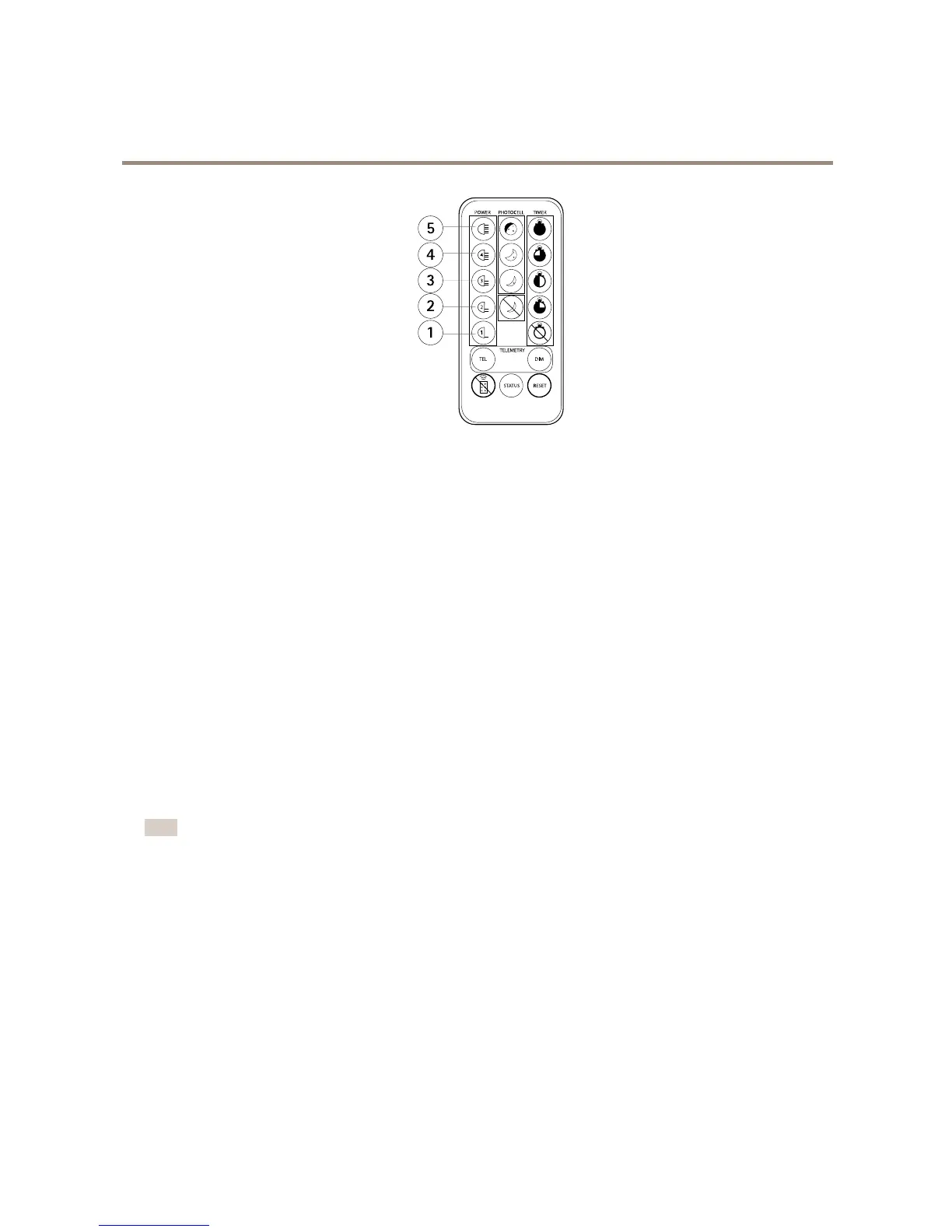
1
20%ofmaximum
2
40%ofmaximum
3
60%ofmaximum
4
80%ofmaximum
5
100%ofmaximum
Withthecontrolbuttons
1.PresstheleftcontrolbuttononcesothatthelefthandsideLEDturnssolidred.
2.Presstherightcontrolbuttonrepeatedly.TherighthandsideLEDindicatesthelightintensitylevel:
-onegreenash:20%ofmaximum.
-twogreenashes:40%ofmaximum.
-threegreenashes:60%ofmaximum.
-fourgreenashes:80%ofmaximum.
-vegreenashes:100%ofmaximum.
Howtoadjustthephotocellsensitivity
Thephotocellsensitivityleveldecidesatwhichluxlevelthresholdstheilluminatorturnsonandoff.Therearethreepredenedlevels.
Note
Ifyoudisablethephotocell,theilluminatorturnsonandofffromatelemetryinputregardlessofambientlightingconditions.
Withtheremotecontrol
Usethephotocellsensitivitybuttonstoselecttherequiredsensitivitylevel.
12



 To Next Page