AXIST90DIlluminatorSeries
Setup
3.PresstherightcontrolbuttonrepeatedlyuntiltherighthandsideLEDturnssolidgreen.
Howtochangefromprogrammingtooperatingmode
Withtheremotecontrol
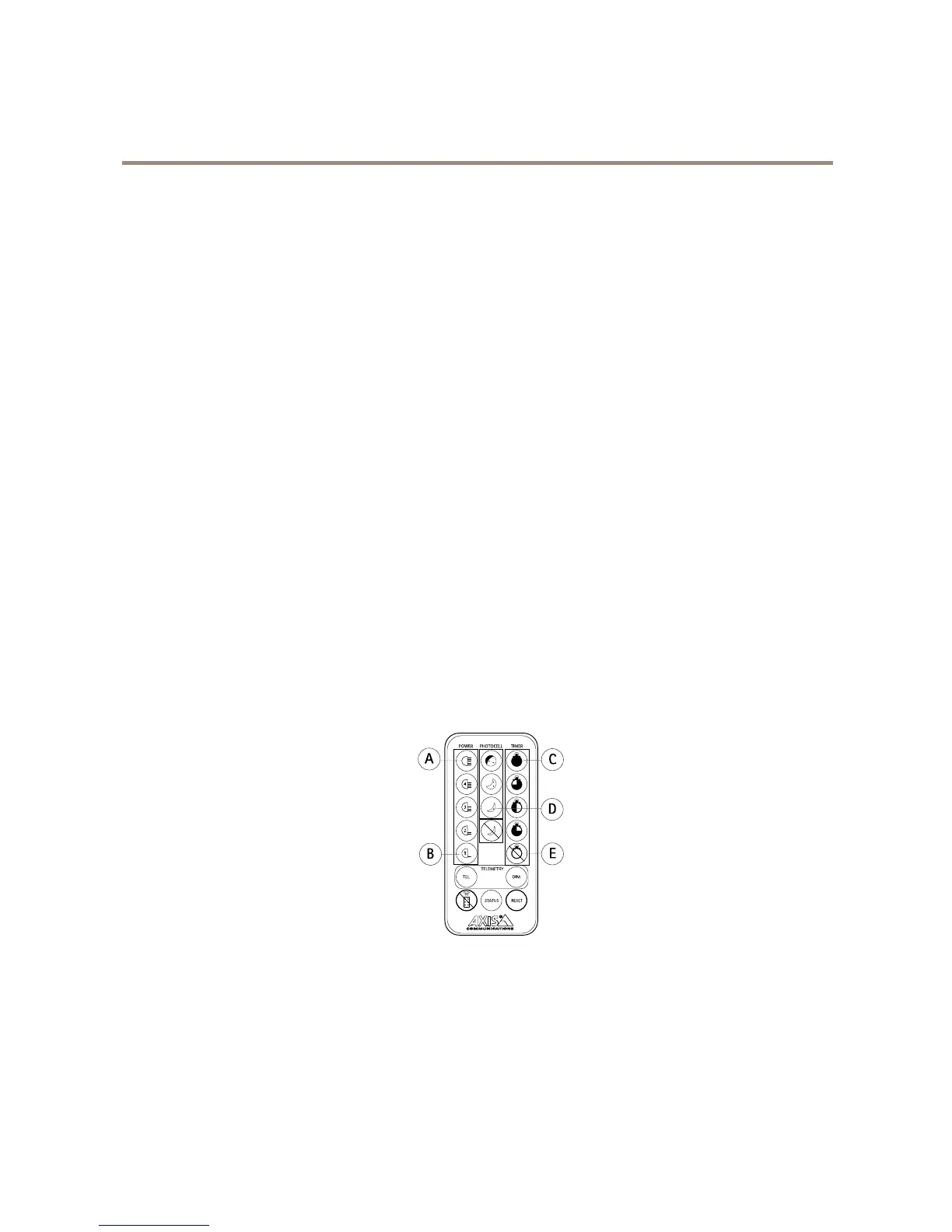
1.PressandholdtheDisableremotecontrolsetupbuttonfor4seconds.
Withthecontrolbuttons
1.Pressandholdtheleftcontrolbuttonfor4secondsuntilthelefthandsideLEDashesred.
2.PresstheleftcontrolbuttononcemoresothatthelefthandsideLEDashesgreen.
3.PresstherightcontrolbuttonrepeatedlyuntiltherighthandsideLEDturnssolidred.
Ifyoudon’tpressanycontrolbuttons,theproductautomaticallychangestooperatingmodeafter7days.Ifyoudopressacontrol
button,itchangestooperatingmodeafter30minutes.
AboutusingaPIN
Ifyouhavetheoptionalremotecontrol,youcansetaPIN.UsethePINto:
•changefromoperatingtoprogrammingmode
•temporarilyre-enablethecontrolbuttonsiftheyaredisabled
IfyouforgetyourPIN,youneedtodoafullreset.SeeHowtoresettofactorydefaultsettingsonpage14.
HowtosetaPIN
1.Whentheproductisinprogrammingmode,pressandholdtheStatusbuttonfor4secondsuntilthelefthandside
LEDashesred/green.
2.Entera4–characterPINusingbuttonsA-E.
WhenyouhavesetthePIN,theproductreturnstoprogrammingmode.
HowtoenteraPIN
1.PressandholdtheStatusbuttonfor4secondsuntilthelefthandsideLEDashesred/green.
2.EnterPIN.
IfyouenterthewrongPIN,bothLEDswillashred.
9



 To Next Page