AXIST90DIlluminatorSeries
Setup
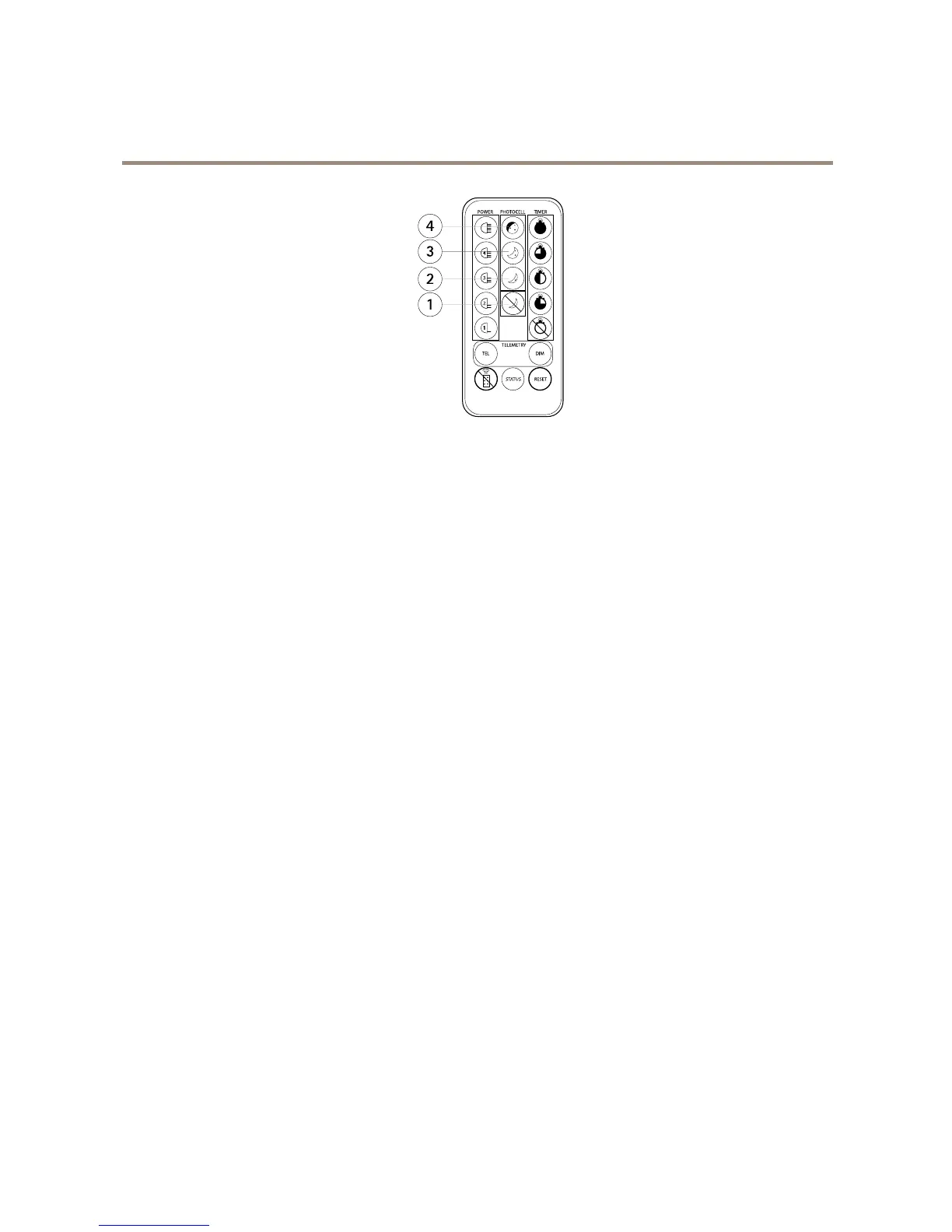
1
Photocelldisabled
2
5luxon,15luxoff
3
10luxon,30luxoff
4
25luxon,50luxoff
Withthecontrolbuttons
1.PresstheleftcontrolbuttontwicesothatthelefthandsideLEDturnssolidgreen.
2.Presstherightcontrolbuttonrepeatedly.TherighthandsideLEDindicatesthesensitivitylevel:
-onegreenash:5luxon,15luxoff.
-twogreenashes:10luxon,30luxoff.
-threegreenashes:25luxon,50luxoff.
-solidred:photocelldisabled.
HowtoenableordisabletheLEDindicators
Withtheremotecontrol
1.PresstheStatusbuttontoenableordisabletheLEDindicators.
Withthecontrolbuttons
1.PresstheleftcontrolbuttonthreetimessothatthelefthandsideLEDturnssolidamber.
2.Presstherightcontrolbuttonrepeatedly.TherighthandsideLEDindicateswhethertheLEDindicatorsareenabled
ordisabled:
-solidgreen:LEDindicatorsareenabled.
-solidred:LEDindicatorsaredisabled.
13



 To Next Page