EasyManua.ls Logo

Axon MICRELEC CS2600-BT - User Manual

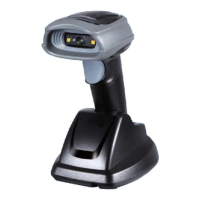
Axon MICRELEC CS2600-BT
104 pages
Print Icon
To Next Page IconTo Next Page
Loading...
CS2600-BT Cordless Image
Scanner User Manual
Version: CS2600-BT_UM_EN_V2.2.5

Table of Contents

Question and Answer IconNeed help?

Do you have a question about the Axon MICRELEC CS2600-BT and is the answer not in the manual?

Axon MICRELEC CS2600-BT Specifications

General IconGeneral
ModelCS2600-BT
ConnectivityBluetooth
Scanning TechnologyLaser
InterfaceBluetooth
Operating Temperature0°C to 50°C
Storage Temperature-20°C to 60°C
Humidity5% to 95% (non-condensing)
Drop Specification1.5m

Summary

Notice

Safety Precautions - Danger

Lithium-ion Battery Safety

Critical safety warnings regarding the handling and use of lithium-ion batteries.

Safety Precautions - Warning

Disassembly and Modification Warnings

Warnings against disassembling or modifying the unit due to high voltage risks.

Interior Parts and Components Caution

Caution against touching interior high-voltage parts or components for electrical shock prevention.

Abnormal Conditions Handling

Instructions to power off and contact dealer if unit becomes hot or emits smoke/odor.

Foreign Objects in Unit

Advice to power off and contact dealer if foreign matter enters the unit to prevent fire/shock.

Dropping and Damage Procedures

Steps to take if the unit is dropped and damaged to prevent fire and electrical shock.

Laser Beam Safety

Warning not to look directly into the laser beam to avoid serious eye damage.

Lithium-ion Battery Handling

Detailed warnings for battery safety, including avoiding heat and misuse.

Safety Precautions - Caution

Foreign Objects Insertion Precaution

Precaution to prevent inserting objects into unit openings to avoid fire and electrical shock.

Unit Location Guidance

Guidance on proper placement of the unit to avoid falling, humidity, dust, or direct sunlight.

Heavy Objects Placement Warning

Warning against placing heavy objects on the unit to prevent falling and injury.

Scan Window Care

Caution against applying pressure or impact to the scan window to prevent damage and injury.

Cradle with RS-232 Cable and Adapter

Moisture Precautions

Precautions regarding moisture and metal contact with the unit.

Specifications

Technical Specifications

Detailed technical specifications for the CS2600-BT handheld unit.

Default Setting for Each Barcode

Get Started

Cable Connector Pin-outs for Cradle

Pin-out details for cradle connectors (RS232, Keyboard, USB).

Dimensions

Parts of the Scanner

Charge Battery

Installation of Cradle

PS;2 Keyboard Cable Installation

Steps for installing the cradle using a PS/2 keyboard cable.

USB Cable Installation

Steps for installing the cradle using a USB cable.

RS-232 Cable Installation

Steps for installing the cradle using an RS-232 cable.

Programming Menus

Single-Parameter Setting with 1 D Barcodes

Guide to setting single parameters using 1D barcodes for configuration.

CS2600-BT Wireless Communication Setting

Bluetooth Mode Configuration

Explanation of Bluetooth modes (HID Keyboard, SPP, Cradle) for wireless communication.

Bluetooth HID Keyboard Configuration

Connection Example

Bluetooth Name of Handheld Setting

Power Control Settings

Batch Data Mode

Keyboard Wedge Interface for Cradle

RS-232 Interface for Cradle

USB Interface for Cradle

Handheld Scan & Global Settings

Scanning Mode Options

Options for scanner's scanning behavior (e.g., Good-read off, Momentary, Continue).

Auto-Detection Working Modes

Settings for auto-detection behavior based on object presence.

Same Barcode Delay Time

Time delay after scanning to prevent re-reading the same barcode.

Double Confirm Reading

Feature to confirm a valid reading with multiple scans.

Global Max;Min Code Length for 1 D

Setting the valid length range for 1D barcode data.

Same Barcode Delay Time for 2 D

Time delay after scanning to prevent re-reading the same 2D barcode.

Global G1-G6 String Selection

Selection of string groups for symbol data substitution.

Element Amendment

Allows reading barcodes with bars/spaces in different scales.

Indication for Handheld Unit

Decode Illumination and Aiming Pattern

Single Type of Barcode Read

DPM, Multiple Symbols, Structured Append Read

UPC-A Barcode Settings

UPC-E Barcode Settings

UPC-E1 Barcode Settings

EAN-13 (ISBN;ISSN) Barcode Settings

EAN-8 Barcode Settings

Code 39 Settings

Interleaved 2 of 5 Barcode Settings

Industrial 2 of 5 Barcode Settings

Matrix 2 of 5 Barcode Settings

Codabar Barcode Settings

Code 128 Barcode Settings

UCC;EAN 128 Barcode Settings

ISBT 128 Barcode Settings

Code 93 Barcode Settings

Code 11 Barcode Settings

MSI;Plessey Barcode Settings

UK;Plessey Barcode Settings

China Post Barcode Settings

GS1 DataBar (GS1 DataBar Truncated) Settings

GS1 DataBar Limited Settings

GS1 DataBar Expanded Settings

PDF417 Barcode Settings

MicroPDF417 Barcode Settings

QR Code Settings

Data Matrix Barcode Settings

Aztec Code Settings

G1-G6 & C1-C2 & FN1 Substitution String Setting

G1-G4 String Position & Code ID Position

String Transmission Options

Test Barcode Symbols

Maintenance

ASCII Table

Barcode Representing Non-Printable Character

Return Default Parameters

CS2600-BT Return Default Parameters

Instructions to reset handheld unit and cradle to default settings.

Display Firmware Version & Radio Communication Setting

CS2600-BT Display Firmware Version

Procedure to display firmware versions of the cradle and handheld unit.

Configuration Alphanumeric Entry Barcode

Related product manuals