Need help?
Do you have a question about the Axon MICRELEC CS2600 and is the answer not in the manual?
Detailed technical parameters including dimensions, weight, interface, and decoding capabilities.
Lists default enabled settings for various barcode types for scanner configuration.
Provides visual representation of the scanner's physical dimensions.
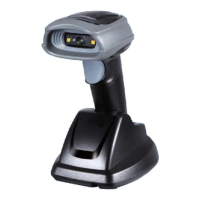
Identifies and labels the key components and parts of the handheld scanner.
Details the pin configurations for RS-232 and USB interface connectors.
Step-by-step instructions for connecting and disconnecting scanner interface cables.
Instructions for assembling the optional scanner stand for proper device placement.
Explanation of the auto-detection feature, its operation, and enabling/disabling methods.
Guides for setting scanner parameters using 1D and QR code barcodes.
Configuration options for selecting and configuring RS-232 and USB interfaces.
Defines scanner operation modes, detection settings, and general operational parameters.
Detailed settings for various barcode types, including UPC, EAN, Code 39, and 2D codes.
Customizes data transmission with string substitution, positions, and transmission options.
Instructions for safely cleaning the scanner's scan window to ensure accurate scanning.
 General
| Category | Barcode Reader |
|---|---|
| Scanning Technology | Laser |
| Interface | USB, RS-232, Keyboard Wedge |
| Supported Barcodes | UPC/EAN, Code 39, Code 128, Interleaved 2 of 5, Codabar |
| Resolution | 0.10mm / 4mil |
| Scanning Speed | 100 scans/sec |
| Operating Temperature | 0°C to 50°C |
| Storage Temperature | -20°C to 60°C |
| Humidity | 5% to 95% |
| Drop Resistance | 1.5 m |
| Power Supply | 5V DC via USB or external power supply |
| Current Consumption | 100 mA |

 To Next Page