13
3 Programming
3-1 Example 1: Single-parameter setting by scanning 1D barcodes
Important notes:
1. During the process of programming, LED is lighting to indicate the programming correctness. LED
will go off if any incorrect programming operation performed.
2. After each successful programming, LED will go off and the scanner will beep twice.
3. Throughout the programming barcode menus, the factory default settings are indicated with
asterisks (*).
Two programming modes have been provided as bellows:
❶ Single-scan setting
➢ Scan the appropriate Single-scan setting (e.g. %0101D00%) according to the user‘s demand.
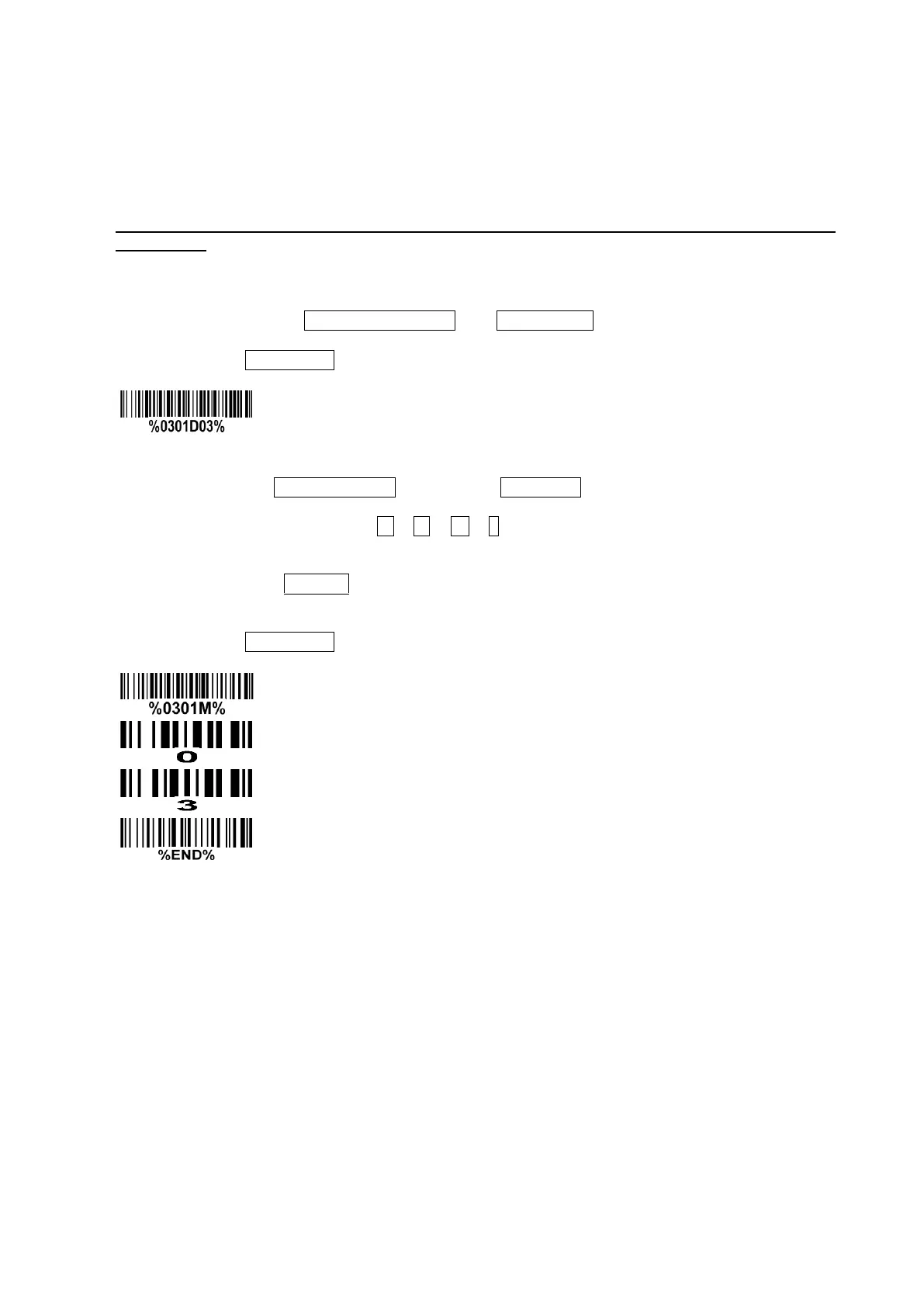
Example: To set Flow control to be XON/XOFF.
Steps: Scan the following barcode.
❷ Multiple-scan setting
➢ Step 1. Scan the Option barcode barcode (e.g. %0101M%) according to the user‘s demand.
➢ Step 2. To the right of the option barcode, the necessary alphanumeric inputs are listed. Scan
two alphanumeric entries from 0 to 9 or A to F, refer to 10 Configuration alphanumeric entry
barcode.
➢ Step 3. Repeat Step 2, if more user parameters input are required.
➢ Step 4. Scan the %END% barcode, listed on the lower left hand corner of each parameter
setting part.
Example: To set Flow control to be XON/XOFF.
Steps: Referring to 3-6 RS-232 interface, scan the following barcodes in order.


 To Next Page
 Loading...