6160
Base installation instruction:
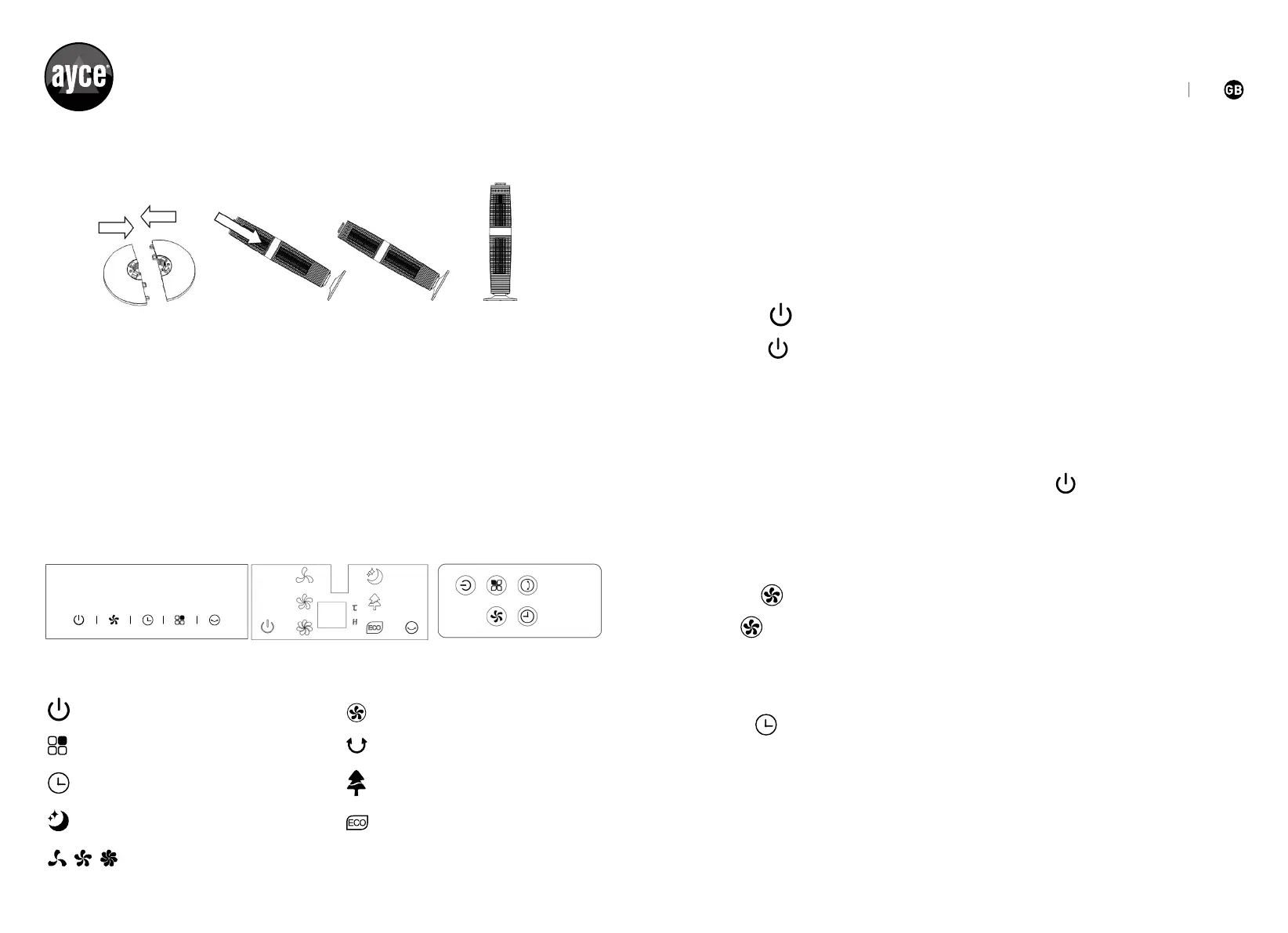
CONTROL PANEL
Control panel Display panel Remote control operation panel
ON/OFF
Speed button
Mode button
Swing button
Timer button
Sleeping wind ECO button
Natural wind
PICTURE1 PICTURE2
1. Lock rear base and front base together according to PICTURE 1.
2. Put the main body into the assembled base along the locating pole, according
to PICTURE 2.
3. After assembled, put the machine in a suitable place, plug in and operate
according to the IM.
Low,medium,high Fan speed
Note:Whenpluginrsttime,the”BiBi”soundalertsmeansthe
fan is correctly connected. When the unit in standby status, only the
“ON/OFF”isavailable.(soundBiBiwhenplugin,Pressbuttonswith
sound Bi, power off with sound.
Press button to set wind speed, and circulate as the rule of LOW-
MED- HI- LOW…. LED lights show accordingly.
No timer status when turning on the fan, timer LED no display.
Press TIMER button to set and circulate as the rule of 1H- 2H- 4H-
8H-notimer-1H….LEDlightsshowaccordingly.
There is no timer and related display show under the initial
conditions. The fan will be under countdown status till to turns off.
Onlythe“”buttonisavailableWhentheunitatstandbystatus.The
fan under working after pressed this button. And the fan work initially
in“LOW”speed,normalmode,notimer&swingfunctions.LEDlights
show accordingly.
The fan will work in the same status with that before it turned off without
shut off, except Timer and Mode function Press when under working,
turn off the fan and the fan shift to STAND BY mode with long BI---
sound alters.
OPERATING INSTRUCTION
SPEED
TIMER
ON/OFF


 To Next Page