4. SYNCHRONISING REMOTE CONTROLS
4.1 Synchronising a controller
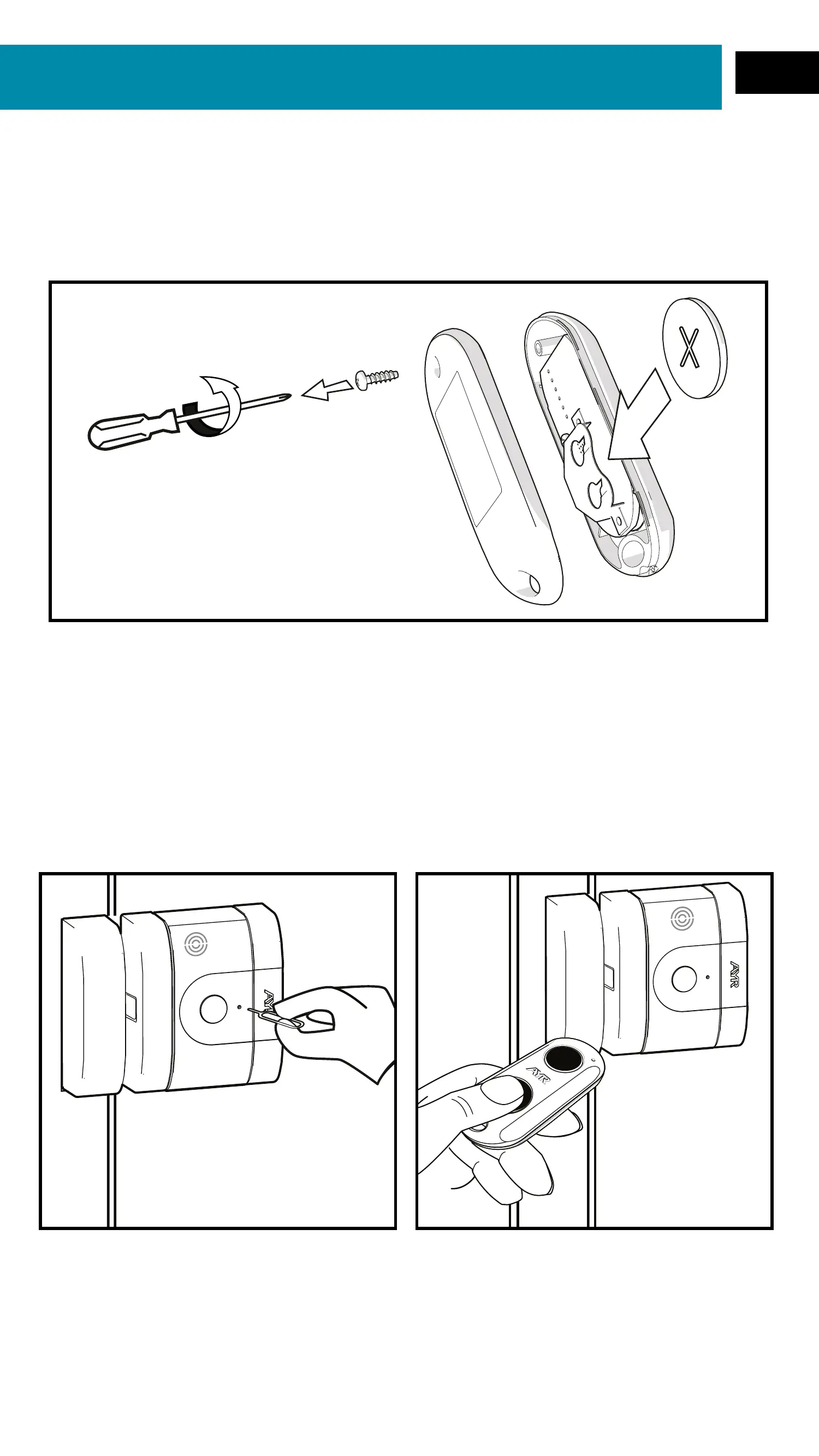
1- Insert the supplied button cell battery inside the remote control.
2- Keep the RF remote control handy and make sure the door is
closed and the lock is open.
3- Insert the pairing tool into the pairing hole until you feel a slight
"Click" and the LED lights up red and a beep sounds at the same
time.
4- Press any button on the RF remote control.
5- At this point the remote has been synchronised and is ready for
use. Repeat the process to synchronise each RF remote.
34
EN


 To Next Page