NOTE: The synchronisation process has a certain duration. Its
end will be marked by an audible signal and the illumination of
the LEDs.
4.2 Elimination of one-by-one controls
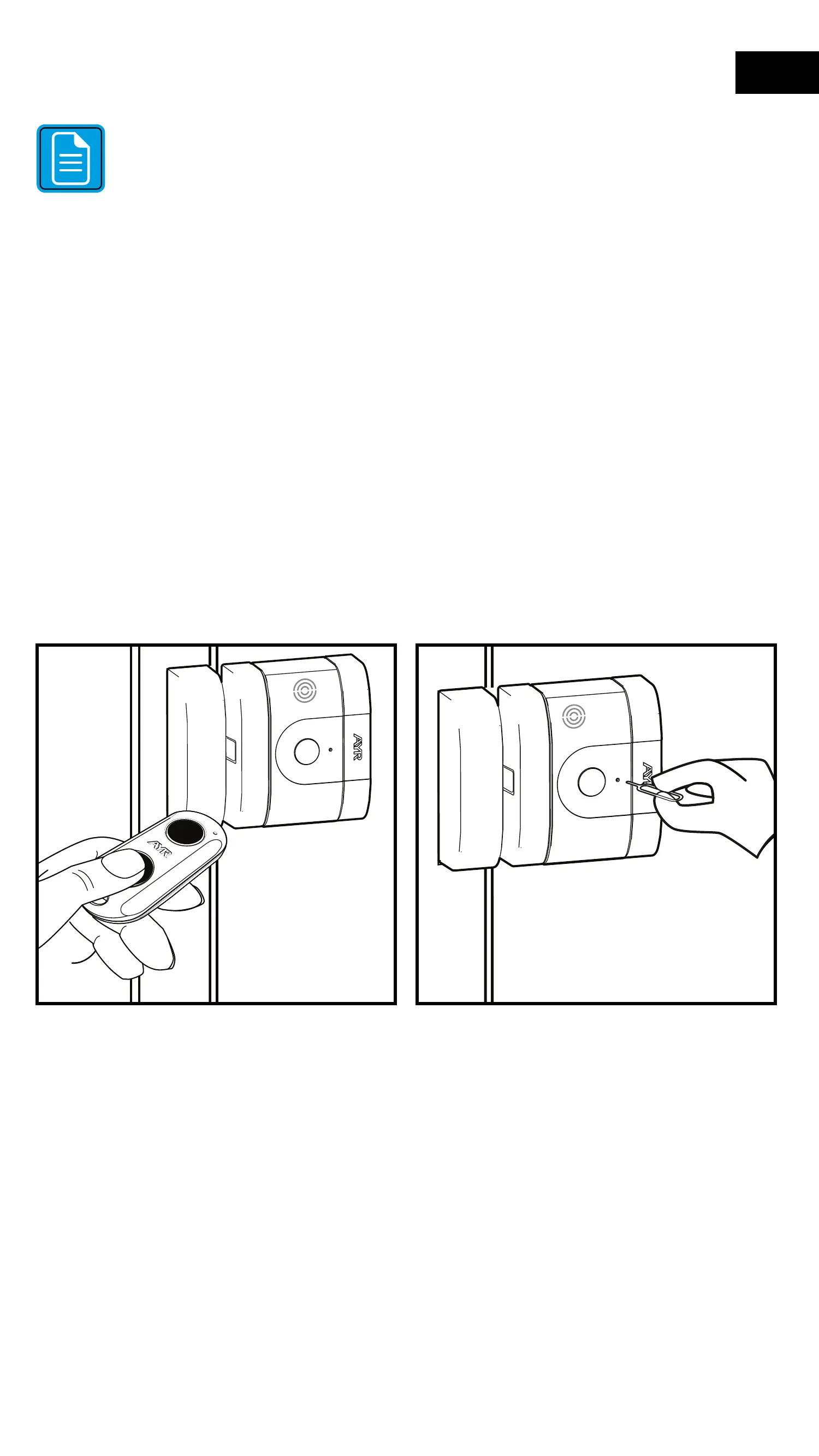
1- Make sure that the remote control has a battery and is working
properly.
2- Keep the remote control to be removed from the lock at hand.
Open the lock with the remote control.
3- Insert the pairing tool into the pairing hole until you feel a slight
"Click" and press and hold the inner push button for a few seconds
until all LEDs light up green at the same time and you hear a beep.
4- At this point the knob has been removed from the lock and you
will no longer be able to operate the lock from the knob.
5- Repeat the process to delete each command.
35
EN


 To Next Page