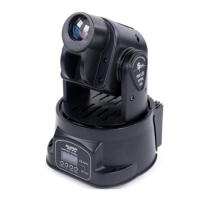
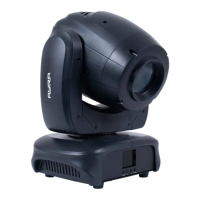
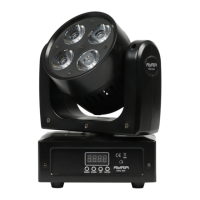
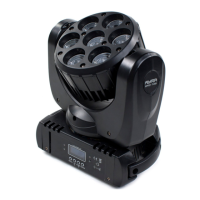
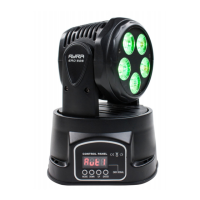
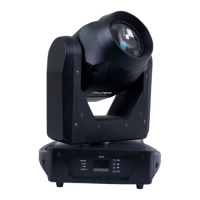
The AYRA ERO Micro Spot is a compact and versatile LED moving head designed for professional lighting applications in various entertainment settings such as stages, theatres, and clubs. It is not intended for household illumination. This device offers a range of functionalities, from automatic programs to DMX control, allowing users to create dynamic light shows.
Function Description
The ERO Micro Spot features a powerful 10W CREE white LED light source, which, combined with a special lens, produces a concentrated and impactful beam. The focus of this beam is manually adjustable, allowing users to achieve sharper projections depending on the application and distance.
The device offers multiple operation modes to suit different needs:
- DMX Mode: This is the most comprehensive control method, enabling precise command over all functions via a DMX controller or software. Users can select from 1, 8, or 10 DMX channel modes, aligning the channel layout with their DMX circle setup and desired functions. The DMX start address is configurable, allowing the device to respond from a specified DMX channel.
- Master-Slave Mode (SLND): Designed for synchronizing multiple devices of the same type, this mode allows a master unit to send its internal program to daisy-chained slave units, ensuring they all project the same effects. This creates a coordinated light show where all devices move in unison. While an unlimited number of slave devices can be connected, a DMX booster may be required after four armatures. It's crucial to note that in Slave mode, the device awaits a signal from the Master and cannot independently select automatic or sound-controlled modes. To revert to standalone functions, the device must be set to 'NAST' (Master) mode.
- Sound-Controlled Mode (SHND): This mode utilizes a built-in microphone to detect music and react to the beat, providing an automated light show that syncs with the audio. The device's movement and color changes are triggered by sound. If no sound is detected, the program slows down gradually, resuming its automated pace once music is detected again. The sensitivity of the microphone is adjustable, allowing users to fine-tune its responsiveness to different sound pressure levels and distances from the speaker.
- Automatic Mode (AUTO): Similar to the sound-controlled mode, this offers automatic programs that run independently of external factors like sound. Users can select from four pre-programmed shows and adjust their speed from 1 (slowest) to 9 (fastest).
The ERO Micro Spot includes a color wheel with 8 colors (7 colors + open) and a gobo wheel with 7 gobos + open, along with a shake effect. A unique feature is the Split Colour (SPLC) option, which allows for mixing colors to create two-tone figures (e.g., half red, half white). This function is available across all modes, including DMX.
For enhanced control over movement, the device offers Pan Position (PPOS) and Tilt Position (TPOS) adjustments, allowing users to correct and limit the pan and tilt ranges. This is particularly useful when positioning the moving head near obstacles like walls, preventing unnecessary light projection. Pan ranges can be set to 180, 360, or 540 degrees, while tilt ranges can be set to 70, 90, or 180 degrees.
Other functions include:
- Shutter: Controls blackout, open, stroboscope mode (slow-fast), and shutter open/close speeds.
- LED Dimmer: Adjusts LED intensity from 0-100%.
- Movement Speed: Controls the speed of pan and tilt movements.
- Display Inversion (DISP): Allows for vertical rotation of the LED display for better legibility, especially when the device is suspended.
- Pan/Tilt Invert (PAN/TILT): Inverts the pan and/or tilt values, causing motors to turn in the opposite direction.
- LED Display On/Off (LED): Deactivates the LED display when not in use, preventing red symbols from lighting up in dark environments. The display reactivates with any menu button press and automatically turns off after 30 seconds of inactivity.
- Test Mode (TEST): Runs a continuous program using step motors and LEDs to quickly detect abnormalities or defects, useful for cleaning or maintenance.
- Time Registration (HOUR): Displays the total operational hours of the device, useful for professional use and maintenance scheduling. This value is non-manipulable.
- Firmware Version (VER): Shows the current firmware version.
- Reset Function (RSET): Restarts the device completely without needing to unplug it.
Usage Features
The ERO Micro Spot is designed for both upright and suspended use. For upright placement, it should be on a flat, stable surface, utilizing its rubber feet for grip. For suspended use, a mounting bracket and hardware are included. A safety eyelet is provided for attaching a safety cable, which is crucial to prevent falls and ensure security. The safety cable should have a load capacity 10 times the device's weight and limit any fall to no more than 30 cm.
The device is equipped with fans for cooling, which activate upon power-on. It's essential to ensure that ventilation slots are not blocked and to regularly check fan functionality to prevent impairment from dust, smoke, or moisture.
The ERO Micro Spot is designed for mobile use and should be transported in its original packaging or a suitable flight case with foam inlay. It is not designed for permanent (24/7) operation; occasional powering off does not affect its lifespan. When not in active use for extended periods, it should be disconnected and stored in a dust-free environment, avoiding extreme temperature differences.
Maintenance Features
Regular inspection and cleaning are vital for the device's longevity and safe operation.
- Housing Inspection: Frequently check the device's housing for dents, cracks, or missing screws. Do not operate if the housing is not in good condition. Inspect for corrosion on metal parts and screws; contact a dealer or qualified technician if found.
- Cable Inspection: Ensure all power and signal connectors are securely mounted. Do not use defective cables or any cables other than those specified in the manual.
- Cleaning: Clean the exterior monthly with a dry or slightly damp microfibre cloth after disconnecting it from the power supply. Increase cleaning intervals with frequent use.
- Optics Cleaning: In case of minimal projected light, clean the lens and other optics, as dust or dirt can accumulate.
- Troubleshooting: The manual provides a comprehensive troubleshooting section for common issues like power problems, DMX signal issues, sound reactivity, and movement irregularities. This includes solutions such as checking fuses, cable connections, DMX start addresses, controller settings, microphone sensitivity, and DMX terminators.
- Professional Servicing: The device contains no user-serviceable parts. All maintenance and repairs must be handled by a qualified technician. The light source is not replaceable; if it fails, the entire device must be replaced.

 Need help?
 Light Source and Optics
 Power
Power Weight and Dimensions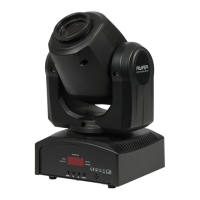

 To Next Page