-6-
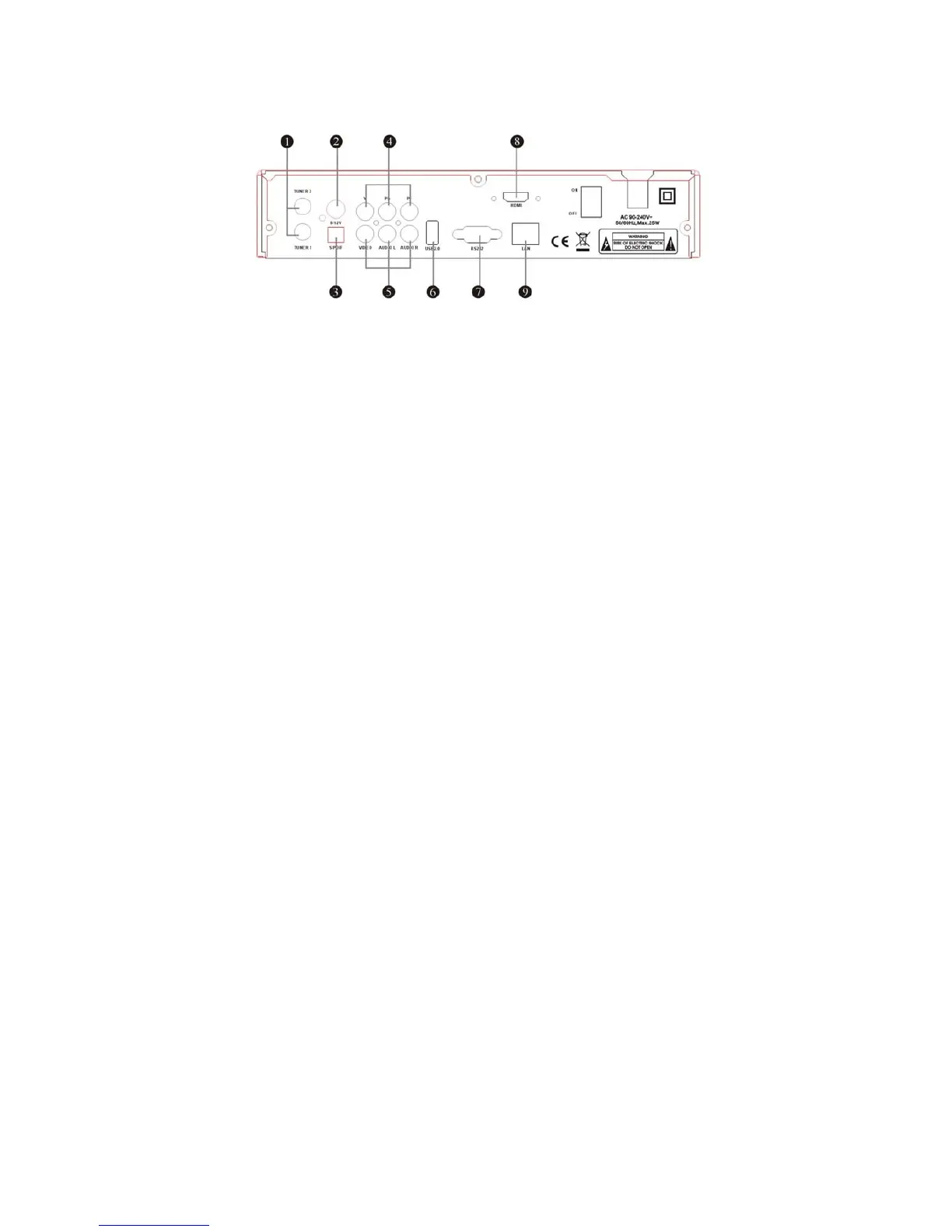
2.2 Rear Panel
Figure 3. Rear Panel
Figure 3. Rear Panel
1. TUNER1/2
Connect the Satellite Dish LNB.
2. 0/12V
Supply 12V DC to other apparatus.
3.
S/PDIF
Digital Audio output.
4.
Y, Pb, Pr
Components Video.
5. AUDIO, VIDEO
Connect to Audio/Video of TV. Connect Yellow to Video port, connect Red and White to
Audio Right and Audio Left.
6.
USB2.0
One USB 2.0 Host Port.
7. RS232
Connect to serial port of PC for software upgrade
by manufacturer ONLY (Not by user).
8. HDMI
HD signal output.
9. LAN
Network Interface.



 To Next Page