Need help?
Do you have a question about the Azden WMS-PRO and is the answer not in the manual?
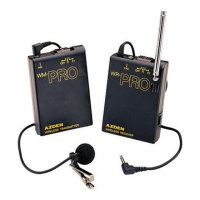
Instructions for inserting a 9-volt battery into the receiver, emphasizing correct polarity and gentle handling.
Describes the slide switch for system power and frequency selection, including the OFF position.
Explains the LED indicator's function: RED for good battery, Green for signal received.
Details the attached shoe mount for cameras and its removability via a screw.
Instructions for connecting the receiver output to a camera's external microphone jack.
Advises to fully extend the antenna for optimal signal reception.
Describes the use of the earphone jack for audio monitoring during recording.
Instructions for inserting a 9-volt battery into the transmitter, stressing correct polarity and gentle closure.
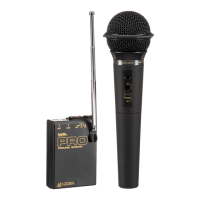
How to connect either the EX-503 or EX-413 microphone and extend the cord for antenna function.
Explains the switch for power, frequency selection, and troubleshooting noisy reception.
Describes how to attach the transmitter using its belt clip or placing it in a pocket.
 General
| Type | - |
|---|---|
| RF power | 2 mW |
| Microphone sensitivity | 94 dB |
| Connectivity technology | Wireless |
| Battery voltage | 9 V |
| Power consumption | 30 mA |
| Weight | 98 g |
| Product color | Black |
 Weight and Dimensions
| Depth | 21.5 mm |
|---|---|
| Width | 60 mm |
| Height | 86 mm |

 To Next Page