7
EN
S
Once you have adjusted all the units, you automatically switch to the following setting (GENDER).
You can now adjust all the settings in the same manner. For faster adjustment, you may hold B1 or B2 down, to display the values
more quickly.
Explanation of the various initial settings:
UNITS
Choose your unit system: European (km, kg, cm) or imperial (mi, lbs, inches).
PROFILE
Use these menus to adjust the user prole settings:
- GENDER: user’s gender (male/female)
- AGE: user’s age (10 to 99 years old)
- WEIGHT: user’s weight (30 to 150 kg / 66 to 331 lbs)
- HEIGHT: user’s height (130 to 230 cm/ 51 to 91 inches)
DATE - TIME
To set:
- DATE: the date (day, month, year)
- TYPE OF DISPLAY: 12-hr or 24-hr clock display
- SETTING THE TIME: to adjust the time according to the display chosen
BICYCLE
The following bicycle settings are to be adjusted:
- The name of the bicycle: You may choose between «mountain bike» or «road bike» or give your bicycle another name. It will be used if you add other bicycles
(up to 3) to your COUNT 14+ computer.
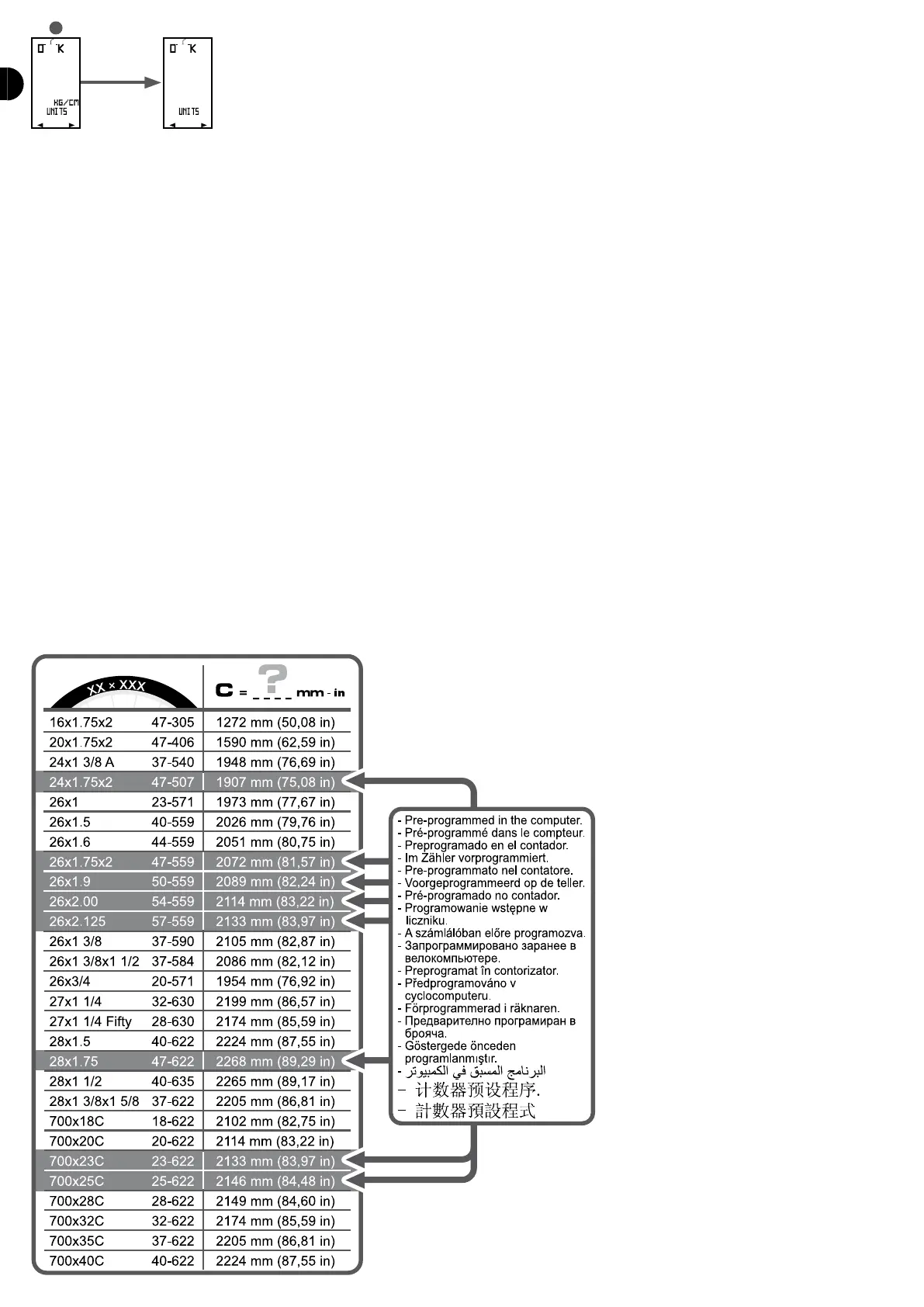
- Wheel size: To make it easier to set, the computer suggests a list of 8 predened tyre sizes:
26 X 1.14+5
26 X 1.95
26 X 2.0
26 X 2.1
28 X 1.14+5
24 X 1.14+5
14+00 X 23
14+00 X 25
OTHER
You will nd the size on the side of your tyres. If your tyre size is not on the list, you can enter a specic size by selecting «OTHER» in the list. You must then enter the
circumference of the wheel in mm.
There are 2 methods to work out the circumference:
- 1st method:


 To Next Page