SSSSS
...
S
B2B1
B2 B2B1 B1
S
S
B2 B2B1 B1
Press on B1 and B2 to switch from one menu to another.
This is indicated with the 2 arrows at the bottom of the screen.
To enter a menu, press on S. This is indicated by displaying «OK» on the screen.
Navigation within each menu will be explained in the corresponding sections.
BEFORE YOUR FIRST RIDE (and after changing the battery)
Before using your computer for the rst time, you will need to congure it. The settings only need to be congured the rst time. These settings are then stored for
subsequent rides.
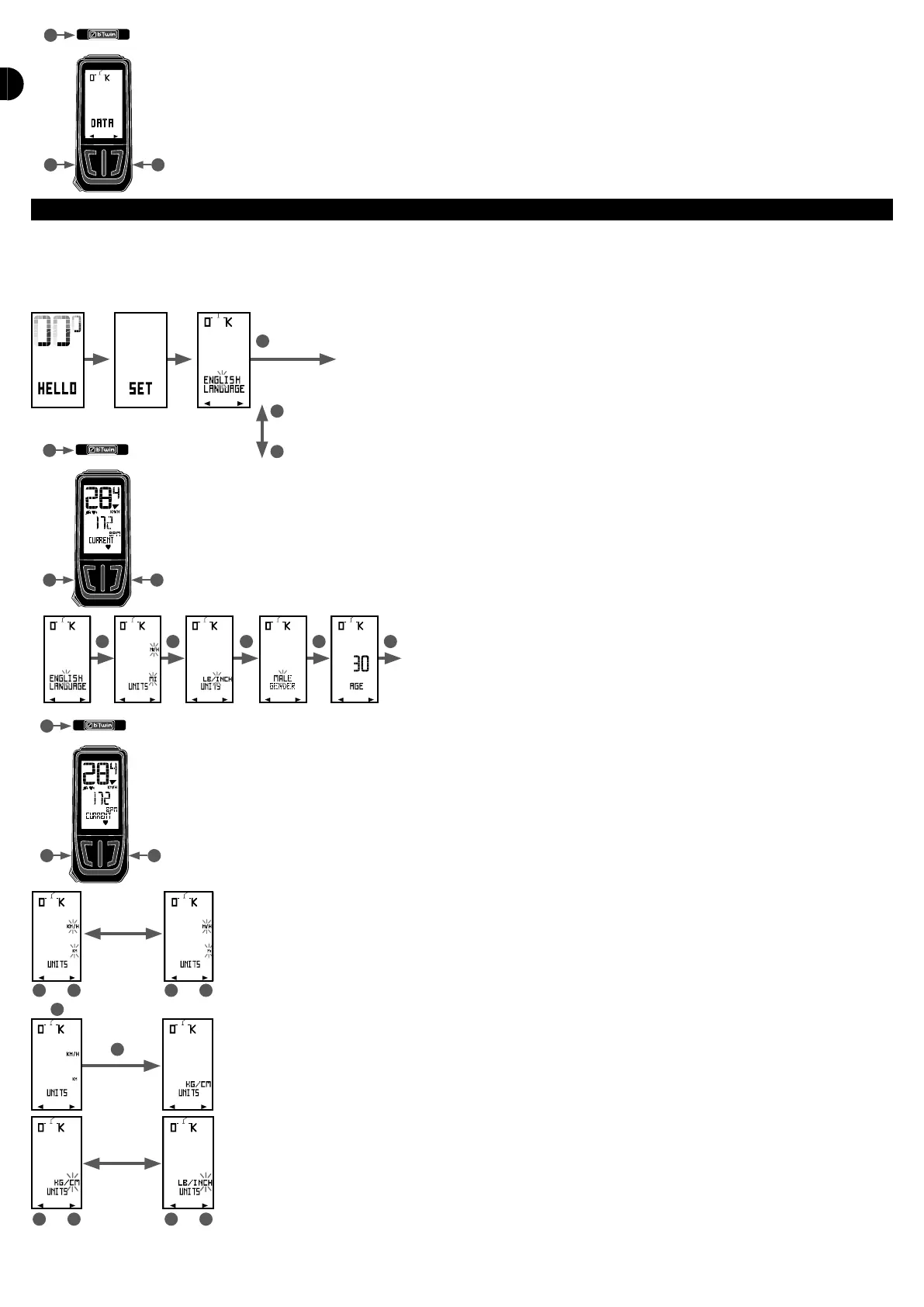
When you rst remove the computer from its box, the screen is blank. Press on any button to go to the initial settings menu.
Animation
1 sec
UNITS SET
French
Spanish
Italiano
First choose which language the menus are to be displayed in. They are available in 4 languages: English, French, Spanish and Italian.
Press on B1 and B2 to choose your language and conrm by pressing S.. You automatically switch to the following settings menu (UNITS).
In each settings menu, the value to be adjusted ashes. Modify the value by pressing on B1 and B2 and press on S to conrm..
For example the unit settings menu:
The units to be adjusted start to ash and you may change the unit by pressing on B1 or B2.
To select, press on S.. You then come to the next unit to be set.
Again, you select the unit you prefer by pressing on B1 or B2 and conrm this choice by pressing on S..



 To Next Page