1
2
3
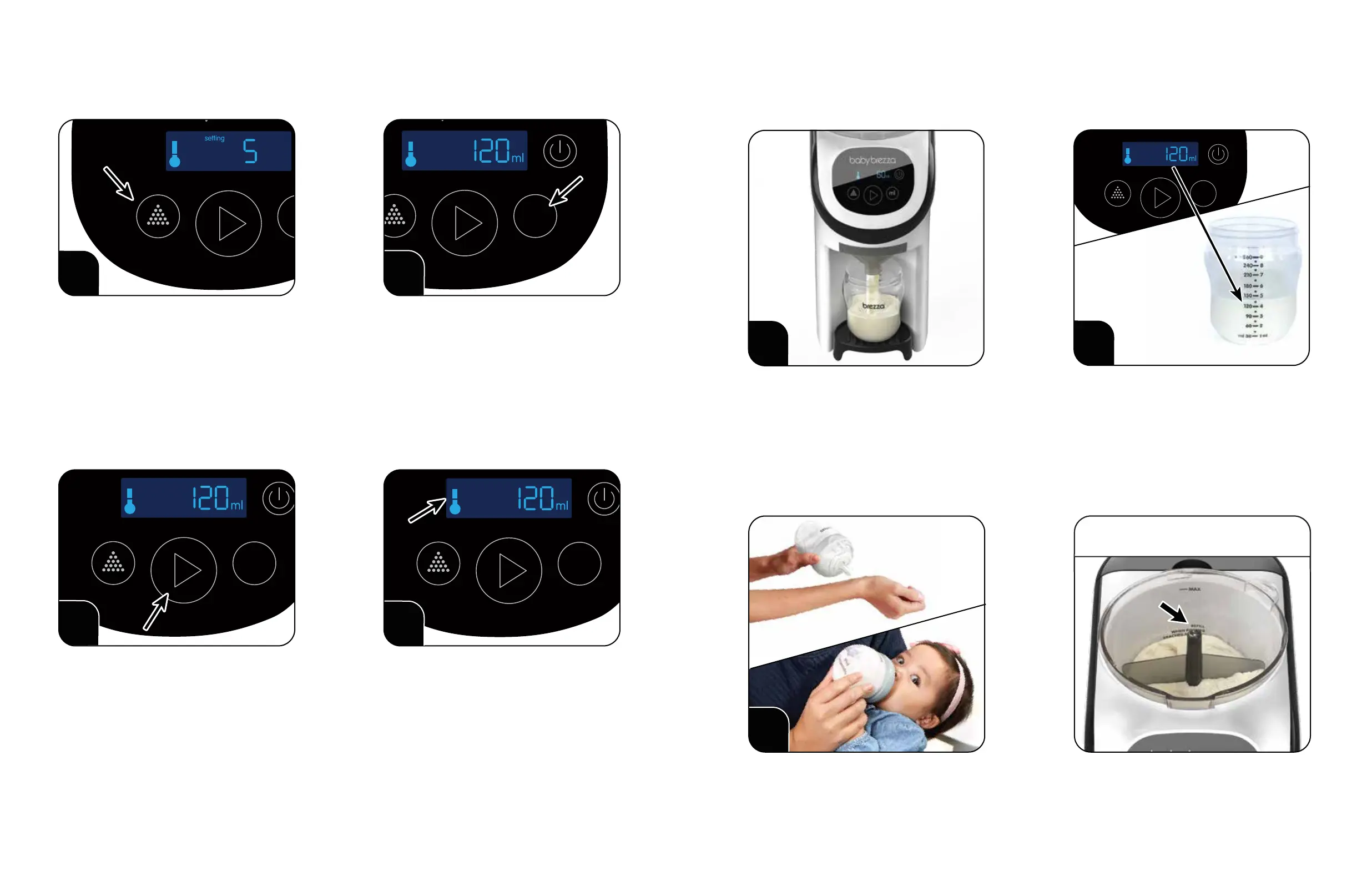
G) Prepare your rst bottle
ml size indicates water volume only.
It does not include the volume of powder
added when mixing.
Go to babybrezza.com/settings to nd the correct
setting for your formula powder.
Press the “Powder Setting” button repeatedly
to select your setting 1 - 10.
Press the “ml” button repeatedly to select
the volume of water you want to dispense.
It is essential that you choose the correct setting
for your formula (brand, type, stage and scoop weight).
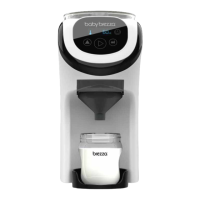
Make sure your Formula Pro® Mini is plugged in and turned on.
If your formula is not listed: In the UK or Ireland please visit cheekyrascals.co.uk/contact-us, in other
countries go to babybrezza.com/pages/international to nd your local representative.
Press the “Start” button to dispense formula.
You can press the “Power” button to stop dispensing.
The Formula Pro® Mini will remember the
setting & ml size even if it is unplugged
or turned o.
You do not need to select a powder setting
every time you make a bottle.
You can always change the ml size or powder
setting by pressing the buttons again.
4
The temperature icon will ash when
heating and will stay solid when the water
reaches body temperature.
7
5
6
Check the level
of mixed formula.
The Formula Pro® Mini will dispense powder
& water together, then stop automatically
when dispensing is complete.
Check for clumps and shake or stir the bottle
if necessary. Check temperature and feed
your baby.
Rell the powder when the “REFILL” mark is
visible in the Powder Container.
Some clumping may occur with some formula
powders inherently dicult to mix with water.
PLEASE NOTE: The level will appear higher
than the ounce size selected because of added
powder volume and/or variance in
bottle markings.
Example: 120ml of water plus powder volume
is approximately 130-140ml depending on
your formula powder type.
IMPORTANT
Set-up and cleaning videos available at
www.babybrezza.co.uk
109


 To Next Page