Need help?
Do you have a question about the BabySense V43-1 and is the answer not in the manual?
General safety warnings to prevent fire, injury, or damage.
Safety guidelines specific to the AC power adapter, including handling and usage.
Safety instructions for the built-in rechargeable Li-ion battery.
Environmental guidelines for disposing of the product and its battery.
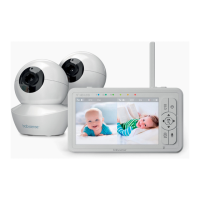
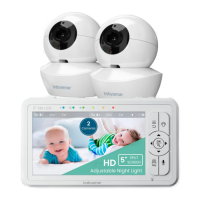
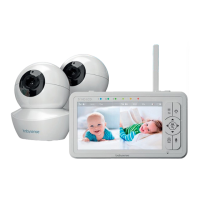
Lists all items included in the product package.
Identifies and describes the components of the Parent Unit.
Identifies and describes the components of the Baby Unit (Camera).
Explains the meaning of various icons displayed on the Parent Unit screen.
Instructions on how to power on the Baby Unit (Camera).
Instructions on how to power on the Parent Unit.
Guide on how to charge the Parent Unit's battery.
Initial setup steps for placing the Baby Unit and connecting units.
Steps to pair a Baby Unit with the Parent Unit.
How to switch between cameras or view multiple cameras simultaneously.
How to enable automatic camera switching for viewing multiple units.
Instructions to remove a paired Baby Unit from the Parent Unit.
Explanation of the ECO mode for power saving.
How to use the monitor in audio-only mode.
Instructions for using the two-way talk feature.
How to use the digital zoom function.
How to adjust the audio volume on the Parent Unit.
How to adjust the screen brightness.
How to set and view the room temperature.
How to play lullabies and white noise from the Baby Unit.
How to configure alert volume for low battery or out-of-range.
How to activate and control the night light on the Baby Unit.
Compliance statements for Industry Canada license-exempt RSS standards.
Details of the product's one-year warranty against defects.
Information on how to contact customer service for assistance or parts.
 General
| Type | Video Baby Monitor |
|---|---|
| Display Type | LCD |
| Screen Size | 4.3 inches |
| Two-Way Talk | Yes |
| Range | Up to 900 feet |
| Temperature Monitoring | Yes |
| Wireless | Yes |
| Lullabies | Yes |
| Battery Life | Up to 8 hours |
| Batteries Required | Yes |
| Power Source | AC Adapter |

 To Next Page