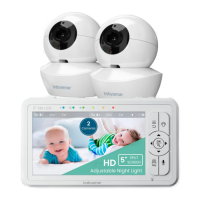
EasyManua.ls Logo

BabySense HD-S2 1 Cam - User Manual

BabySense HD-S2 1 Cam
24 pages
Print Icon
To Next Page IconTo Next Page
Loading...
Wireless Digital Video Baby Monitor
atch, Listen and Talk to Your Baby
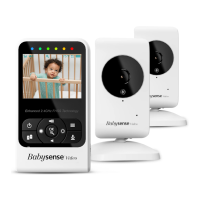
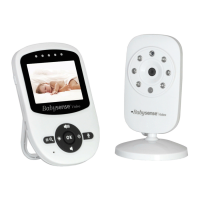
Model: HD-S2 1 Cam, HD-S2 2 Cam
or any product related question please contact us at
upport@babysensemonitors.com
ww.babysensemonitors.com
HD S2
Video Baby Monitor
isense Ltd. 27 Shaked St.
evel Modi'in Industrial Park,
319900 ISRAEL
User Manual
By

Questions and Answers

  • P
    Patrick ShepherdJul 26, 2025
    Why can't I hear baby sounds on my BabySense Baby Monitor?
    • A
      Alexandra JohnsonJul 26, 2025
      If you cannot hear your baby's sounds on the BabySense Baby Monitor Parent Unit, first, try increasing the volume on the unit. If that doesn't work, the battery power may be too low, so try recharging the battery.
  • P
    powellrandallAug 9, 2025
    What to do if BabySense HD-S2 1 Cam Baby Monitor rechargeable battery won't charge?
    • R
      rebeccatravisAug 10, 2025
      If the rechargeable battery of your BabySense Baby Monitor will not charge, ensure that the power adapters are properly connected. Try switching to another wall outlet. Reset the Parent unit by pressing the RESET button located at the back of the Parent Unit, under the stand. You can also try switching the power adapters between the Baby Unit and Parent Unit.
  • M
    Mary CruzAug 17, 2025
    Why is the picture black on my BabySense HD-S2 1 Cam?
    • B
      Brenda WhiteAug 17, 2025
      If the picture on your BabySense Baby Monitor is black, it might be because the automatic night vision mode is activated. Try increasing the lighting around the camera.
  • L
    Lacey BennettNov 1, 2025
    How to fix no reception on BabySense HD-S2 1 Cam Baby Monitor?
    • S
      Steve HansenNov 1, 2025
      If you're experiencing no reception on your BabySense Baby Monitor Parent Unit, there are several things to check. First, make sure both the Baby and Parent Units are turned on. Adjust the monitor antenna to a vertical position. Ensure the units aren't too far apart and that they are properly paired by following the pairing instructions. Move the Baby Unit closer to the Parent Unit and keep the monitor at least 5ft (1.5m) away from other 2.4GHz products like Wi-Fi routers or Bluetooth systems, or turn them off. Also, make sure the units aren't near metal objects. If the battery is low, restart the Baby Unit by unplugging it, waiting 5 seconds, and plugging it back in, and reset the Parent Unit using the RESET button on the back. Ensure the Baby Unit and Parent Unit are not too close to eac...

Summary

Warnings and Safety Instructions

Safety Instructions for AC Power Adapter

Safety guidelines for using the AC power adapter.

Battery Safety Instructions

Precautions for handling and using the rechargeable Li-ion battery.

Product Overview and Components

Getting Started and Setup

Powering the Baby Unit

Instructions on how to connect and power on the Baby Unit.

Powering and Charging the Parent Unit

Steps for powering on and charging the Parent Unit.

Initial Setup Procedure

Steps for setting up the monitor for first-time use.

Operating the Monitor Features

Temperature Scale and Alert Settings

How to set temperature units and alerts for the baby's room.

Talk to Baby Feature

How to use the two-way audio communication feature.

Troubleshooting Common Issues

No Reception or Poor Signal

Solutions for loss of connection or weak signal between units.

Frozen Image or Feedback Noise

Troubleshooting steps for frozen screen and high-pitched sounds.

BabySense HD-S2 1 Cam Specifications

General IconGeneral
Night VisionYes
Two-Way AudioYes
Temperature MonitoringYes
WirelessYes
LullabiesYes
Range900 feet

Related product manuals