Need help?
Do you have a question about the BabySense HDS2 and is the answer not in the manual?
Safety precautions to prevent fire, injury, or damage to the product, including strangulation, choking, suffocation, and power cord hazards.
Safety guidelines for the AC power adapter, including heat exposure, handling, cable care, and avoiding water contact.
Safety instructions for the rechargeable battery, covering repair, dismantling, exposure to heat/liquids, and proper usage.
Guidelines for environmentally responsible disposal of the product and recycling of packaging materials.
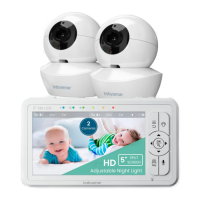
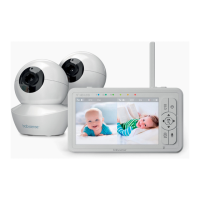
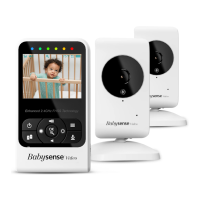
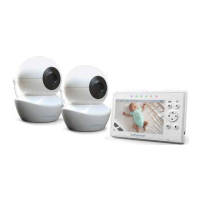
Lists the items included in the HD-S2 Video Baby Monitor package.
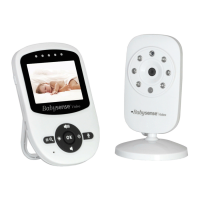
Details and labels for the components and controls of the Parent Unit.
Details and labels for the components and features of the Baby Unit (Camera).
Instructions on how to connect and power on the Baby Unit (Camera).
Instructions on how to connect and power on the Parent Unit.
Steps for charging the Parent Unit's built-in rechargeable battery.
Guidance on initial setup, including unit placement and ensuring proper air circulation.
How to play lullabies and white noise to soothe the baby remotely.
Instructions for activating and configuring the VOX mode for sound-activated transmission.
Enabling split screen view to display images from multiple cameras simultaneously.
Procedure for pairing the Baby Unit with the Parent Unit, including re-pairing.
Steps to remove a paired Baby Unit from the Parent Unit.
How to switch the temperature display between Celsius (°C) and Fahrenheit (°F).
Configuring high and low temperature alerts for the baby's room.
Setting the current time and choosing between 12-hour and 24-hour formats.
Adjusting the brightness level of the Parent Unit's LCD screen.
Setting a timer for notifications or alerts.
Controlling the volume for low battery, temperature, or out-of-range alerts.
Selecting the appropriate frequency (50Hz or 60Hz) for optimal performance.
Adjusting the audio volume of the Parent Unit.
Remotely activating and adjusting the intensity of the night light on the Baby Unit.
Using the zoom function to magnify the video feed from the camera.
How to switch between multiple paired cameras on the Parent Unit.
Activating automatic scanning to cycle through paired cameras.
Using the two-way talk feature to communicate with the baby.
Turning the Parent Unit screen on or off to conserve battery or for audio-only monitoring.
Solutions for issues where the Parent Unit does not receive a signal from the Baby Unit.
Troubleshooting steps for signal interference or weak reception.
Steps to resolve a frozen image display on the Parent Unit.
Solutions for feedback or static noise between the units.
Troubleshooting steps when no audio is heard from the Baby Unit on the Parent Unit.
Tips for reducing or managing background noise.
Resolving issues where the video image appears only in black and white.
Troubleshooting for visual artifacts like lines or marks on the screen.
Solutions for problems with battery charging or the charge indicator light.
Industry Canada license-exempt RSS standard compliance information.
Details on the product's one-year warranty and how to contact customer service for support.
 General
| Camera | Yes |
|---|---|
| Battery Life | Up to 10 hours |
| Night Vision | Yes |
| Two-Way Communication | Yes |
| Temperature Monitoring | Yes |
| Sound Activation | Yes |
| Number of Cameras Supported | Up to 4 |
| Type | Video |
| Display | 2.4 inch LCD |
| Range | Up to 900 feet |
| Features | Sound activation, Temperature monitoring |
| Power Source | AC adapter and rechargeable battery |

 To Next Page