EasyManua.ls Logo

Badger Meter ER-420-AC - User Manual

Badger Meter ER-420-AC
40 pages
Print Icon
To Next Page IconTo Next Page
Loading...
Industrial Registers
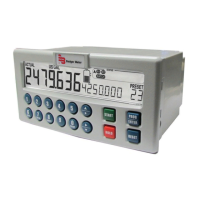
Models ER-420-AC, ER-420-DC & ER-420-LP
Totalizer and Rate of Flow Indicator with 4-20 mA Output Signal
REG-UM-00018-EN-05 (March 2013)
Users Manual

Questions and Answers

  • T
    taylorteresaAug 9, 2025
    How to fix Badger Meter Controller when flow meter generates too many pulses?
    • C
      christinahudsonAug 9, 2025
      If the flow meter is generating too many pulses, verify the settings for Total and Flow Rate. Also, check the type of signal selected against the actual signal generated, and inspect the sensitivity of the coil input. Ensure the ER-420 is properly grounded. Use shielded wire for flowmeter signals and connect the screen to terminal 9, unless it's already connected at the sensor.
  • M
    Matthew GardnerAug 14, 2025
    What to do if Badger Meter Controller flow meter does not generate pulses?
    • R
      Robert BarrettAug 14, 2025
      If the flow meter isn't generating pulses, start by checking the signal selection and pulse amplitude. Then, inspect the flowmeter itself, along with the wiring and connection of terminal connectors. Finally, verify the power supply to the flowmeter.
  • T
    Teresa BrownAug 19, 2025
    Why is the analog output not functioning properly on my Badger Meter Controller?
    • J
      Jessica BlackSep 12, 2025
      If the analog output isn't functioning correctly, first check if the function is enabled. Next, verify that the flow levels are programmed correctly. Also, make sure the external power supply is connected according to the specifications.
  • E
    ewongAug 25, 2025
    What to do if Badger Meter Controller flow rate displays zero while there is flow?
    • E
      ericsmithAug 25, 2025
      If the flow rate displays "0 / zero" while there is flow (total is counting), check if the K-factor and time unit are correct. Also, ensure the unit counts the number of pulses according to SETUP 26 within the time according to SETUP 27.
  • H
    Heather MillerAug 29, 2025
    How to troubleshoot Badger Meter Controller pulse output not functioning?
    • M
      Megan NunezAug 29, 2025
      If the pulse output isn't functioning, check the impulse width to ensure the external device can recognize the selected pulse width and frequency. Also, verify the pulse per “x” quantity—is the programmed value reasonable, and will the maximum output be under 20 Hz?
  • A
    Alicia WhitakerSep 3, 2025
    What if the passcode is unknown for Badger Meter Controller?
    • B
      banksrhondaSep 3, 2025
      If the passcode is unknown, try using '1234'. If that doesn't work, call your supplier.

Badger Meter ER-420-AC Specifications

General IconGeneral
ModelER-420-AC
Power SupplyAC
Power Consumption10 VA max
CommunicationRS-485
Communication ProtocolModbus RTU
Enclosure RatingIP66
MaterialPolycarbonate
Input Voltage100 to 240 VAC, 50/60 Hz
Operating Temperature-10° to 60°C (14° to 140°F)
OutputsTwo relay outputs
EnclosureNEMA 4X

Related product manuals