ATV
ATV
ATV
ATV
C-02
Select
C-13
C-35
C-22
OK
Info
Delete
Select
Record List
Press red button to delete any program.
Press DISPLAY button to display program information.
Recording Time:
Max Recording Time:
Disp lay
Rec Li st
Signal Information: Display signal information.
CI Information: Display CI card information.
Record Start: Press OK button to enter the recording menu as below:
Note: Press button on the remote control or select Stop to stop record.
Recorded List: Press OK button to enter the record list menu:
NOTE: You can also press the REC LIST button on the Remote Control.
Recorded Mode: Press OK button to enter the record Mode menu:
1 BBC New s
06 Se p 00:5 9
35
00
06
00
01
06
-
+
Recorded Mod e
Start Ti me
Mode
Once
End Time
Minute
Hour
Date
Month
Sep
Sep
Minute
Hour
Date
Month
Move
Sel ect
Bac k
OK
MENU
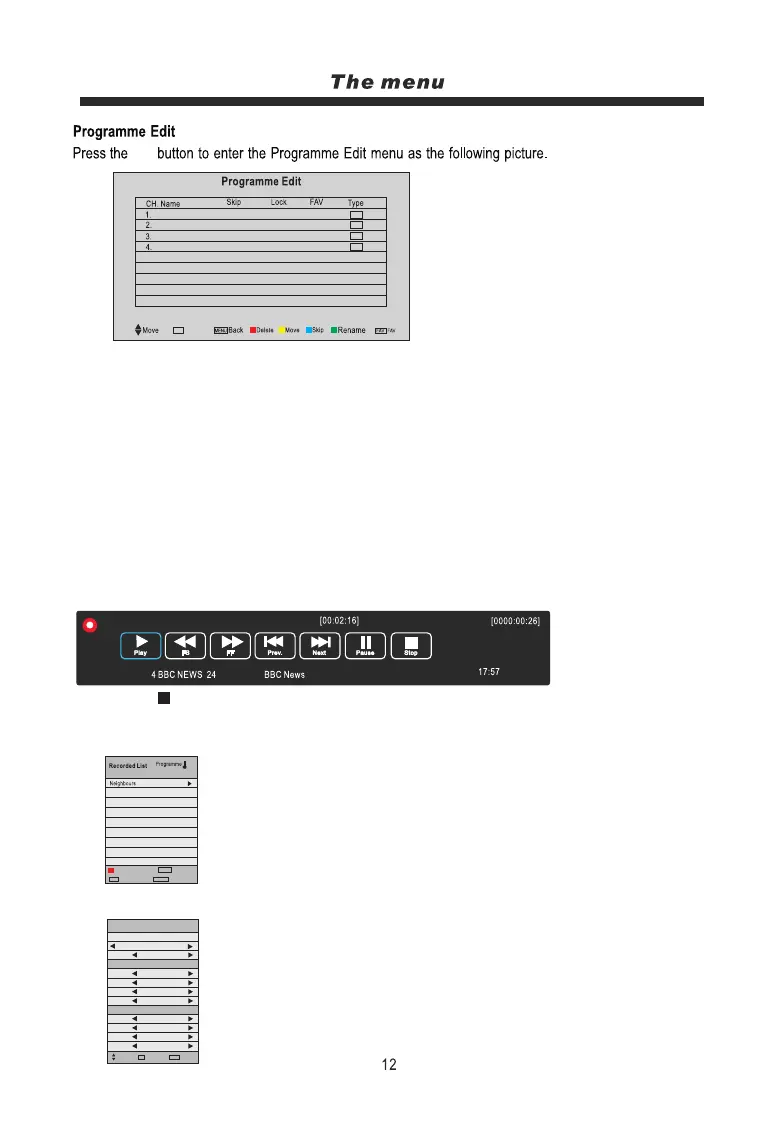
Delete: Select a channel and press the RED button to delete.
Move: Select an ATV channel, and press the YELLOW button, then you can use the p/qbuttons
to change the position of the programme, press the YELLOW again to confirm the change.
Press menu to exit and it will automatically save the current settings.
Skip: Select a channel and press the BLUE button to label the channel, as long as the channel has
a skip label it will skipped when searching through the channels with the CH+/- buttons.
Rename: Select an ATV channel and press the GREEN button to change the name of the channel
by using the p/q/t/ubuttons.
FAV: Press the FAV button to set your favourite channel.
Start Time: Select the start recording time.
End Time: Select the end recording time.
Press the OK button to save the setting and exit the menu.
OK
OK
OK



 To Next Page