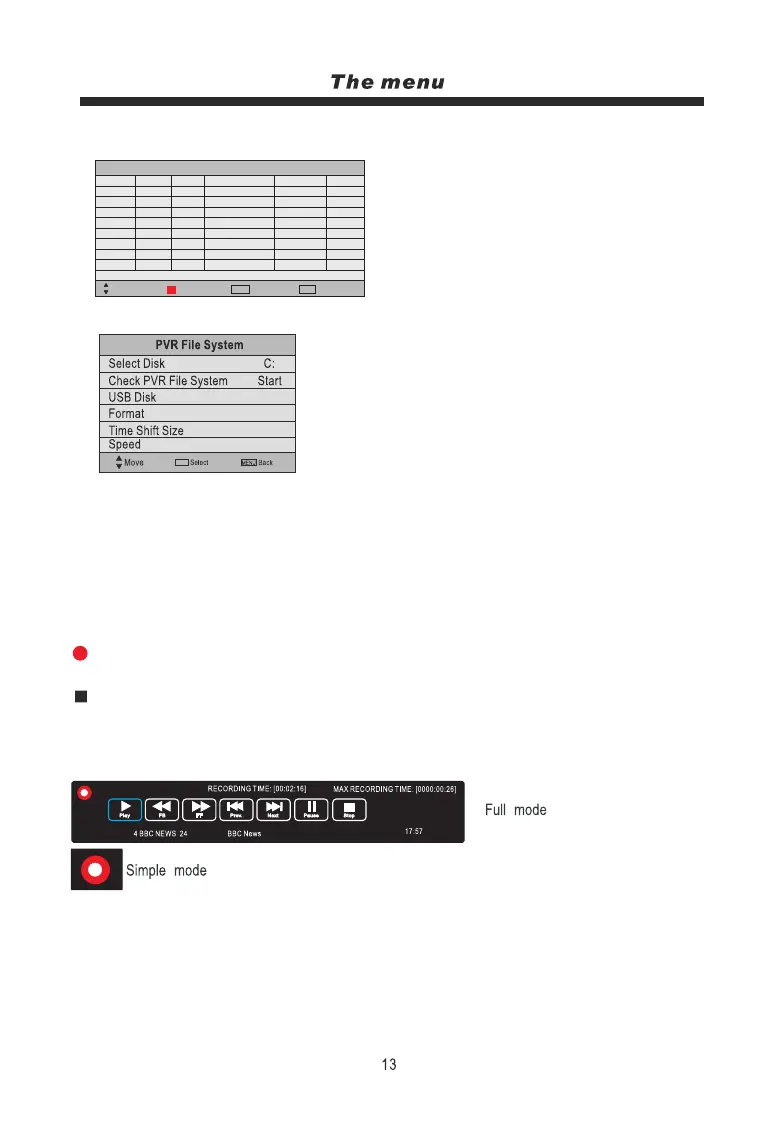
Schedule List: Press OK button to display the schedult list menu:
00:57 06th Sep
Move
Back
MENU
Schedule List
Mode Time Date
Programme Title
Channel Name
Result
Delete
Quit
EXIT
Note: Delete any scheduled recordings by pressing
the RED button.
PVR File System: Press the OK button to display the PVR file system menu:
Select Disk: Select the USB device to record on.
Check PVR File System: Check the system of the USB device.
USB Disk: Displays information
Format: Format the USB device for PVR operating
Time Shift Size: Displays the memory size of the USB device.
Speed: Displays the speed of the USB device
Record and Time shift function buttons:
REC: Press this button on the Remote Control to start recording.
TIME SHIFT: Press this button on the Remote Control to enter the timeshift mode.
Stop: Press to stop recording or timeshift.
Recording menu:
When you press REC button, the screen will display the
recording menu as below:
Note:
1. display and exit full mode by pressing the REC or Exit buttons.
2. Press the STOP button to stop the recording and exit the recording mode.
Time shift
When you press the TIMESHIFT button the picture will be paused and the navigation menu will
displayed on screen.
OK
OK



 To Next Page