Need help?
Do you have a question about the Balboa 300 Series and is the answer not in the manual?
Guides initial spa energization, pump priming, and exiting Priming Mode to Standard Mode.
Details how to display and adjust the spa water temperature using various panel buttons.
Explains how to activate pumps, switch speeds, and understand automatic shut-off times.
Describes how to turn the spa light on and its automatic shut-off feature.
Outlines Standard, Economy, and Sleep modes for spa heating and operation.
Details programming options for filter cycle duration on 300 and 300F series systems.
Covers no display, power loss, and unknown temperature states, with required actions.
Explains 'Overheat' messages (118°F/47.8°C and 110°F/43.5°C) and required safety actions.
Details issues with Sensor 'A', Sensor 'B', and unbalanced sensors, with troubleshooting steps.
Addresses flow problems, inadequate water detection, and potential freeze conditions.
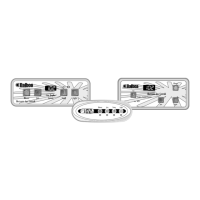
This document describes the Balboa 300/300F-Series Operation Guide for spa control systems running software v38. It covers VS and GS systems 300 and 300F using Balboa Panels VL200 through VL406.
The Balboa 300/300F-Series systems are designed to control various functions of a spa, including temperature, jets, lighting, and filtration. The system operates in different modes to optimize energy consumption and maintain water quality.
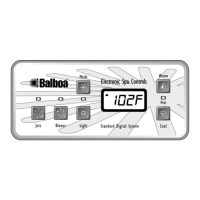
Upon initial power-up, the spa enters "Priming Mode" (Pr), which lasts less than 5 minutes. During this mode, users should repeatedly press the "Jets" button to ensure the pump is free of air. Exiting Priming Mode is done by pressing "Temp" (or "Set," "Warm," or "Cool" on some panels). After priming, the spa defaults to "Standard Mode." Pump 1 low-speed is crucial for heating and filtration.
The system displays the current water temperature, which is updated after the pump has run for at least 2 minutes. The temperature can be set within a range of 80°F - 104°F (26°C - 40°C).
Pressing the "Jets" button turns the pump on or off and switches between low and high speeds. Low speed automatically turns off after 4 hours, while high speed turns off after 15 minutes. Low speed may operate automatically for certain functions (e.g., filtration) and cannot be deactivated from the panel during these times, but high speed can still be operated. The ozone generator (if installed) activates whenever low speed is running.
Pressing the "Light" button operates the spa light, which automatically turns off after 4 hours.
Mode changing may not be available or may be locked in Standard Mode depending on the system configuration. Modes are changed by pressing "Temp," then "Light."
The first filter cycle begins 6 minutes after the spa is energized, and the second begins 12 hours later.
The manual provides a comprehensive list of diagnostic messages and their corresponding actions, which are crucial for troubleshooting and maintenance.
The manual emphasizes a "Warning! Shock Hazard! No User Serviceable Parts." Users are instructed not to attempt service and to contact their dealer or service organization for assistance. All power connection instructions in the owner's manual must be followed, and installation must be performed by a licensed electrician with proper grounding.

 To Next Page
 General