AFTER SALES SUPPORT
CUSTOMERCARE@BALCOLIFESTYLE.COM MODEL: HE180021
PRODUCT OVERVIEW
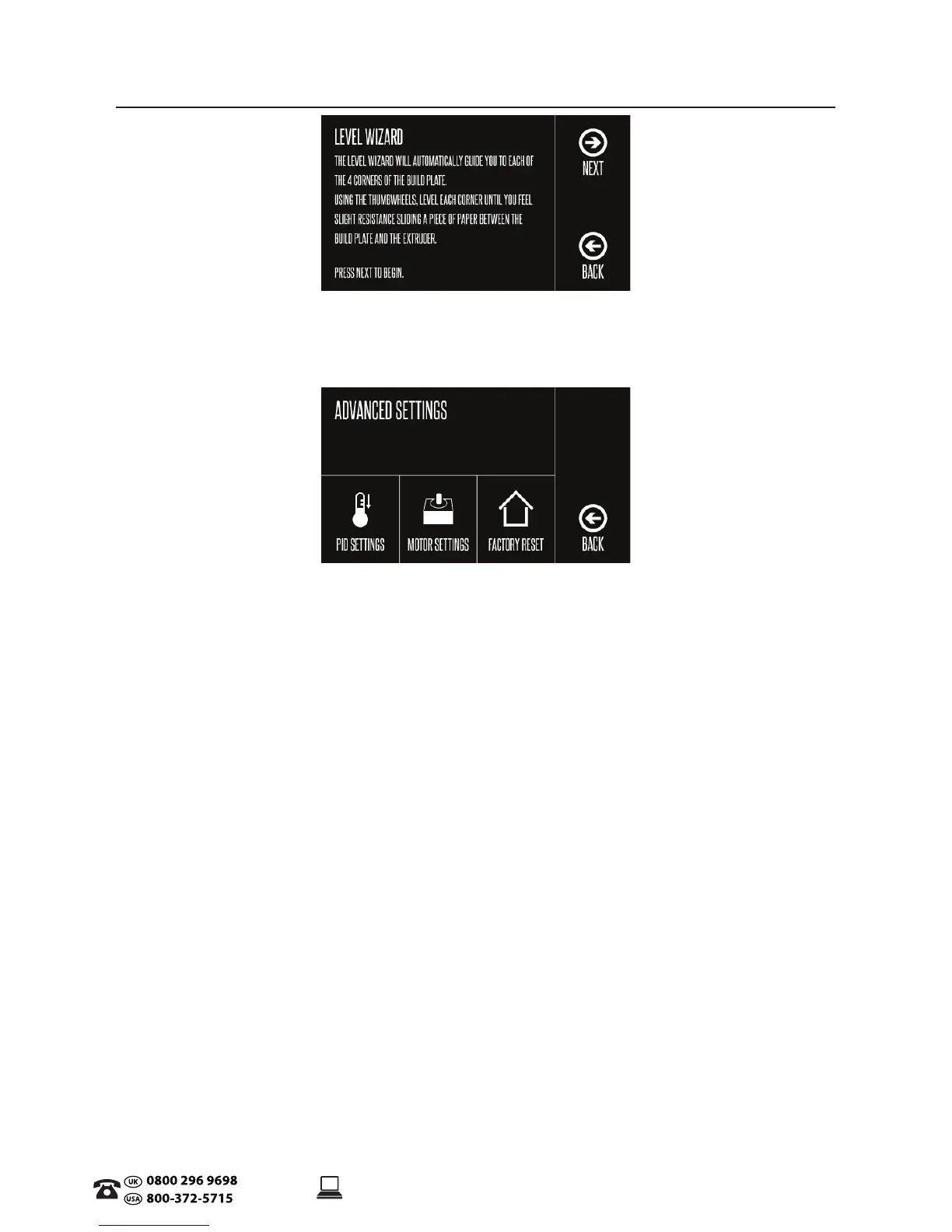
Level Wizard
Follow instructions on the touch screen for levelling the Print Bed
• Back: Return to Main Menu
Advanced Settings
• PID Settings: (We recommend to leave setting as default if you are new to 3D Printing)
• PID-P: Proportial Response
• PID-I: Integral Response
• PID-D: Derivative Response
• Conrm: Select to update print settings
• Back: Return to Advance Settings
• Motor Settings:
• X-Axis:
• Y-Axis:
• Z-Axis:
• E-Axis:
• Conrm: Select to update print settings
• Back: Return to Advance Settings
• Factory Reset: Resets 3D Printer to default Settings
• Back: Return to Main Menu


 To Next Page