EasyManua.ls Logo

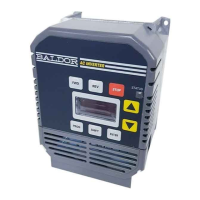
Baldor Series 10 - User Manual

Baldor Series 10
74 pages
Print Icon
To Next Page IconTo Next Page
Loading...
Series 10
Inverter Control
Installation and Operating Manual
2/00 MN710
AC INVERTER

Table of Contents

Questions and Answers

  • T
    Tracy BrooksJul 27, 2025
    What to do if my Baldor Series 10 motor will not start?
    • R
      Rachel KellyJul 27, 2025
      If your Baldor Inverter motor won't start, there are several potential causes. It could be due to insufficient starting torque, in which case you should increase the torque boost setting. Another possibility is that the motor is overloaded; verify the proper motor and control rating. Also, verify couplings are not binding. Finally, consider installing a motor and control with higher ratings.
  • H
    hendrickshaleyAug 1, 2025
    Why does my Baldor Inverter motor does not reach max speed?
    • F
      Fernando DixonAug 1, 2025
      If your Baldor Inverter motor isn't reaching its maximum speed, it could be due to several reasons. The Max. Output Frequency Limit might be set too low, so adjust this setting. Check for mechanical overload; if the unloaded motor shaft doesn't rotate freely, inspect the motor bearings. Make sure the control is receiving the proper command signals at the control terminal strip and is set to receive your type of speed command. A faulty speed potentiometer could also be the cause, so consider replacing it.
  • W
    William BondAug 6, 2025
    What to do if my Baldor Series 10 has no display?
    • A
      Amber MolinaAug 6, 2025
      If your Baldor Inverter has no display, it could be due to a lack of input voltage. Verify that the input voltage is correct. Also, check the input power connections to ensure they are not loose.
  • G
    George SnowAug 11, 2025
    Why is my Baldor Series 10 Inverter motor speed unstable?
    • R
      ralph06Aug 11, 2025
      Unstable motor speed in your Baldor Inverter can stem from a few issues. There might be an oscillating load, so correct the loading problem. Unstable input power could also be the culprit, so correct the input power problem. Additionally, the slip compensation might be set too high; adjust the slip compensation to resolve this.
  • A
    ahuntAug 16, 2025
    What to do if my Baldor Series 10 motor will not stop rotation?
    • C
      christopherdeleonAug 16, 2025
      If your Baldor Inverter motor won't stop rotating, it could be because the MIN. Output Frequency Limit is set too high; adjust this setting. Verify the control is receiving proper command signals at the control terminal strip and is set to receive your type of speed command. Also, the speed potentiometer might have failed, so replace it.
  • W
    wharrisAug 21, 2025
    How to fix a Baldor Inverter motor that runs rough at low speeds?
    • P
      Patricia WilliamsAug 22, 2025
      If your Baldor Inverter motor runs rough at low speeds, the torque boost might be set too high, so adjust the torque boost setting. Verify and align the motor/load coupling to correct any misalignment. If these steps don't resolve the issue, replace the motor.

Summary

Section 1 General Information

Limited Warranty

BALDOR will repair or replace defective controls for two years from date of purchase.

Safety and Precautions

Covers critical safety notices and precautions for operating the inverter.

Specifications

Details technical specifications like Horse Power, Input Voltage, Frequency, and other operating parameters.

Section 2 Installation

Location and Mounting

Guidance on selecting an appropriate mounting location and ensuring adequate clearance for cooling.

Terminal Access and Locations

Instructions for cover removal and identification of terminal/jumper locations.

Wiring and Protection

Guidelines for wiring considerations, wire size, protection devices, and tightening torques.

Power and Motor Connections

Details on main circuit, AC power, motor connections, and M-contactor.

Control Signal Wiring

Overview of logic wiring, analog inputs/outputs, opto-isolated inputs, and relay outputs.

Operating Mode and Configuration Diagrams

Selection of operating modes, connection diagrams, and jumper J19 settings.

Pre-Operation Checks

Steps to perform before applying power, including electrical and mechanical checks.

Section 3 Operation

Keypad Interface and Controls

Explanation of keypad keys, status indicators, and display elements for inverter control.

Operating Modes and States

Description of Stop Mode, Run Mode, Program Mode, and Security Access/Lockout features.

Parameter Configuration

Guide to adjusting key operating parameters like speed, acceleration, deceleration, and torque limits.

Section 4 Troubleshooting

Diagnostic Displays and Fault Codes

Interpreting diagnostic displays, fault codes, and troubleshooting common issues.

Maintenance and Corrective Actions

General maintenance, and troubleshooting tables for common indications and causes.

Section 5 Illustrations

Dimensional Drawings

Provides dimensional drawings of the Series 10 inverter for various horsepower ratings.

Appendix A Parameters

Parameter Reference List

A comprehensive list of all configurable parameters, their ranges, and factory settings.

Baldor Series 10 Specifications

General IconGeneral
BrandBaldor
ModelSeries 10
CategoryInverter
LanguageEnglish

Related product manuals