EasyManua.ls Logo

Ballu BSGI 12 - Service Flow Chart

Ballu BSGI 12
51 pages
Print Icon
To Next Page IconTo Next Page
To Previous Page IconTo Previous Page
Loading...
7
7
.
.
T
T
R
R
O
O
U
U
B
B
L
L
E
E
S
S
H
H
O
O
O
O
T
T
I
I
N
N
G
G
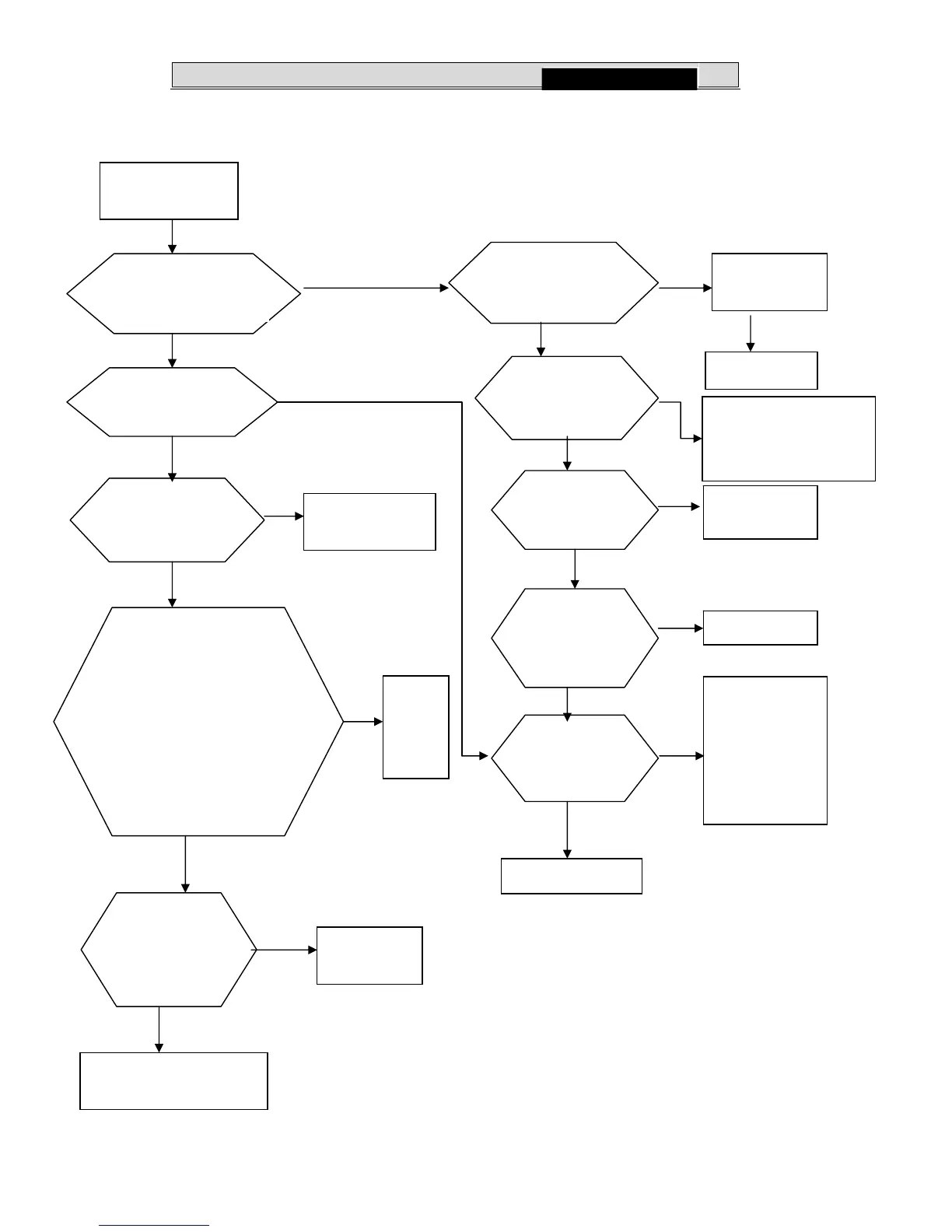
7-2. Service flow chart
Switch on the power
supply
No
No
Yes
No
No
Yes
No
Yes
Yes
Yes
No
Yes
No
Check the first and secondary
voltage.
The first voltage:220V
The secondary voltage:
*C15:12V
CN4(1,2terminal):5V
Are the wires poorly
connected?
Check all wires are
connected correctly
No
Replace it.
Indoor control board is faulty.
Display board
trouble
No
Replace
the
control
board
Does it receive the
remote controller
signal?
Yes
Start up self-test
function
Is the remote
controller in good
condition
Check the result
Replace the battery press
ACL button.
Retry remote operation.
After replacing
the display
board.
Display board
problem
Replace the
indoor board.
Is there still
trouble?
Yes
Check operation
Is indoor control
board short
circuit?
Check and find
short circuit or open
circuit among other
components such
as
transformer or
fan motor
Replace the indoor
Yes
Is the fuse(F01,
3.15A/250V) blown?
Does DLED screen
display normally?
Yes
No
After replacing the
display board, Is there
still trouble?
28
BSGI 09(12)

Related product manuals