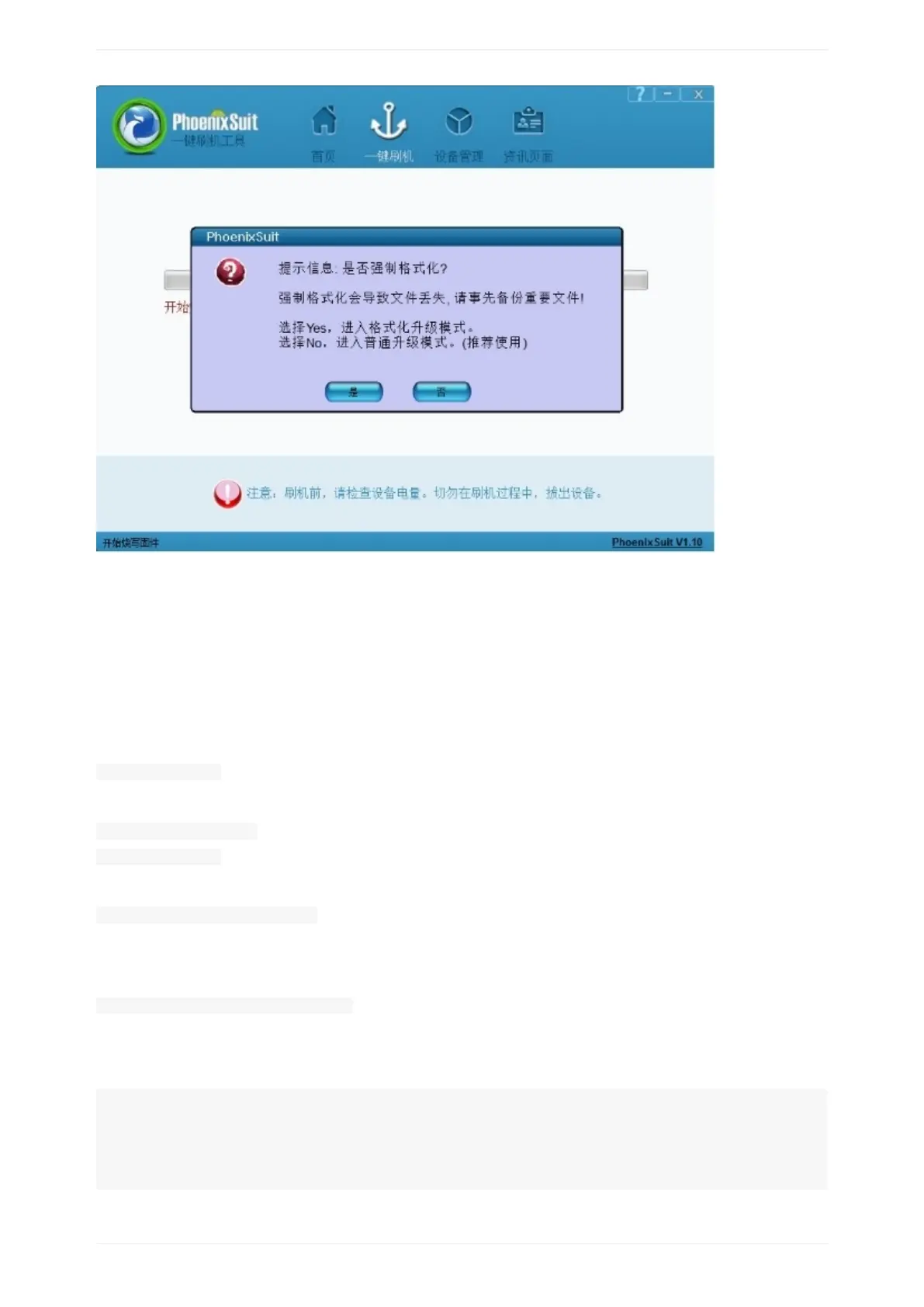
6,ifallisok,trytobootfromeMMC,ifnotsuccess,justneedtryagain.
HowtoburnandroidimagetoeMMCunderLinux
1,downloadandroidimagefromhttp://www.banan-pi.orgdownloadpage.
2,downloadLinux32bitorLinux64bittooling
3,UbuntuOSrunLiveSuit_For_Linux32(or64)DirectoryLiveSuit.run
sudo./LiveSuit.run
ifpromptmessagemissingdkmsmodule,pleaseinstallit:
sudoapt-getinstalldkms
sudo./LiveSuit.run
4,installdrivers:
sudodpkg-iawdev-dkms_0.4_all.deb
5,whenfinished,rebootsystem
6,Ubuntusystemaddudevrules:
sudovim/etc/udev/rules.d/10-local.rules
7inputudevrules:
note:pleasereplaceGROUP="text"textwithyourusergroup.
SUBSYSTEM!="usb_device",ACTION!="add",GOTO="objdev_rules_end"
#USBasp
ATTRS{idVendor}=="1f3a",ATTRS{idProduct}=="efe8",GROUP="text",
MODE="0666"
LABEL="objdev_rules_end"


 To Next Page