EasyManua.ls Logo

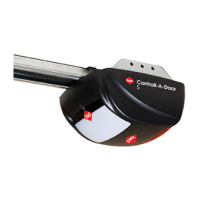
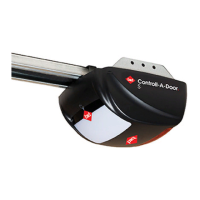
B&D Controll-A-Door P User Manual

B&D Controll-A-Door P
32 pages
To Next Page IconTo Next Page
Page #1 background imageLoading...
Page #1 background image
www.bnd.com.au
Controll-A-Door
®
P
N1854
Instruction Manual
B&D Doors is a division of B&D Australia Pty Ltd
ABN 25 010 473 971
Sectional Door Opener
Manufacturer’s Part # 79070 (Manual)

Questions and Answers:

B&D Controll-A-Door P Specifications

General IconGeneral
BrandB&D
ModelControll-A-Door P
CategoryGarage Door Opener
LanguageEnglish

Summary

Safety Rules

Default Settings & Specifications

Factory Default Settings

Lists default operational parameters for the opener.

Technical Specifications

Details electrical and mechanical specifications of the opener.

About Your B&D Opener

Warranty and Key Technologies

Details the 5-year warranty and frequency hopping technologies.

Opener Features and Benefits

Explains Auto-Close, Vacation Mode, Pet Mode, Courtesy Light, etc.

Operating Controls

Control Panel Buttons

Describes functions of buttons like OPERATE, LIMIT SET, etc.

Kit Contents

Knockdown C-Rail Assembly

Attaching the C-Rail

Determine the Door Type

Mounting on a Track Type Door

Mounting on a Non-Track Type Door

Mounting Door Bracket and Arms

Setting Travel Limits

Set the Datum Position

Procedure to set the opener's reference point for travel limits.

Set the Close Limit Position

Procedure to define the door's fully closed position.

Set the Open Limit Position

Procedure to define the door's fully open position.

Resetting the Door Limit Positions

How to clear existing travel limits.

Safety Obstruction Force Test

Testing Close Cycle

Checks door's reverse action when obstructed while closing.

Testing Open Cycle

Checks door's stop action when obstructed while opening.

Adjusting Safety Obstruction Force

Increase Force Pressure

Adjusts the force needed to reverse the door.

Decrease Force Pressure

Reduces the force needed to reverse the door.

Recall Factory Set Force

Resets obstruction force to default settings.

Coding Transmitters

Store Transmitter Code

Pairs a transmitter to operate the door.

Control Courtesy Light

Assigns a transmitter button to control the courtesy light.

Set Vacation Mode

Enables a single transmitter to operate the opener.

Operate Auxiliary Output

Uses a transmitter button to control external devices.

Operate Pet Mode

Sets transmitter to open door to a partial height.

Erase Programmed Codes

Deletes all stored transmitter codes.

Wall Mounted Transmitter Installation

Guides placement of the wireless wall button.

Accessories

Terminal Block Connections

Details wiring for accessories like beams and switches.

Remote Aerial Installation

Explains how to improve radio reception.

Safety Infra-red Beam

Explains importance and placement of safety beams.

Electric Key Switch

Describes alternative control method.

How To Use Your Opener

Using the Transmitter

Basic operation of the opener with a remote.

Transmitter Battery Replacement

Guide for changing the battery in the remote.

Inbuilt Locking Facility

Explains the automatic door locking mechanism.

Manual Door Operation

How to operate the door without power.

Safety Features

Covers Safety Infra-red Beam and Auto-Close.

Additional Opener Functions

Explains Courtesy Light, Auxiliary Output, Vacation Mode, Pet Mode.

Troubleshooting Guide

Parameters

Door Status Indicators

Explains LED and beeper codes for door status.

Button Functions

Lists functions associated with control panel buttons.

Maintenance

Periodic Maintenance

Outlines monthly and yearly checks for opener and door.

Warranty Expiry Indicator

Explains how the opener indicates warranty expiration.

Service Record

Table for logging maintenance history.

Spare Parts

Warranty

Related product manuals