EasyManua.ls Logo

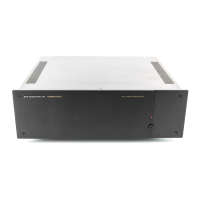
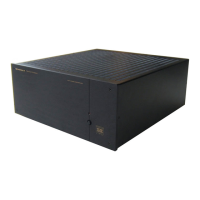
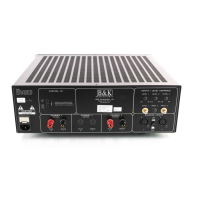
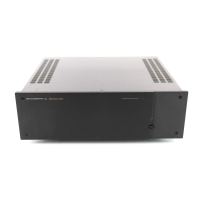
B&K 7250 - User Manual

Default Icon
16 pages
Print Icon
To Next Page IconTo Next Page
Loading...
B & K Components Ltd.
P/N 13007 Rev.0004
Reference 7250/7260
series II
Five/Six Channel Amplifier
OWNER’S MANUAL

Questions and Answers

  • D
    Denise KruegerJul 30, 2025
    What to do if my B&K Amplifier has no sound on some channels?
    • E
      Elijah BatesJul 30, 2025
      If your B&K Amplifier isn't producing sound on some or all channels, and the 'on' LED is lit, the issue could stem from several causes. Check that the speaker leads, line stage to amp cables, and source to line stage cables are securely connected; tighten, repair, or replace them if necessary. Also, verify that the line stage or source is correctly selected and that all switch settings are accurate. Examine all speaker fuses and re-adjust level controls. A blown speaker fuse could be the culprit.
  • A
    Alison BlackAug 6, 2025
    How to fix a B&K 7250 with no sound and no LED light?
    • M
      Mary MontoyaAug 6, 2025
      If your B&K Amplifier isn't producing any sound and the 'on' LED is not illuminated, the problem could be due to several reasons: * The power cord may not be properly plugged in. Reconnect the power cord. * There may be a power outage at the AC source. Check the AC switch or fuse. * The AC power inlet fuse might be blown or faulty. Check for shorts or overloading. * The control switch may be in the wrong position. Place the control switch in the proper position.
  • S
    Susan SmithAug 14, 2025
    Why is my B&K Amplifier making a loud humming noise?
    • E
      Elizabeth RobinsonAug 14, 2025
      A loud hum or buzz on one or more channels of your B&K Amplifier is likely due to a poor ground connection in the interconnect cables. Inspect all connectors and repair them as needed.
  • C
    Chad PayneAug 21, 2025
    What to do if B&K 7250 Amplifier sound lacks direction?
    • J
      Jeffrey LoganAug 21, 2025
      If the sound from your B&K Amplifier lacks direction and the bass is weak, it's possible that the speakers are connected out of phase. Check the connections to ensure that cables are connected (+) to (+) and (-) to (-).

Summary

Safety Precautions

General Safety and Installation Warnings

Covers essential safety measures and warnings for installation and operation.

Product Overview and Features

Purpose and Function

Details the amplifier's role in audio/video systems.

Design and Construction

Explains the quality circuitry and components used.

Technical Features

Highlights key attributes like toroidal transformers, MOSFET stages, and connectors.

Rear Panel and Connections

Rear Panel Layout

Illustrates and describes the rear panel connections and controls.

Input and Output Connections

Details RCA inputs, level controls, and binding post outputs.

System Installation and Setup

System Planning and Cable Management

Guidance on preplanning system layout and cable runs for efficiency.

Making the Connection

Step-by-step instructions for connecting power and audio cables.

Operational Features

Control Muting

Explains remote muting using B&K preamplifier control output.

Troubleshooting

Common Issues and Solutions

Provides a table of problems, causes, and solutions for operational issues.

Maintenance and Specifications

Care and Cleaning

Instructions for cleaning the exterior and internal components.

Technical Specifications

Lists detailed technical data like power rating, frequency response, and dimensions.

Warranty and Returns

Limited Warranty Terms

Outlines the warranty period, coverage, and exclusions.

Returning Equipment

Explains the procedure for returning equipment for service.

B&K 7250 Specifications

General IconGeneral
BrandB&K
Model7250
CategoryAmplifier
LanguageEnglish

Related product manuals