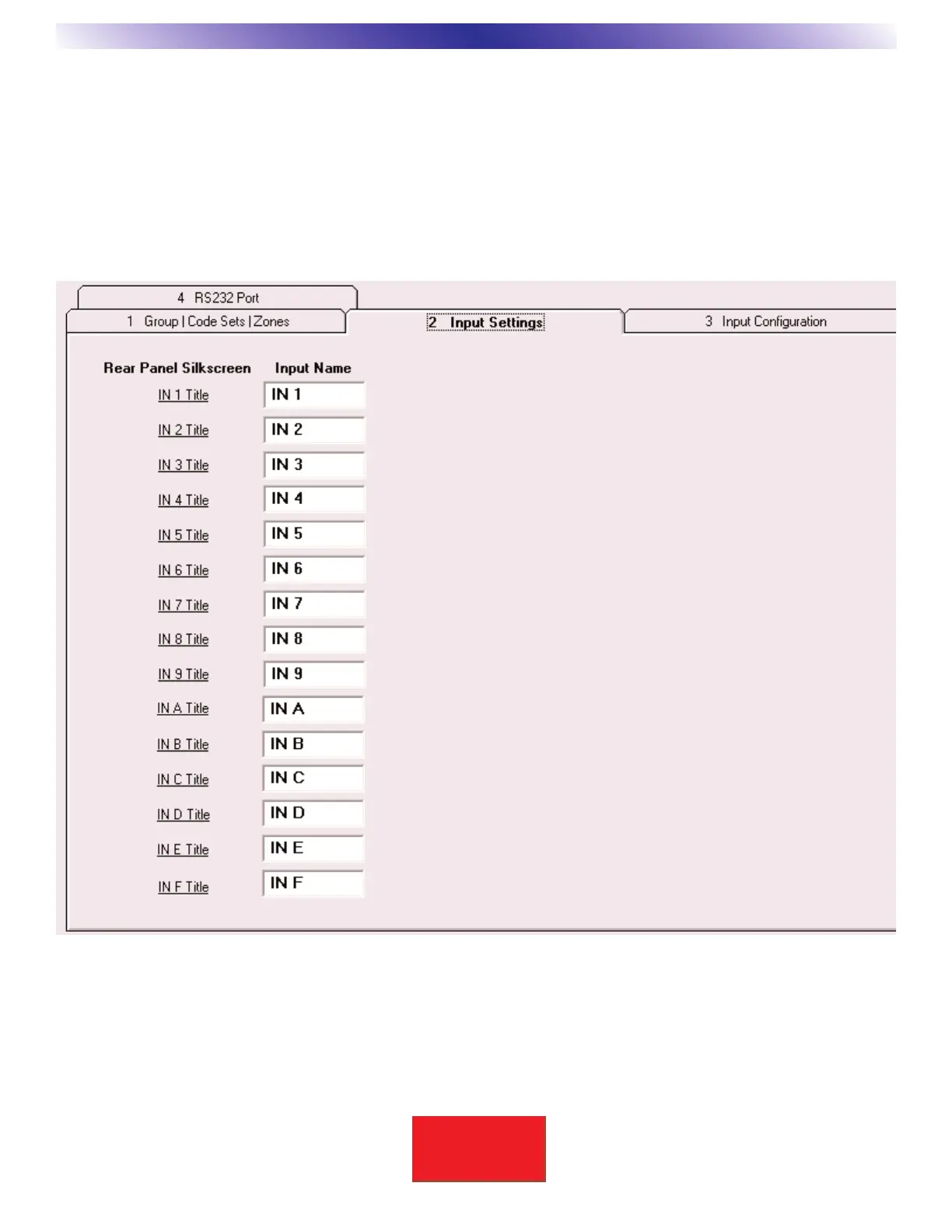
BKcSuite Input Settings Setup
1. Video Input Names:
Title each of the nine video input names (IN 1 - IN 9) with a user friendly name of up to 5 letters. Video inputs
1 through 9 are available for selection in all six Hardware Zones A-F, thus they are common shared video inputs.
BKC-DIP communication may be used to view these names and other system parameters for use in an external
automation system.
2. Dedicated Video Input Names:
Title each of the six dedicated video input names (IN A - IN F), one for each Hardware Zone A-F, with a user
friendly name of up to 5 letters. Note: Only Zone A dedicated video input is available for use in Zone A, the same
holds true for Zones B, C, D, E and F.


 To Next Page