AUDIO/VIDEO OUTPUT
7
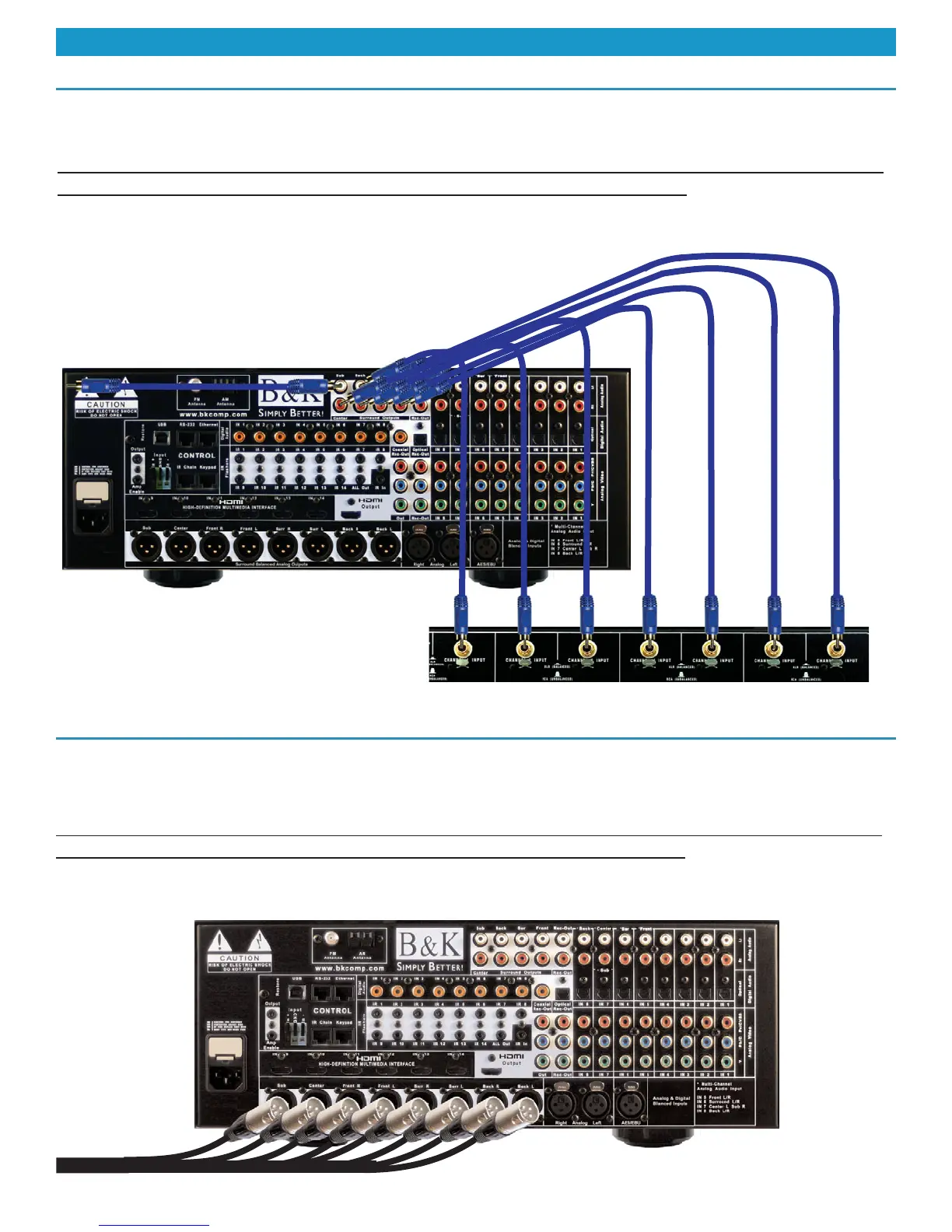
The Reference 70 supplies 7.1 RCA surround outputs. These surround outputs can be used to con-
nect to an external amplifier and/or the subwoofer to the preamplifier. To connect seven amplifier
channels, connect seven RCA audio cables between the surround outputs and the amplifier inputs.
Be sure to match the appropriate preamp output to the speakers location in the room. For example,
connect the center channel output the the center speaker amplifier channel. If a five channel audio
system is desired, do not connect the surround back audio channels. If a six channel audio system is
desired, connect the sixth channel to the surround back left channel.
Audio Output Connection - Unbalanced
Audio Output Connection - Balanced
The Reference 70 supplies 7.1 RCA surround outputs. These surround outputs can be used to con-
nect to an external amplifier and/or the subwoofer to the preamplifier. To connect seven amplifier
channels, connect seven RCA audio cables between the surround outputs and the amplifier inputs.
Be sure to match the appropriate preamp output to the speakers location in the room. For example,
connect the center channel output the the center speaker amplifier channel. If a five channel audio
system is desired, do not connect the surround back audio channels. If a six channel audio system is
desired, connect the sixth channel to the surround back left channel.
To Balanced
Input on
Amplifier
Shown is the Reference 70 unbalanced outputs
connected using standard RCA cables to the unbal-
anced inputs on a Reference 125.7. The subwoofer
output is shown going to a powered sub.



 To Next Page
 Loading...