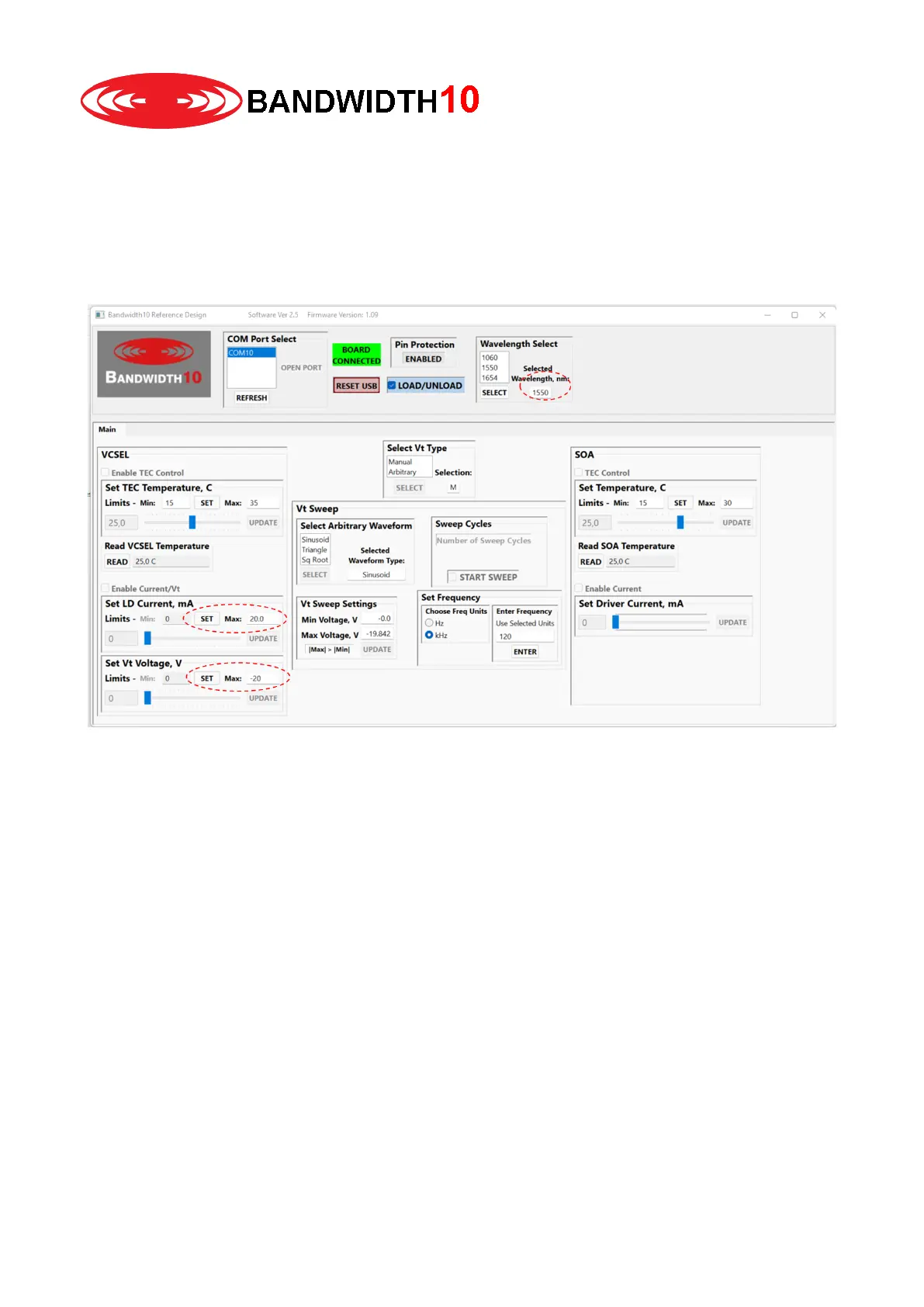
4. Next click in the wavelength select section on the VCSEL wavelength / type you want to drive (i.e.
1550) and click select. Please check if the selected wavelength is correct.
At this stage you refine the max laser drive and tuning voltage limits to ensure that you do not
damage your specific laser. Just enter the limit in the set LD Current section and set VT Voltage
section and hit set. Note that the driver box uses an anode grounded configuration, i.e. the 1550 and
1654 voltage limits needs to be entered with a “-“ sign. The limits can be found in the test document
sent with the laser.


 To Next Page