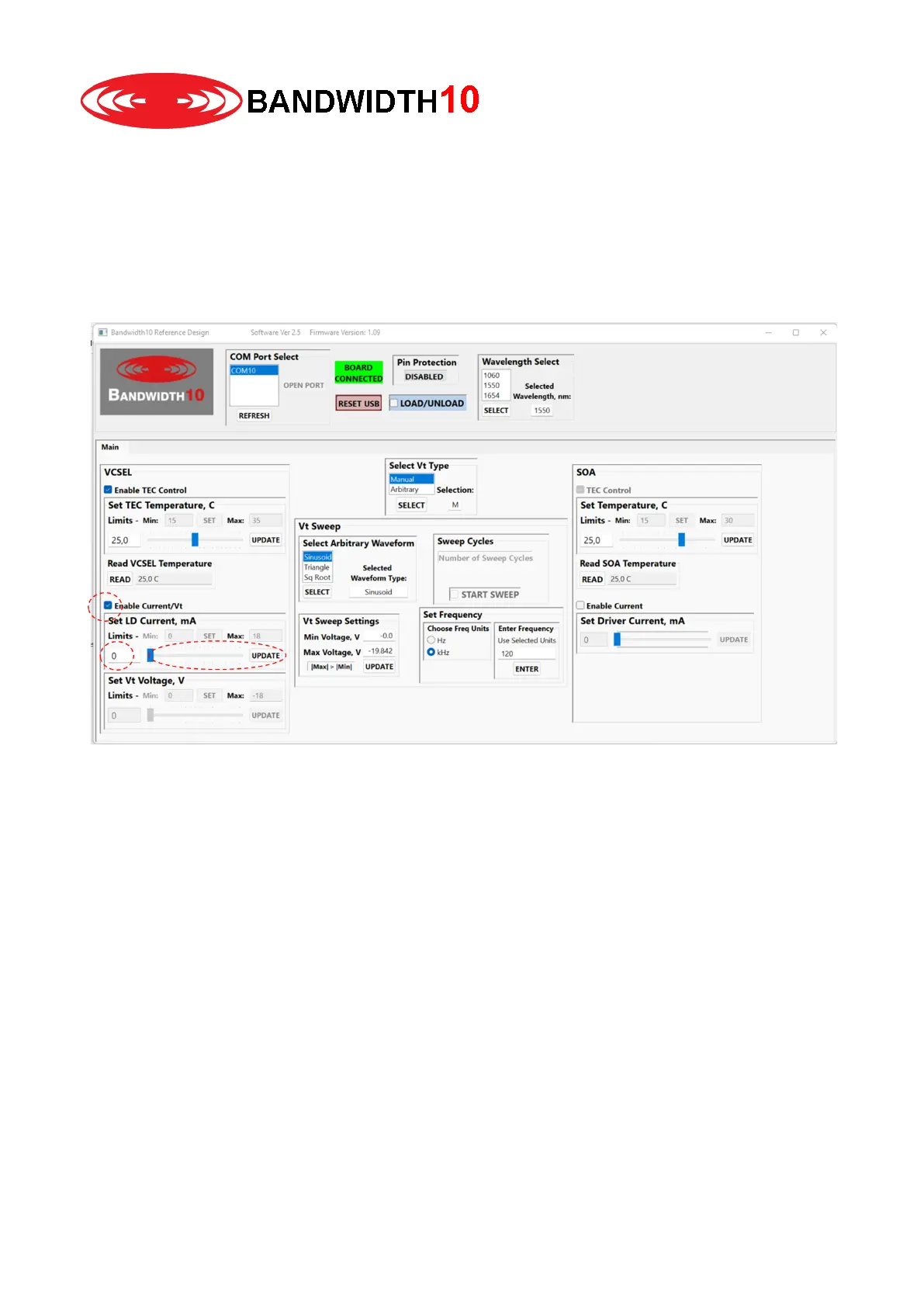
6. Now you can enable the laser current. First check the box enable current / Vt.
You can change the laser current with the slider and clicking update or by clicking in the text field
and entering a number with the keyboard followed by enter. If you do not click update or hit enter the
new value is not written into the microcontroller. Note that you need to enable the laser current
before you can change the tuning voltage.
You can change the tuning voltage accordingly. Setting a DC voltage is referred to Manual tuning, or
DC-tuning.


 To Next Page