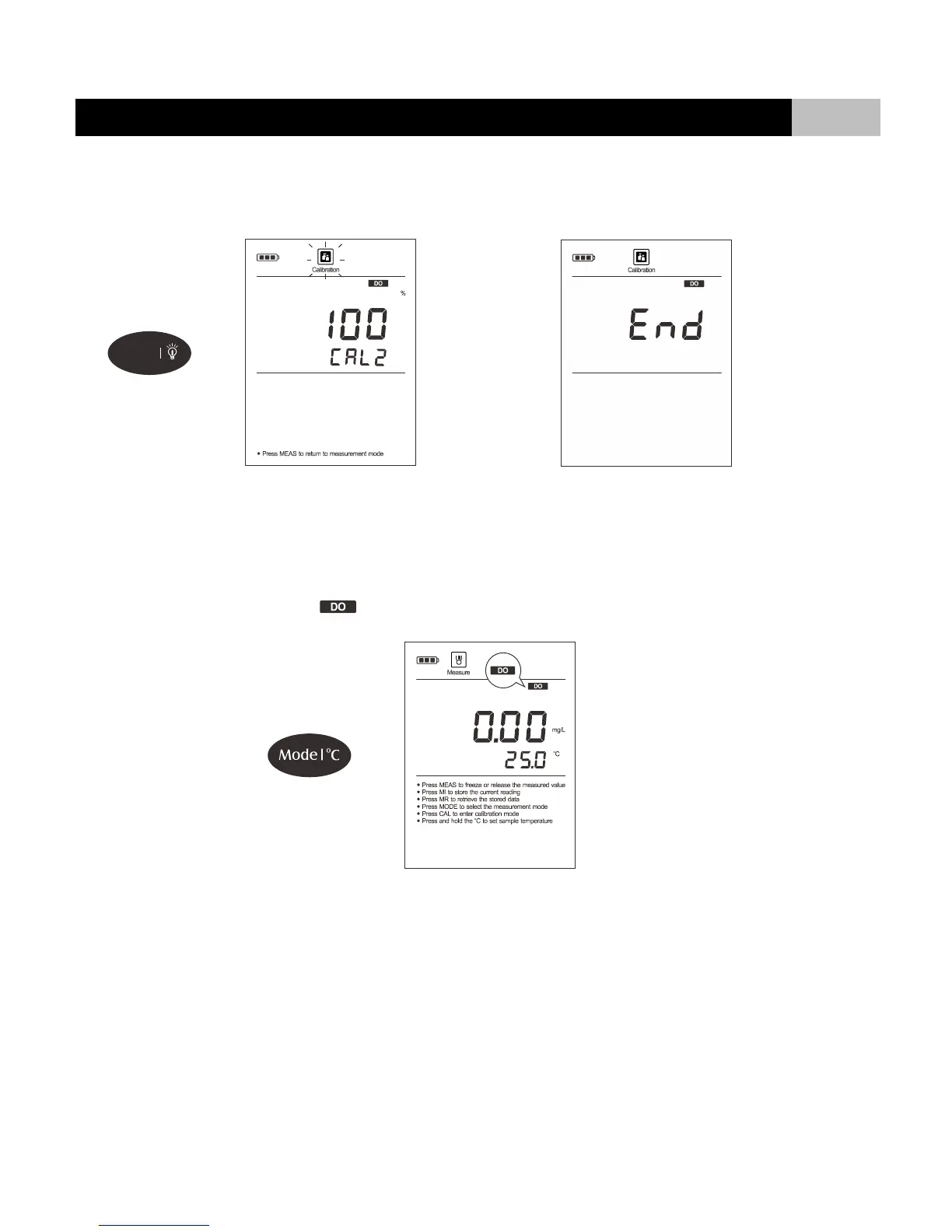
2.7 Dip the dissolved oxygen probe into air-saturated water for 3 to 5 minutes, press ENTER key to confirm. Wait for the measured value to stabilize, the
display shows “END”. The meter returns to measurement mode automatically. Calibration is completed.
Performing a percentage saturation calibration will simultaneously calibrate the corresponding mg/L (or ppm) concentration value. Therefore, additional mg/L
calibration isn’t required in most circumstances.
DO Calibration in mg/L or ppm Mode
1.1 Press MODE key until the meter shows indicator and measurement unit “mg/L” or “ppm”.
1.2 Make sure that you have selected 1 point calibration in the setup menu.
1.3 If necessary, set the salinity and atmospheric pressure coefficient in the setup menu (Refer to Setup Menu section).
1.4 Press CAL key, the display shows “8.25mg/L/CAL1” (@25
o
C).


 To Next Page