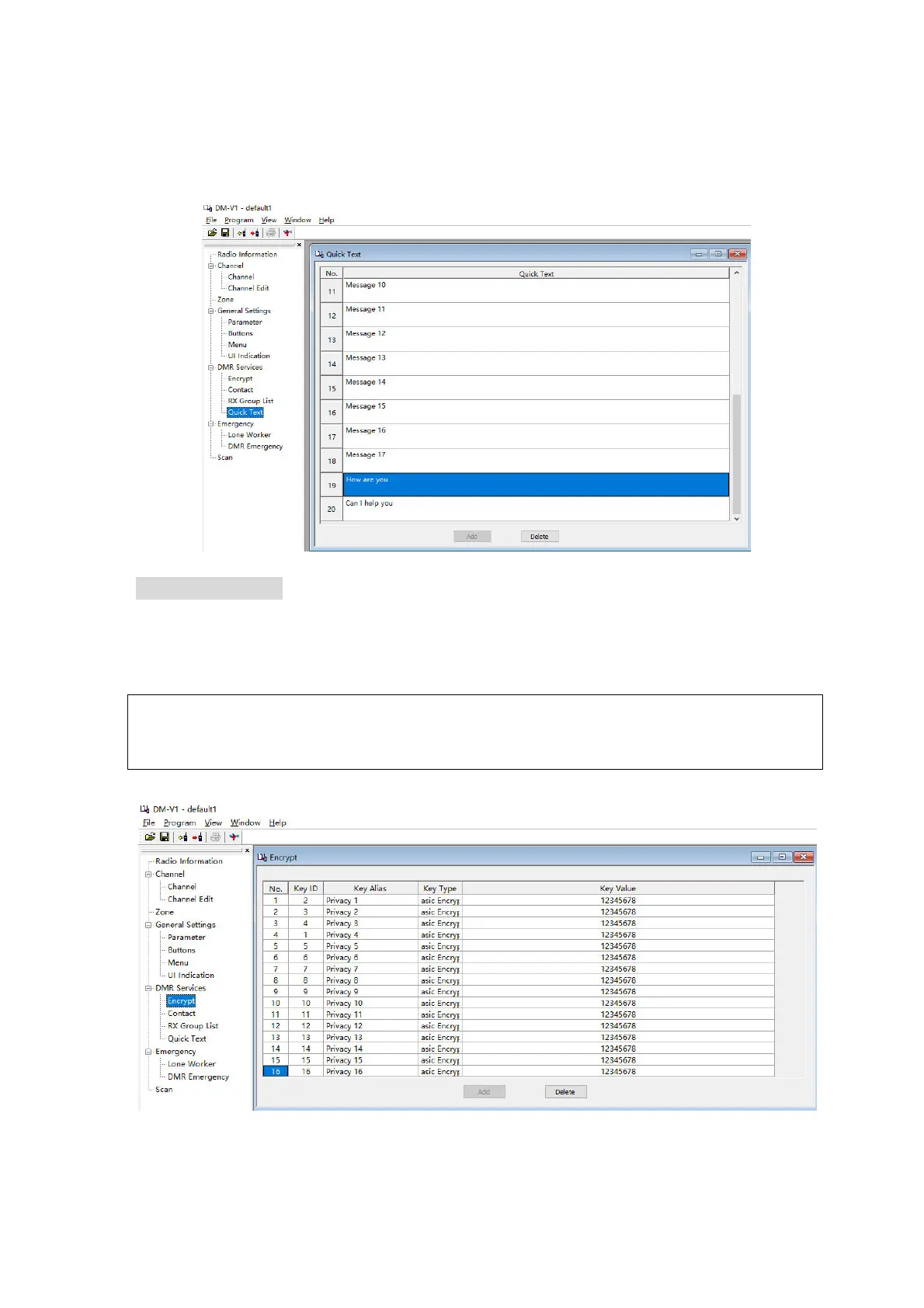
you need to send without additional editing. Select
’Program’ -> ‘DMR Services’ ->
‘Quick Text’ to go
to the appropriate configuration page.
Picture 11: Quick Text
4.8. Encrypt Setting
Digital encryption is also supported by your DM-V1 radio. You can set the corresponding digital
encryption password. The person you are talking to can only hear your voice by setting the same
encryption password as you, avoiding other people hearing your call. Select ’Program’-> ‘DMR Services’ ->
‘Encrypt’ to get to the appropriate configuration page.
Hint:
Configure the encryption key for the machine. The key is 32 or 64 bit characters, including 0-9, A-F.
*Encryption might not be allowed in your network.
Picture 12: Encrypt Setting



 To Next Page