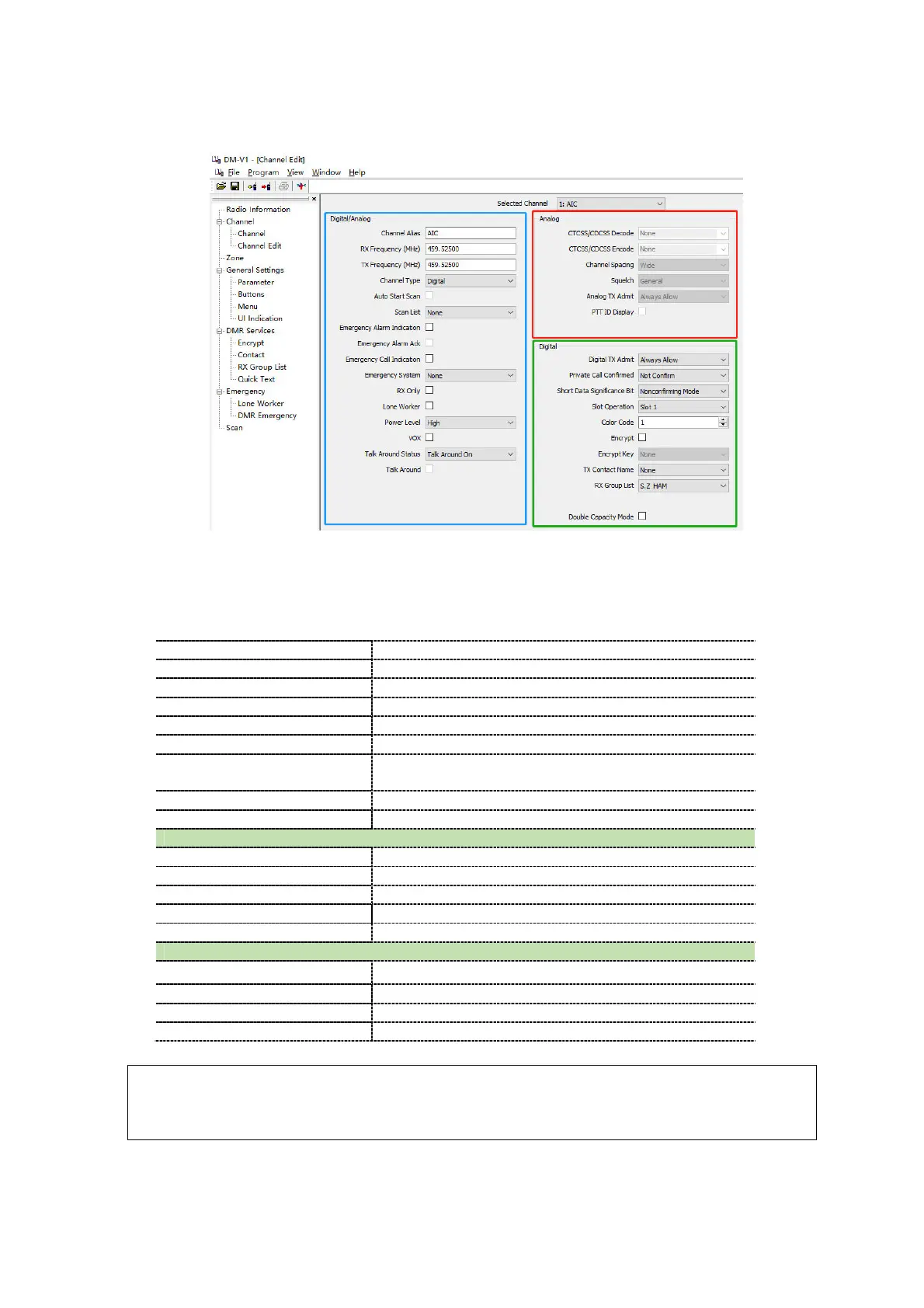
Picture 16: Channel Information
Let’s have a very short explanation of all those fields:
Channel Type Select ‘Analog’ and ‘Digital’
Rx Frequency[MHz] the UHF frequency
Select which Scan List(s) will be scanned
alone” emergency function should be allowed
TOT
The radio can continuously transmit before a transmission is
Select one of four levels 1W
Digital
Slot Operation Select which slot (1 or 2) applies to this ‘Channel’
Select which Color Code (CC) is related to this channel
TX Contact Name Talk Group (TG) to be assigned to this channel
Rx Group List If programmed, select the RX Group List
Band Width Select the bandwidth for transmission
CTCSS/CDCSS Decode Select Off or CTCSS or DCS and tone frequency
Select Off or CTCSS or DCS and tone frequency
Tight/Normal squelch selection, only for analog mode
Note:
Repeater Slot is only available in DMR digital trunk mode, or dual capacity direct mode.
Once completely filled in, click OK to save this Channel.



 To Next Page