4
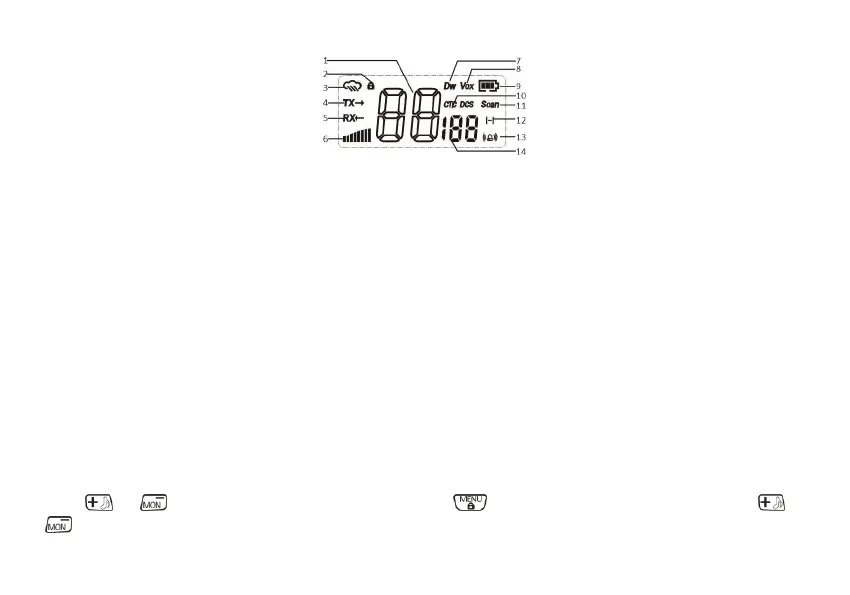
LCD DISPLAY
1. Channel (1-16) 8. Activate the VOX function
2. Keypad Lock 9. Battery Indicator
4. Transmit Status 10. Select the DCS/CTCSS type of squelch method
5. Receive Status 11. Scan Indicator
6.
Transmit power indicator. Low power only in PMR mode
13. Emergency alert function activated
7. Dual Channel Monitor 14.
Displays the set CTCSS tone or DCS code (CTCSS: 1-50; DCS: 1-105)
Basic Operations
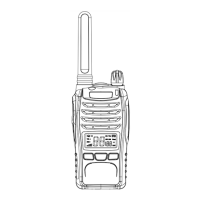
In order to get the most out of your new radio, read this reference guide completely before attempting to operate the unit.
Power on/off and volume adjustment
Rotate the Power/Volume knob clockwise to turn the radio on. Rotate the control clockwise /counter-clockwise to adjust the
volume level as you prefer. To turn the radio off, rotate the control counter-clockwise till hearing a mechanical “click”.
Choosing a Channel
Your radio has 16 channels and 155 Sub-Codes you can use to talk to others. In order to speak to someone, both your radios
must be set to the same channel and Privacy code.
If the or button is locked, please press and hold the button for 2 seconds to unlock. Press the or
buttons to select one of the 16 PMR channels.













 To Next Page