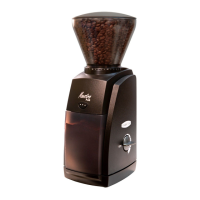
5
Initial Operation
Place the Maestro Plus on a level surface and plug into a correct voltage,
AC outlet only. Remove the lid from the hopper by lifting off. Pour the
desired quantity of roasted whole coffee beans into the hopper up to a
maximum of 8 oz. Replace the lid. Ensure the ground coffee bin is fully
inserted.
Setting the Grind Control
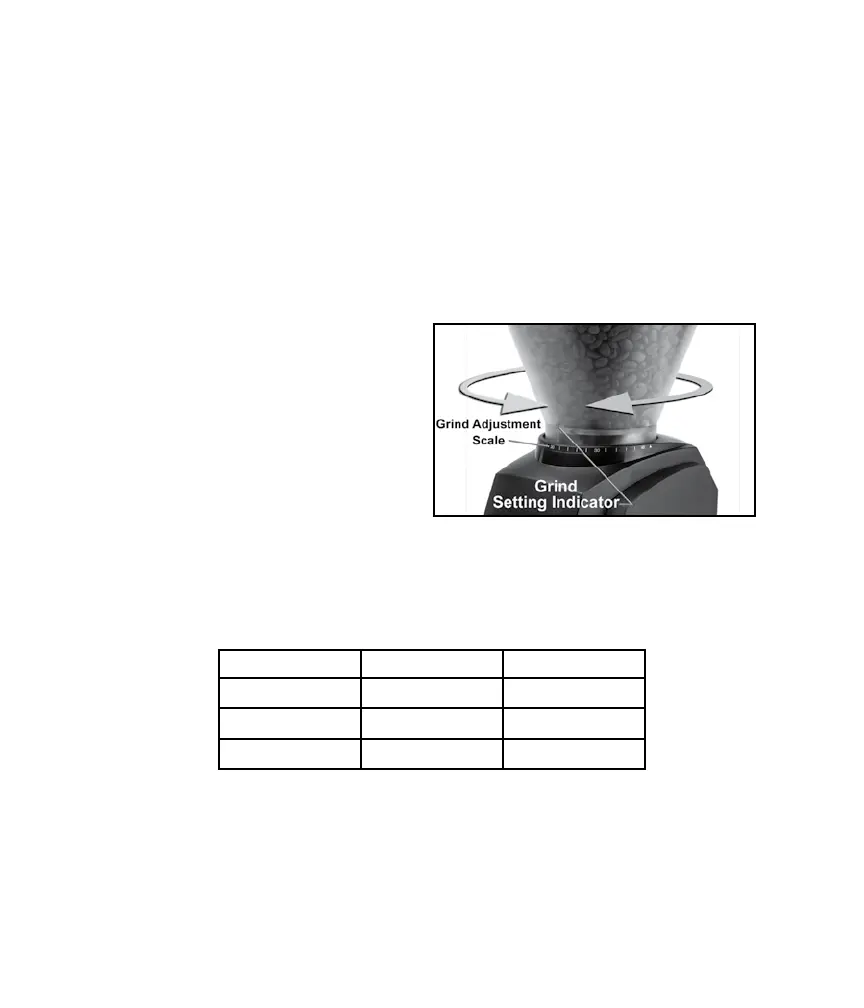
Slowly rotate the bean hopper clockwise or counter clockwise to align
the indicator on the bean hopper
with the desired number setting on
the grind scale. Select the correct
grind for the brew process you
are using. 40 grind settings are
available. The settings shown in
the table below can be used as a
general guideline. The actual grind
size for a particular setting will
vary depending on many factors,
including: degree of roast (light vs. dark), freshness, humidity, type of
bean, oil content, etc. With use, you will determine the setting that is right
for your taste, brewing style and your favorite beans.
Note:
Partially ground coffee beans may remain between the burrs after the
grinder is turned off, adjusting the grind may be easier when the grinder
is running. Avoid running the grinder at very ne settings without bean
as it can damage the burrs.
Setting Type of Coffee Grind
1 to 14 Espresso Fine
16 to 28 Filter / Drip Medium
29 to 40 Press Coarse


 To Next Page