10
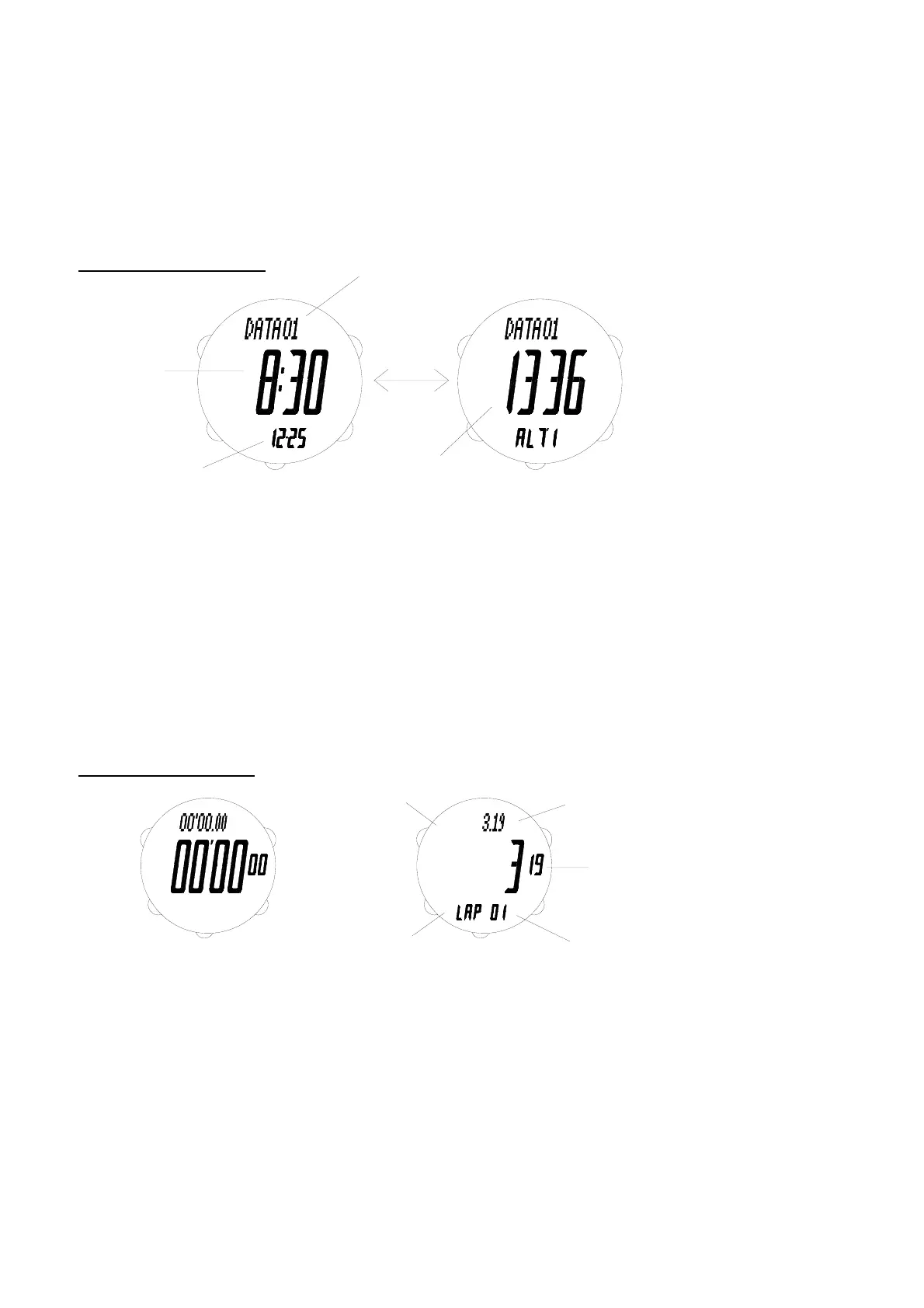
Time
Month-Day
Altitude reading
or E
A
Data number
3 seconds
M
D
C
E
A
B
D
C
E
A
B
Split Time
Lap number
E
C
D
SPL
PAL
C
Split time
indicator
B
A D
Lap time
indicator
E
SPL
AL P
B
A
Lap Time
* “STORED” and data number are shown.
To calibrate altitude reading
1. Hold down D until the current altitude reading starts to flash on the display, which indicates the setting screen.
2. Use A (+) and B (-) to change the setting. Holding down either button scrolls the setting at high speed.
3. Press D to exit the setting screen.
* If there is no button operation for 2-3 minutes at setting screen, the display will return to Altimeter mode
automatically.
ALTIMETER DATA MODE
Use C to enter Altimeter Data mode.
* Mode prompt “ALTI DATA” is displayed first.
- Data number, time, date and altitude reading can be retrieved.
* Altitude data are shown in 2 different displays.
To retrieve the altitude data
1. Use A (+) and B (-) to select the altitude data to be retrieved.
2. Press E to switch between the 2 displays of data.
* If no button is pressed, the 2 displays will be shown for 3 seconds alternately.
To clear the altitude data
Hold down D until “----” is shown on the display to clear all altitude data stored.
* Altitude data cannot be cleared individually.
CHRONOGRAPH MODE
Use C to enter Chronograph mode.
* Mode prompt “CHRO” is displayed first.
- The chronograph is of 1/100-second resolution for the first hour and 1-second resolution for the rest and with
working range up to 24 hours, then the chronograph stops automatically.
- For the first hour, the chronograph shows minutes, seconds and 1/100-seconds, then it shows hours, minutes
and seconds.
* Leading zeros will not be shown.
- There are 100 memories for lap/split times stored in a maximum of 30 runs.
- The chronograph lets you measure elapsed time, lap/split times and two (or more) finishes.
* When you take lap/split times, the display will be frozen to show lap time, split time and lap number for about 6
seconds, then the display will show the current running times automatically.



 To Next Page