6
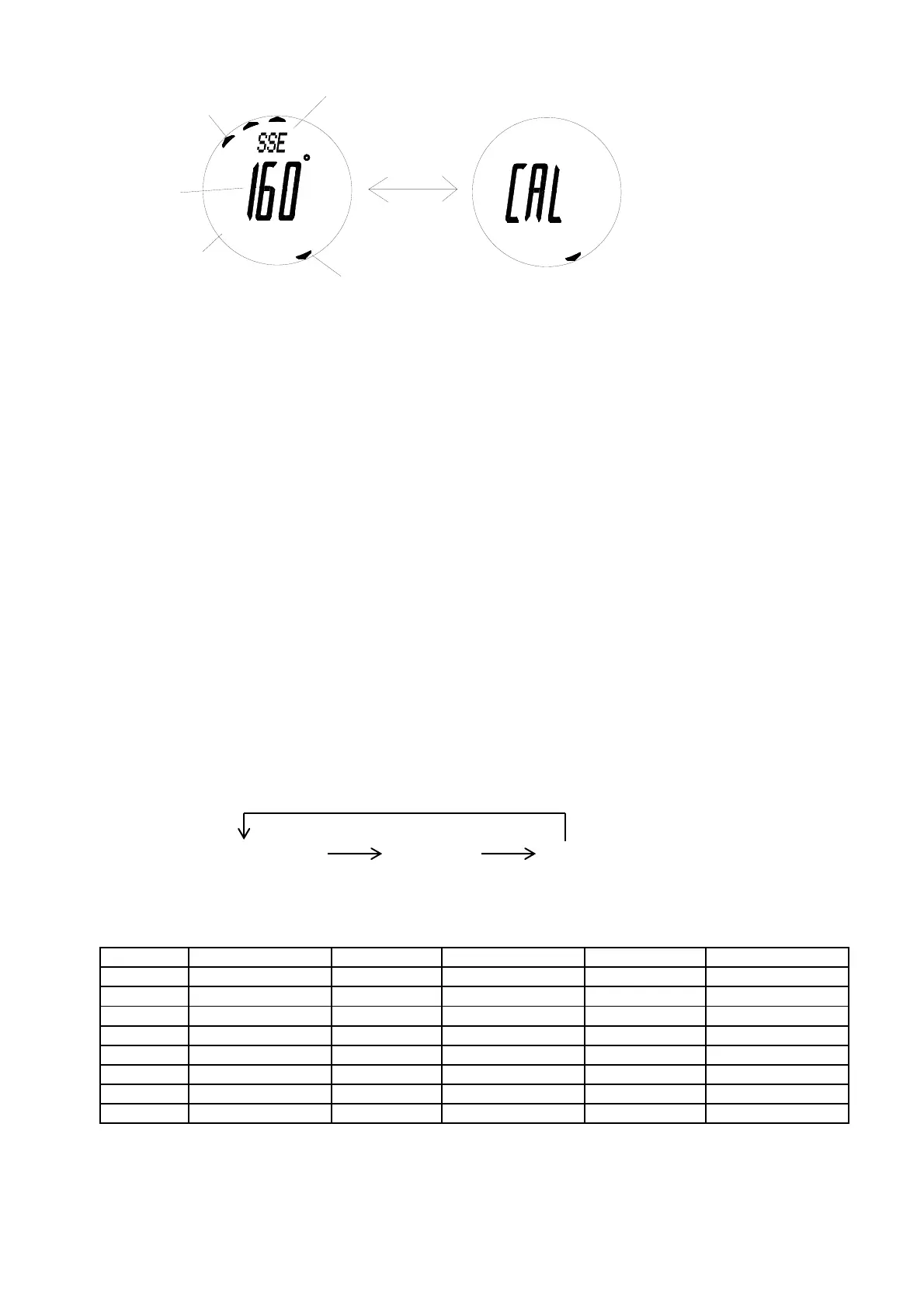
South indicator
Compass mode
indicator
Bearing
COMP
CALIBRATION SCREEN
North indicator
Cardinal indicator
Hold D
COMP
Use C to enter Compass mode.
* Mode prompt “COMP” is displayed first and bearings will be taken automatically.
- Compass mode indicator is shown.
- When you take bearings, readings are shown in 16 cardinal indications together with bearing in degrees.
* Reading shown indicates the direction that the LCD’s 12 o’clock position is pointing to.
- North-South arrow is shown on circumference of the LCD.
* North is indicated by 1 flag and South is indicated by 3 flags.
- Declination correction is provided.
* Declination is the difference between true north and magnetic north.
Importance
1. The compass should be calibrated before use.
2. The compass must be kept in a level position when in use.
3. Compass readings are easily affected by disturbing sources of magnetism, so the compass should always be
used in the open air.
To calibrate the compass
1. Hold down D until “CAL” is shown on the display, which indicates the calibration screen.
2. Rotate the product slowly for 2 complete rotations.
* Each rotation must last for at least 15 seconds.
3. Press D and the ten-degree digit starts to flash on the display, which indicates the declination angle setting
screen.
* Press A will end calibration skipping the declination angle setting. In this case, the declination angle is set to
0 degree.
4. Use A (+) and B (-) to change the setting. Holding down either button scrolls the setting at high speed.
5. Press C to advance to the next setting as in the following:
* When E or W is flashing, press A or B to switch between East and West.
* You should consult your local organization for information of declination. Declination angles for major cities
are listed below for reference only.
City Declination Angle City Declination Angle City Declination Angle
Anchorage 22° E London 4° W Rio De Janeiro 21° W
Atlanta 4° W Little Rock 3° E San Francisco 15° E
Bombay 1° W Livingston, MT 14° E Seattle 19° E
Boston 16° W Munich 1° E Shanghai 5° W
Calgary 18° W New York City 14° W Toronto 11° W
Chicago 3° W Orlando 5° W Vancouver 20° W
Denver 10° E Oslo 2° W Washington DC 10° W
Jerusalem 3° E Paris 2° W Waterbury, CT 14° W
6. Press D to end calibration.
* If “ERR” indicating error is displayed, calibrate the compass again.
* If there is no button operation for 2-3 minutes during calibration or at declination angle setting screen, the
display will return to Compass mode automatically.
To take bearings
TENS OF DEGREE DEGREE E/W
C
C C



 To Next Page