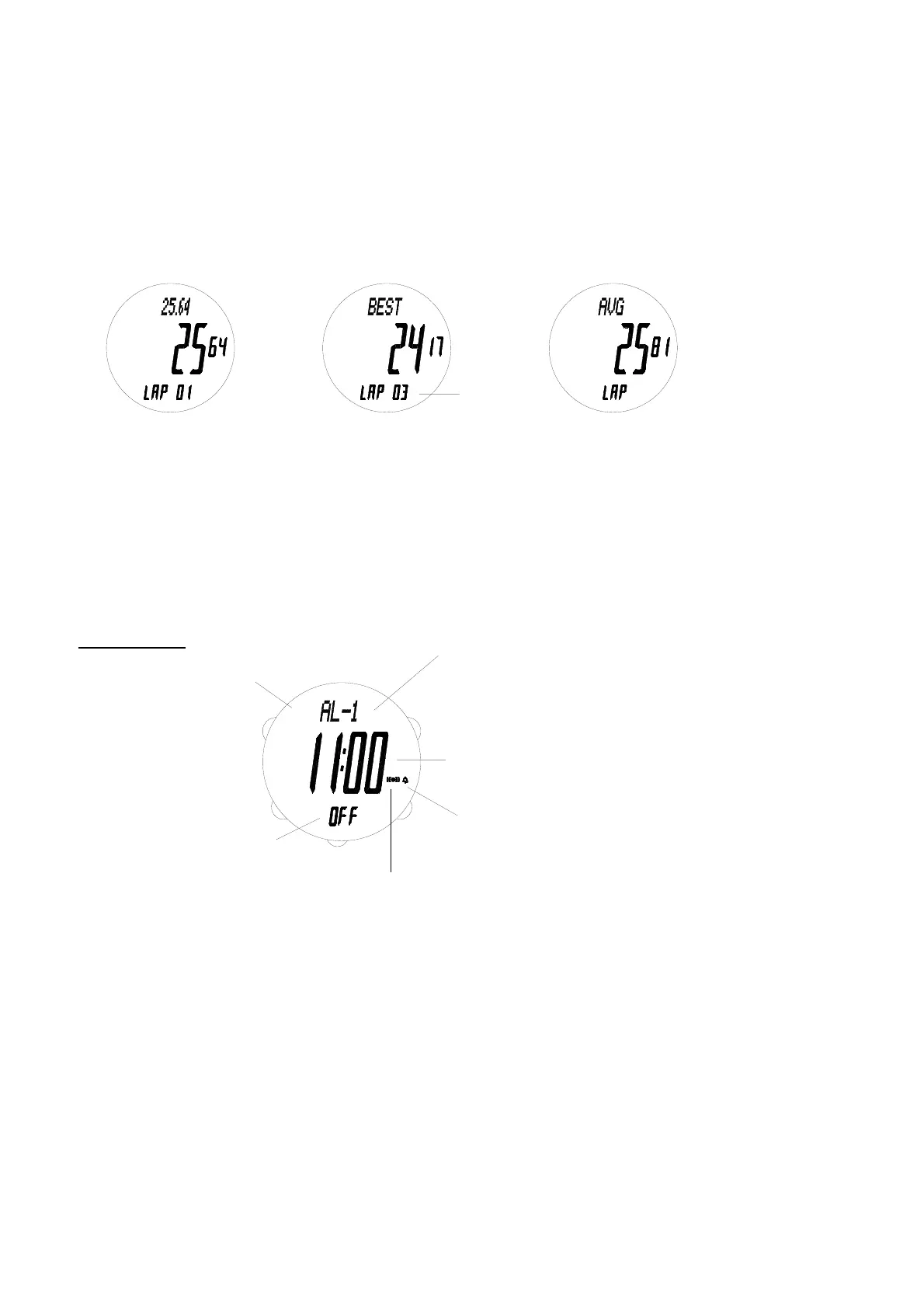
12
Lap/split time of lap 1
AL
SPL
P
Lap number
Best lap time
L PA
Average lap time
PLA
Alrm on indicator
Chime on indicator
Alarm 1 indicator
ON/OFF
status
indicator
E
B
T1 indicator
D
T1
P
A
Alarm time
Use C to enter Chronograph Data mode.
* Mode prompt “CHRO DATA” is displayed first.
- Run number, date, lap/split time of each lap, best lap time and average lap time can be retrieved.
- If chronograph is running, chronograph data cannot be cleared.
To retrieve the chronograph data
1. Use B to select the run to be retrieved.
* Run number and date are shown for about 2 seconds first.
2. Press A to retrieve the data one by one.
Display examples:
To clear one particular run
1. Use B to select the run to be cleared.
2. Hold down D until “CLEAR HOLD ALL” is shown on the display, release D and the selected run will be cleared.
To clear all runs
Hold down D until “----” is shown on the display.
* All runs are cleared.
ALARM MODE
Use C to enter Alarm mode.
* Mode prompt “ALRM” is displayed first.
- There are 2 daily alarms and they can be set to refer to Normal Time (indicated by T1) or Dual Time (indicated
by T2).
- Daily alarm sounds at the same time each day, while it is turned on.
- The alarm sounds at the preset time for about 20 seconds, or until you stop it by pressing any button.
- The alarm on indicator is only displayed at the time mode that the alarm is set to refer to.
- Hourly chime sounds at every full hour, while it is turned on.
* If chime is turned on, confirmation sound will be given whenever a button is pressed.
To switch between alarm 1 and alarm 2
Press B to switch between alarm 1 (indicated by AL-1) and alarm 2 (indicated by AL-2).
To set alarm time and turn chime on and off
1. Hold down D until the hour digits start to flash on the display, which indicates the setting screen.
2. Use A (+) and B (-) to change the setting. Holding down either button scrolls the setting at high speed.
3. Press C to advance to the next setting as in the following:



 To Next Page